13 GB
Getting
Started
Your Sony
CMD-J7/J70
Basic
Operation
Menu
Operation
Appendix
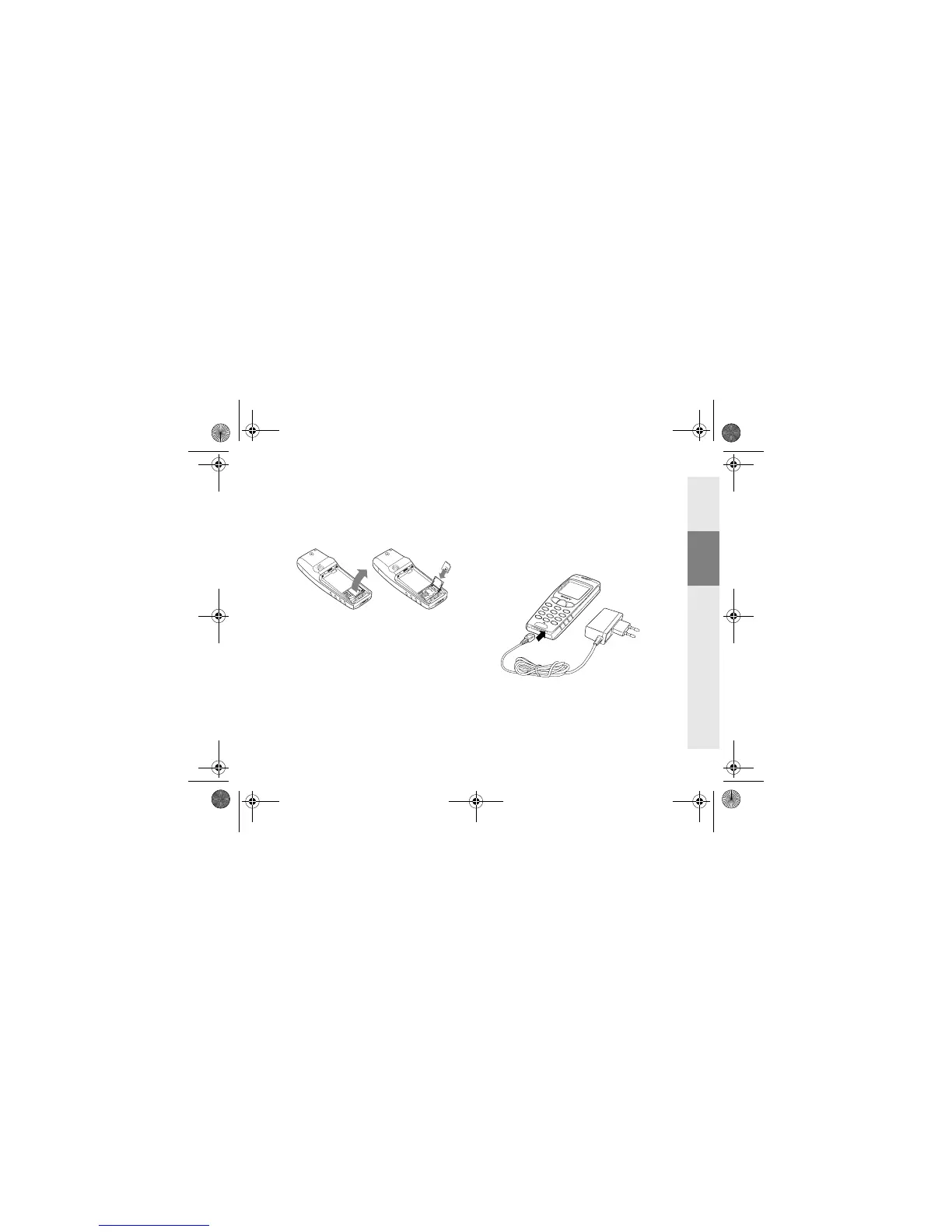
1 Remove the battery pack.
2 Slide the SIM card holder to the right to
unlock and lift up the tray. Slide the SIM
card into the tray (the gold contacts
should be facing down and the angled
corner positioned to the lower right).
3 Close the tray with the SIM card inserted
and slide the SIM card holder to the left to
lock.
4 Replace the battery pack.
To remove the SIM card
Follow steps 1 to 4 above removing the SIM
card from the tray in step 3.
Charging the Battery
Pack
As supplied, your battery pack will not be
fully charged.
1 Plug the charger into a mains socket.
2 Plug the charger into the bottom (jack) of
the phone.
01GB01COV-AE4.book Page 13 Wednesday, July 11, 2001 12:12 PM



 To Next Page