Need help?
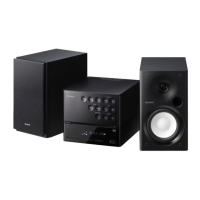
Do you have a question about the Sony CMT-DH5BT and is the answer not in the manual?
Provides instructions on connecting the main system components and your TV.
Guides through initial basic adjustments for system setup.
Instructions for playing discs in the standard playback mode.
Set custom parental controls and passwords to limit disc access.
Configure language, screen setup, and playback options via the DVD menu.
Instructions for tuning into FM and AM radio stations.
Connect and play audio from Bluetooth-enabled devices wirelessly.
Steps to register your Bluetooth device with the system for connection.
Operate and play music from a connected Bluetooth device.
Connect and play audio files from USB storage devices or digital music players.
Resolves common problems like no sound, indicator flashes, or timer issues.
Steps to reset the system to its factory default settings.
 General
| Equalizer | Yes |
|---|---|
| Type | Home audio micro system |
| Product color | Black |
| CD Text | No |
| Speaker depth | 200 mm |
| Speaker width | 145 mm |
| Speaker height | 260 mm |
| Power requirements | 220-240V AC, 50/60Hz |
| Headphone connectivity | 3.5 mm |
| USB 2.0 ports quantity | 1 |
| Power consumption (standby) | 0.5 W |


 To Next Page