CD
9
GB
CD
Playing a CD
— Normal Play/Shuffle Play/Repeat
Play
This system lets you play the CD in different
play modes.
Track number Playing time
1 Press FUNCTION repeatedly to switch
the function to CD.
2 Press PLAY MODE on the remote in
stop mode repeatedly until the mode
you want appears.
Select To play
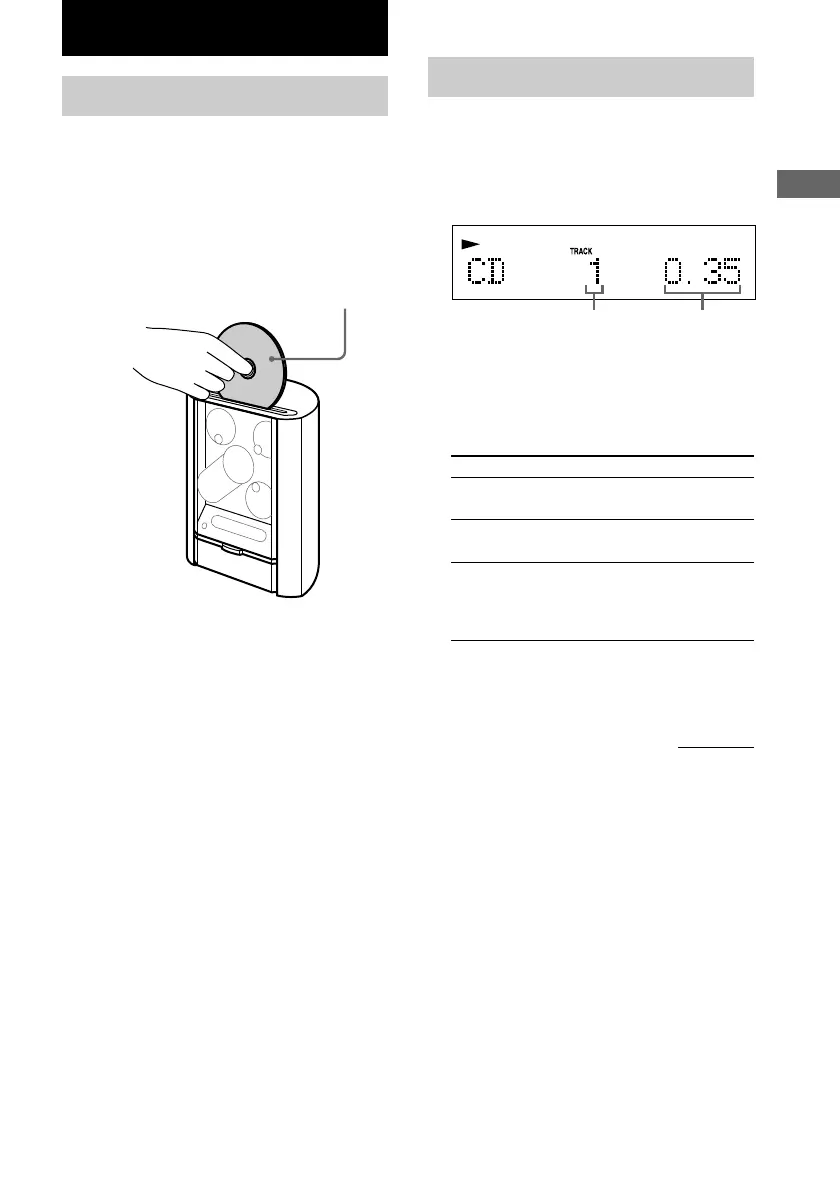
Loading a CD
1 Press Z.
“OPEN” appears and the function switches
to CD.
2 Insert a CD and push down on it gently.
The CD is drawn in and playback starts
automatically.
With the label side facing front.
Tips
• To reload the CD, first remove the CD, and then
load it again.
• You can load a CD single (8 cm CD) without an
adapter.
• Playback starts automatically when you simply load
the CD (CD Auto Play). This function, however,
does not work while Program Play is selected.
No display
(Normal Play)
The tracks on the CD in
original order.
SHUFFLE
(Shuffle Play)
The tracks on the CD in
random order.
The tracks on the CD in the
order you want them to be
played (see “Programing CD
tracks” on page 10).
3 Press NX (or CD N on the remote).
continued
PROGRAM
(Program Play)









 To Next Page