8
GB
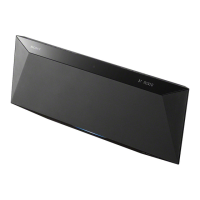
7 Attach the system to the supplied
desktop stand.
Make sure to grasp the main unit, and not
the speakers.
After attaching the system to the stand, push
down on the system to make sure they are
securely fastened to the stand.
8 Attach the supplied rear cover to the
stand.
Put the wires through the holes at the
bottom of the rear cover.
9 Connect the power cord to a wall outlet.
If the plug does not fit the wall outlet, attach
the supplied plug adaptor (only for models
equipped with an adaptor).
To turn on the system, press @/1.
Using the system with the
speakers detached
1Connect one end of the supplied joint
connector to the speaker cord, and then
connect the supplied cord extension to the
other end of the joint connector.
2Connect the cord extensions to the
SPEAKER jacks.
3Secure the cord extensions with the speaker
cord hooks at the bottom of the main unit.
Otherwise, the cord extension could be
damaged.
4Attach the system to the supplied desktop
stand.
5Attach the supplied rear cover to the stand.
6After folding up the speaker legs, set the
speakers at the desired positions.
Notes
• Either mount both speakers or remove both
speakers. Do not use the system with only one
speaker mounted.
• When moving the system, first detach the main unit
from the desktop stand, and then move the system.
If you leave the speakers attached during the move,
make sure to grasp the system by the main unit, and
not by the speakers.
Hooking up the system (continued)



 To Next Page
 Loading...