GB
15
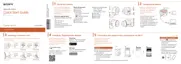
Connecting the camera and a smartphone
via Wi-Fi
The connection method varies
depending on the type of
smartphone. Confirm your
smartphone type and connect
via Wi-Fi.
Android
Turn on the power of the camera.
Start “PlayMemories Mobile” on
the smartphone.
Select the SSID, as printed on the
inside of the camera’s battery
cover or on the cover of this
manual.
Input the password, as printed on
the same label (first time only).
Continued



 To Next Page
 Loading...