22
Shooting images
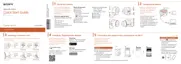
Start “PlayMemories Mobile” on
the smartphone.
Shoot images with the shutter
button of the camera or
“PlayMemories Mobile”. The
shutter button of the camera
is not available while shooting
movies.
[2M] images are transmitted
automatically to the smartphone.
[18M] images are saved into the
memory card of the camera (default
setting).
Screen of “PlayMemories
Mobile”
Switching exposure modes
Settings
Shutter/movie button
Switching between still image/
movie
Zoom



 To Next Page
 Loading...