GB
17
iPhone
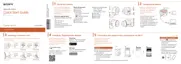
Turn on the power of the camera.
On the smartphone, select
[Settings], then select [Wi-Fi].
Select the SSID, as printed on the
inside of the camera’s battery
cover or on the cover of this
manual.
Input the password, as printed on
the same label (first time only).
Confirm the connection to the
SSID of the camera.
Go back to the Home screen, then
start “PlayMemories Mobile”.
Power button
Continued



 To Next Page
 Loading...