Getting Started
23
Step 3: TV and Video Component Hookups
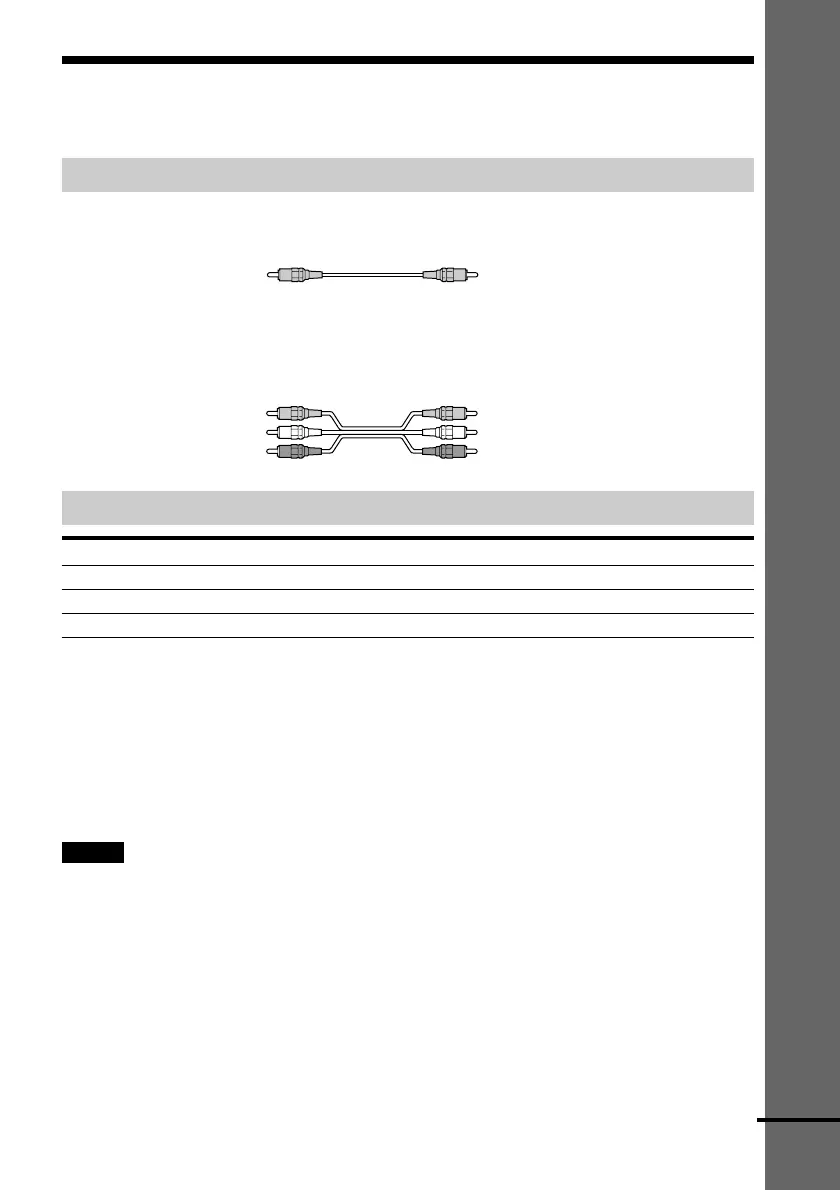
Required cords
Video cord for connecting a TV monitor
Audio/video cords (not supplied)
When connecting a cord, be sure to match the colour-coded pins to the appropriate jacks on the
components.
Jacks for connecting video components
Connect a To the
TV monitor MONITOR OUT jack
VCR VIDEO 1 jacks
Digital satellite receiver VIDEO 2 jacks
z When using the S-video jack instead of the video jacks
Your TV monitor must also be connected via an S-video jack. S-video signals are on a separate bus from the video
signals and will not be output through the video jacks.
z When you are connecting the monitor, projector, or AV amplifier (receiver) having component
video input jacks (Y, PB, PR)
Connect the component via the COMPONENT VIDEO OUT jacks using a component video cord (not supplied) or
three video cords (not supplied) of the same kind and length. You will enjoy accurate colour reproduction and high
quality images.
Notes
• When you select VIDEO 1 using the FUNCTION button, the signal is output from the front L/R speakers, but not
from the VIDEO 1 VIDEO OUT and AUDIO OUT L/R jacks.
• When you use the Video 1 line outputs, please set the unit to 2CH STEREO mode. If the unit is not in 2CH
STEREO mode, the line outputs may not function properly.
Red (R/audio)
Yellow
Yellow
Yellow (Video)
White (L/audio)
Red (R/audio)
Yellow (Video)
White (L/audio)
continued











 To Next Page