33
Playing Discs
To turn off the system
Press 1 on the remote. The system enters
standby mode and the power indicator lights
up in red. To turn off the system completely,
press POWER on the system. While playing
a disc, do not turn off the system by pressing
POWER. Doing so may cancel the menu
settings. When you turn off the system, first
press x to stop playback and then press 1
on the remote.
z
On Auto-Function
If a disc is already placed on any disc tray, you can
play it back simply by pressing the H or its
corresponding DISC 1-DISC 5, even if the previous
music source was not a DVD. The function changes
to DVD and playback starts (Auto-Function).
However, if Programme Play is on, you can only start
playback by pressing the H.
z On the disc tray indicators
The disc tray indicators change their colors as
follows:
– green: the disc tray is chosen, or the disc is being
play backed.
– off: there is no disc.
– orange: a disc is placed on the disc tray, however,
the disc tray is not chosen.
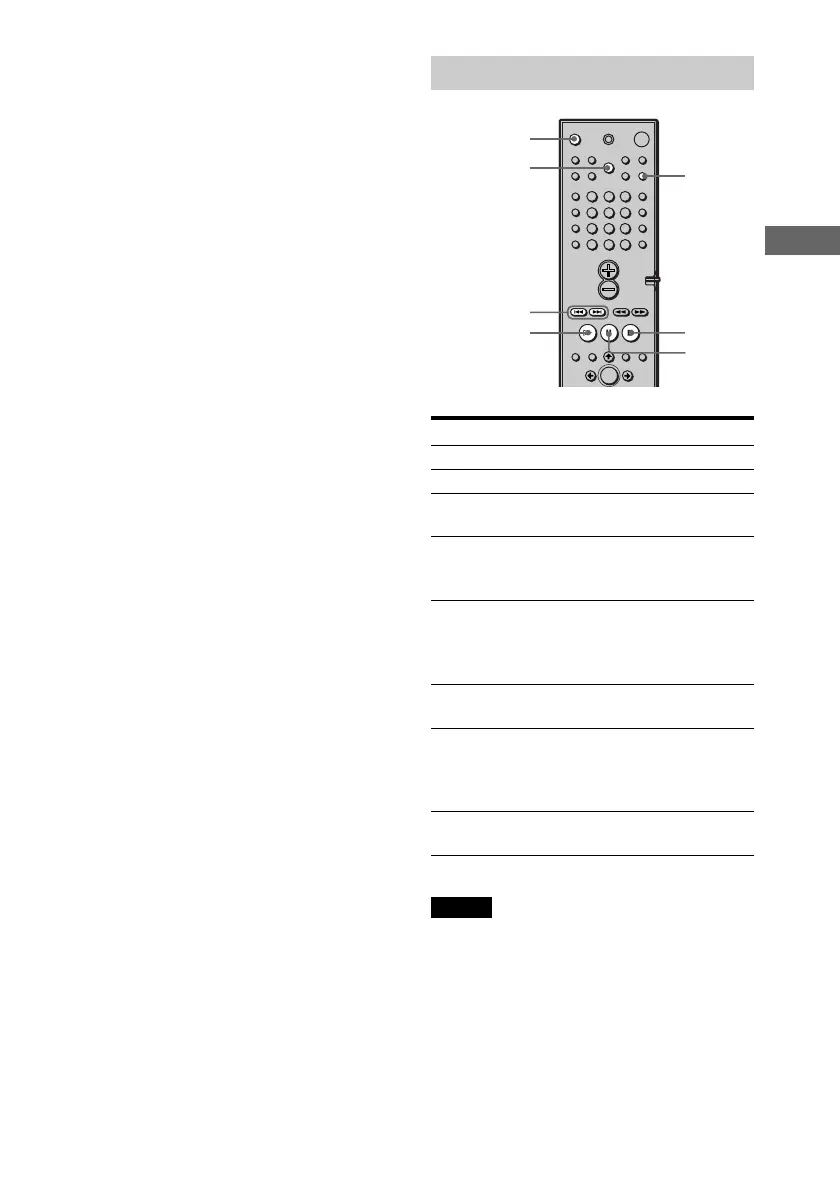
Additional operations
To Operation
Stop Press x.
Pause Press X.
Resume play after Press X or H.
pause
Go to the next chapter, Press >.
track, or scene in
continuous play mode
Go back to the Press ..
preceding chapter, track,
or scene in continuous
play mode
Stop play and remove Press OPEN/CLOSE.
the disc
Mute the sound Press MUTING. To
cancel muting, press it
again or turn up the
volume.
Change a disc while Press DISC SKIP.
playing another disc
Notes
• Do not push the disc tray when closing it. Press
OPEN/CLOSE to close the disc tray.
• If there is no disc in any disc tray, “NO DISC”
appears on the front panel display.
OPEN/CLOSE
./>
H
X
x
MUTING
DISC SKIP











 To Next Page