38
GB
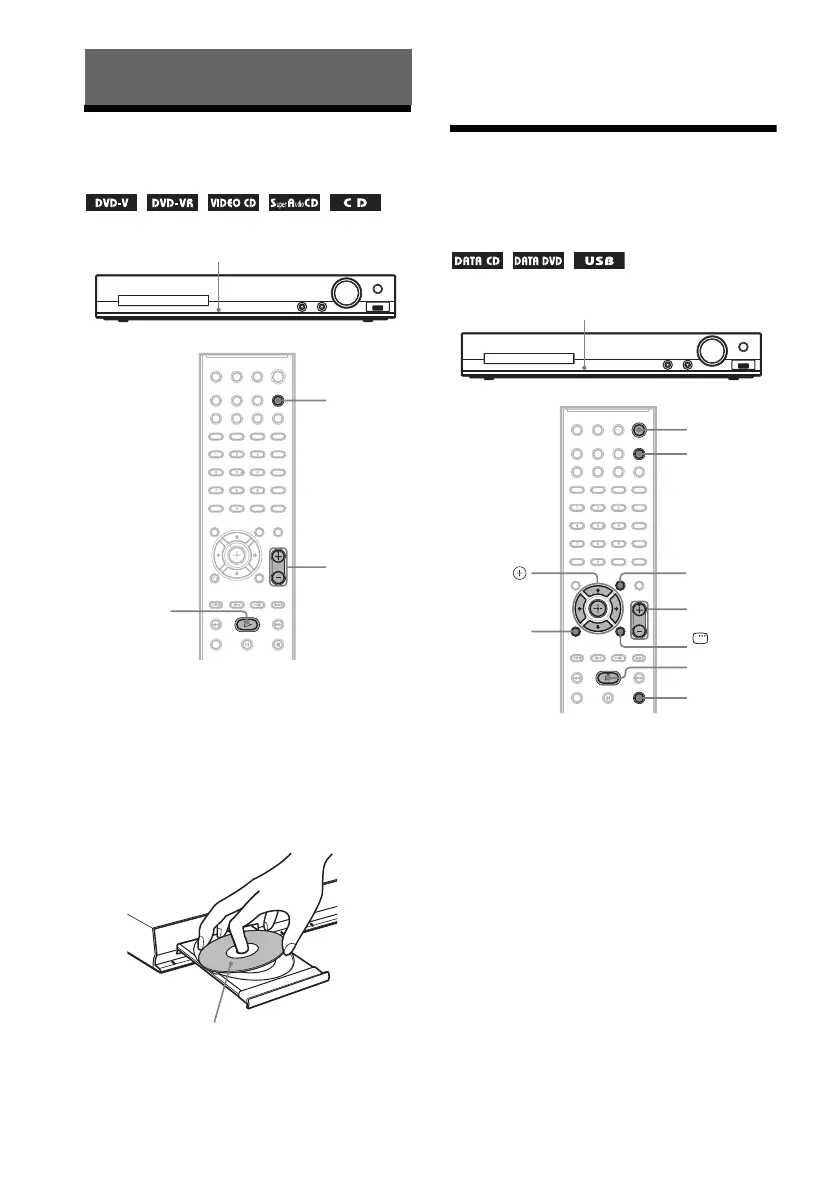
Playing a Disc
1 Press FUNCTION repeatedly to select
“DVD/CD.”
The selected item appears in the front panel
display.
2 Press Z to open the disc tray.
3 Place a disc on the tray, then press Z.
4 Press N to start playback.
5 Press VOLUME +/– to adjust the
volume.
Playing Files on a Disc/
USB Device
1 Press FUNCTION repeatedly to select
the source you want to play.
The selected item appears in the front panel
display.
• “DVD/CD”: For a disc.
• “USB”: For a USB device.
Playback
Z
FUNCTION
H
VOLUME +/–
With the label side up.
Z
FUNCTION
x
H
VOLUME +/–
C/X/x/c,
DISPLAY
O
RETURN
DVD MENU
"/1



 To Next Page