38
GB
Setting the shuffle mode on the
Control Menu
You can select the normal shuffle and album
shuffle (MP3 only).
1 Press DVD DISPLAY.
The Control Menu appears.
2 Press X/x to select (PLAY
MODE), then press ENTER or c.
3 Select SHUFFLE or SHUFFLE (ALBUM)
using X/x and press ENTER.
4 Press H.
The selected shuffle play begins.
MP3
(
1 5
)
MP3
CONTINUE
CONTINUE(ALBUM)
SHUFFLE(ALBUM)
PROGRAM
SHUFFLE
Playing in random order
(Shuffle Play)
You can have the system “shuffle” tracks
and play them in random order. Subsequent
“shuffling” may produce a different playing
order.
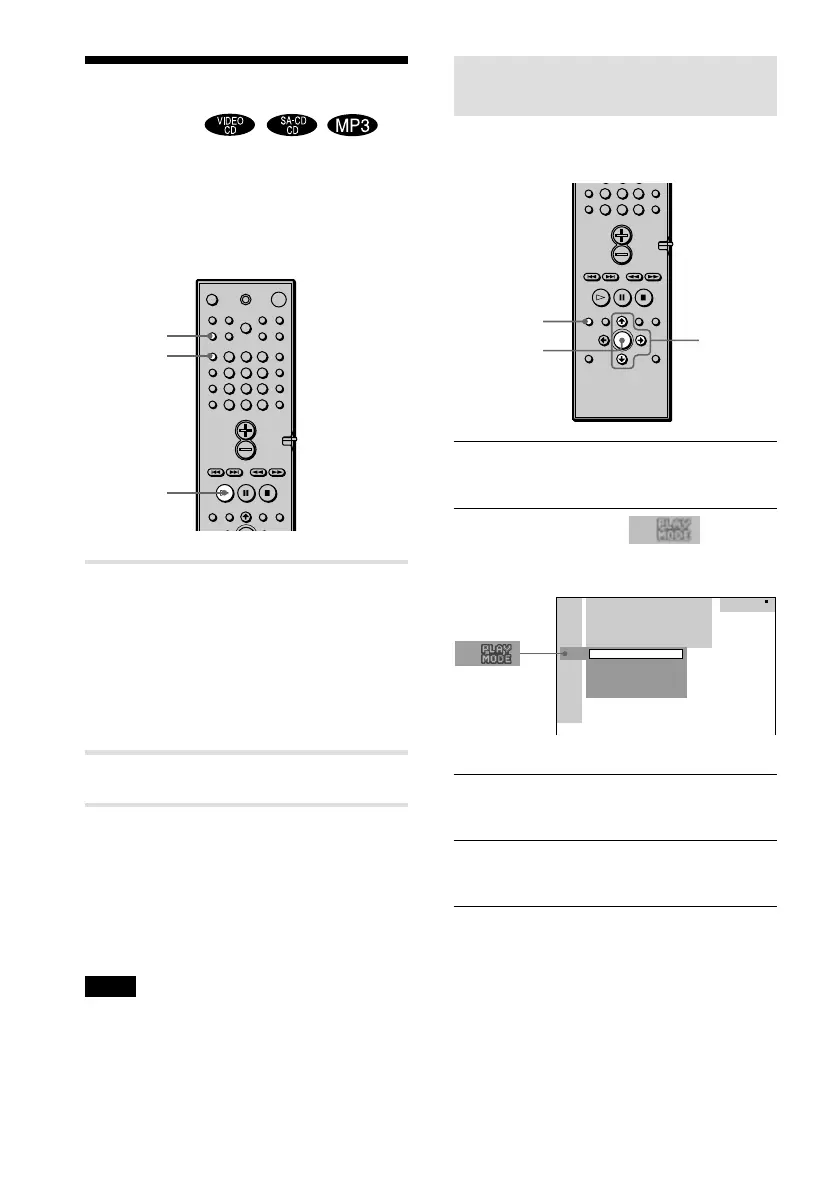
1 In stop mode, press PLAY MODE
repeatedly until “SHUFFLE”
appears on the front panel
display.
When you play an MP3 disc, you can
play all tracks in Albums in a random
order.
2 Press H.
To return to normal play
In stop mode, press PLAY MODE three
times to cancel SHUFFLE or twice to cancel
SHUFFLE (ALBUM). Or during playback,
press CLEAR to return to normal play.
Note
Shuffle Play is cancelled when:
– you eject the disc.
– you turn the power off.
– you change the function.
PLAY MODE
CLEAR
H
123
456
7
>
10
10/0
89
7
>
10
10/0
89
DVD DISPLAY
ENTER
X/x/c



 To Next Page