Settings and Adjustments
65
GB
Setting the Display or
Sound Track Language
(LANGUAGE SETUP)
“LANGUAGE SETUP” allows you to set
various languages for the on-screen display
or sound track.
Select “LANGUAGE SETUP” in the Setup
Display. For details on using the display, see
“Using the Setup Display” (page 64).
xOSD (On-Screen Display)
Switches the display language on the screen.
Selects the language from the displayed list.
xDVD MENU (DVD only)
Selects the desired language for the DVD
menu.
xAUDIO (DVD only)
Switches the language of the sound track.
Selects the language from the displayed list.
xSUBTITLE (DVD only)
Switches the language of the subtitle.
Selects the language from the displayed list.
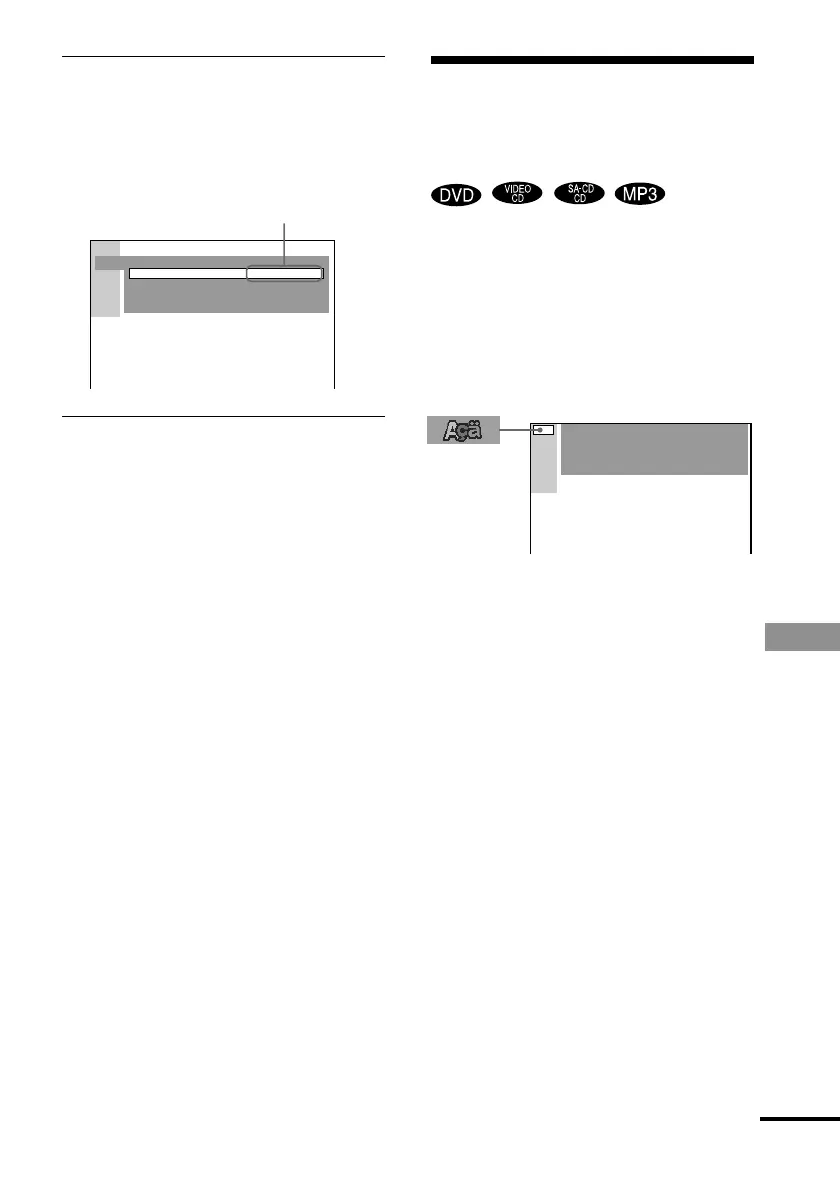
4 Select a setting using X/x, then press
ENTER.
The setting is selected and setup is
complete.
Example: “4:3 PAN SCAN”
To turn off the Setup Display
Press DVD SETUP or DVD DISPLAY
repeatedly until the Setup Display is turned
off.
z If you select “RESET” in Step 2, you can reset all
of the “SETUP” settings on page 82 (except for
PARENTAL CONTROL) to the default settings.
After you select “RESET” and press ENTER, select
“YES” to reset the settings (it takes a few seconds to
complete), or select “NO” and press ENTER to
return to the Control Menu. Do not press POWER on
the system or 1 when resetting the system.
Selected setting
SCREEN SETUP
SCREEN SAVER:
BACKGROUND:
COMPONENTOUT:
ON
JACKET PICTURE
INTERLACE
TV TYPE: 4:3 PAN SCAN
LANGUAGE SETUP
OSD :
DVD MENU :
AUDIO :
SUBTITLE :
ENGLISH
ENGLISH
ENGLISH
ENGLISH
continued



 To Next Page