74
GB
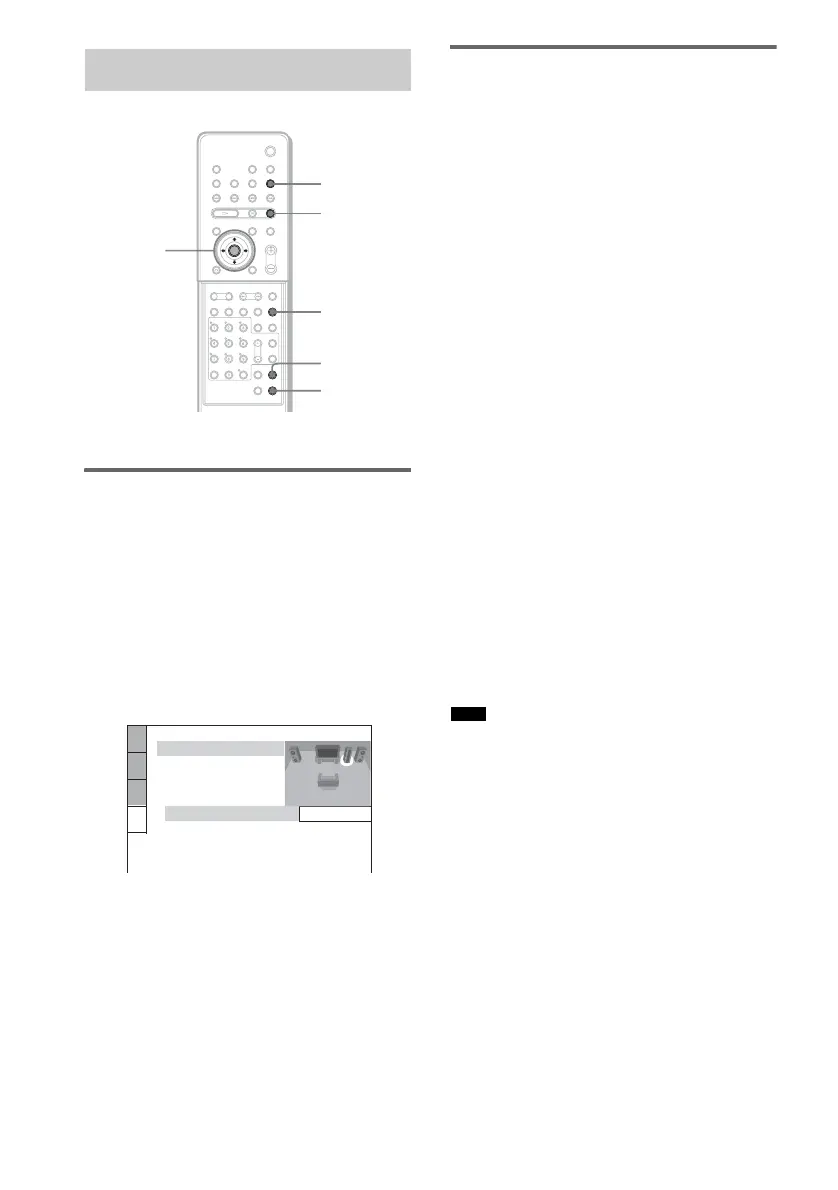
Reinforcing bass frequencies
You can reinforce bass frequencies on any
source.
1 Make sure the function is set to “DVD.”
If not, press FUNCTION repeatedly until
“DVD” appears in the front panel display.
2 If a disc is playing, press x to stop,
then press WOOFER.
The SPEAKER SETUP appears.
3 Select the desired subwoofer level
using X/x, then press ENTER.
The setting is selected and setup is
complete.
Enjoying the sound at low
volume
x NIGHT MODE
In this mode, you can enjoy sound effects or
dialogue as you would in a movie theater, even
at a low volume. It is useful for watching movies
at night.
Press NIGHT to select “NIGHT ON” in the
front panel display.
x AUDIO DRC
Narrows the dynamic range of a Dolby Digital
sound track. Useful for watching movies at low
volume late at night.
1 Press AMP MENU.
2 Press x/X repeatedly until “AUDIO DRC”
appears in the front panel display, then
press ENTER or c.
3 Press x/X to select the setting.
• DRC OFF: no compression of dynamic
range.
• DRC STD: reproduces the sound track with
the kind of dynamic range that the recording
engineer intended.
• DRC MAX: compresses dynamic range
fully.
4 Press ENTER or AMP MENU.
The AMP menu turns off.
• AUDIO DRC only applies to Dolby Digital sources.
Using the Sound Effect
AMP MENU
X/x/c
ENTER
WOOFER
With cover opened.
NIGHT
FUNCTION
x
SPEAKER SETUP
SUBWOOFER:
0.0dB
LEVEL:
Note



 To Next Page