36
GB
Basic Operations
Playing Discs
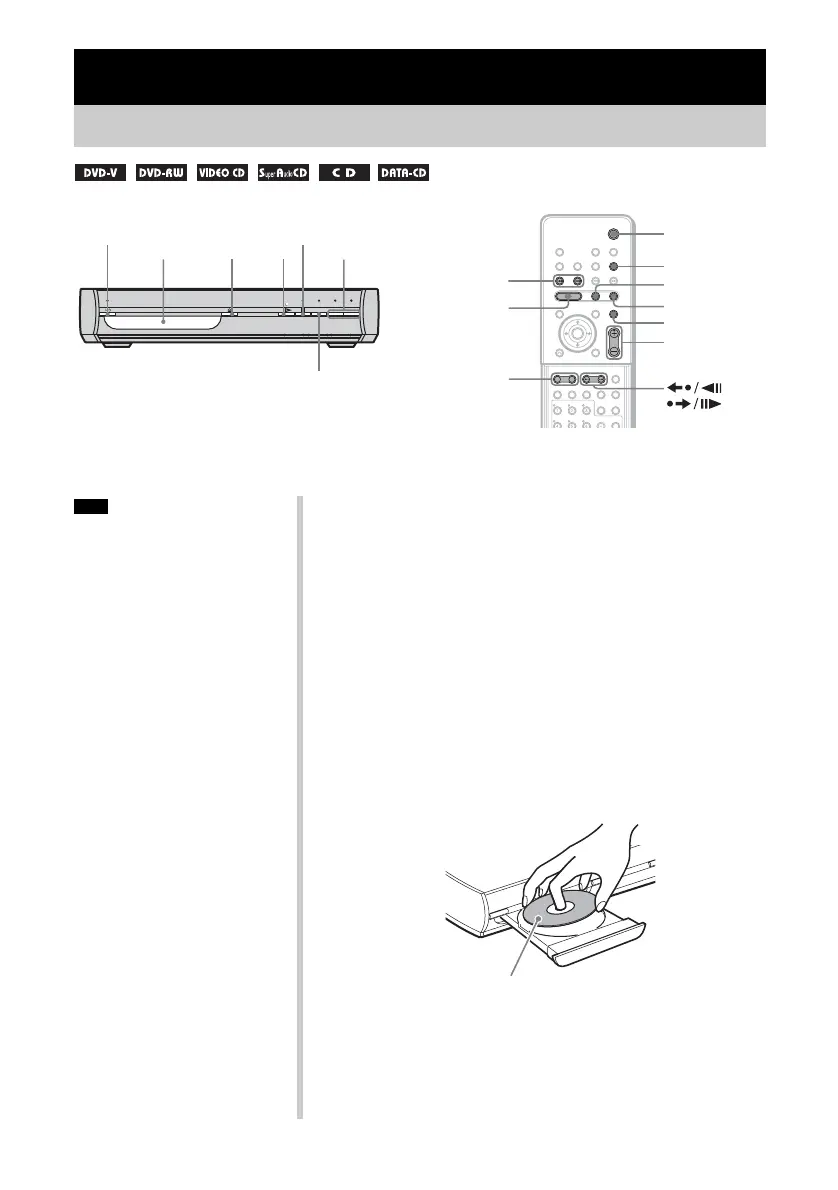
"/1
FUNCTION
N
"/1
Disc tray
FUNCTION
x
H
X
./>
MUTING
VOLUME +/–
Z
ALBUM –/+
/
VOLUME −/+
x
• Do not forcibly press the disc tray
closed with your finger, as this
may cause malfunction.
• Do not place more than one disc on
the tray.
Note
Depending on the DVD VIDEO or VIDEO CD, some operations
may be different or restricted.
Refer to the operation details supplied with your disc.
1 Turn on your TV.
2 Switch the input selector on the TV to this system.
3 Press "/1.
The system turns on.
Unless the system is set to “DVD,” press FUNCTION to select
“DVD.”
4 Press Z on the system.
5 Load a disc.
Place one disc on the tray, and then press Z on the system.
When you play an 8 cm disc, place it on the
inner circle of the tray. Be careful that the disc
is not skewed on the inner circle of the tray.
With cover opened.


 To Next Page