Need help?
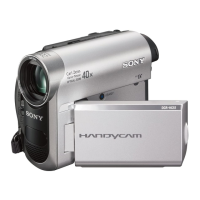
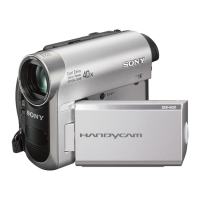
Do you have a question about the Sony DCR-HC52/HC54 and is the answer not in the manual?
Precautions related to power sources, plugs, overloading, and liquids.
Guidelines for safe operation, cleaning, ventilation, and lightning protection.
Procedures for handling damage, servicing, and replacement parts.
Verify all necessary items are included with the camcorder.
Detailed steps for charging the rechargeable battery.
Guide to turning on the camcorder and setting the date, time, and language.
Adjusting lens cover, LCD panel, viewfinder, and grip belt.
Instructions for properly inserting a mini DV cassette.
Simple recording and playback mode with automatic settings.
Steps for starting/stopping recording, zooming, NightShot, exposure, and mirror mode.
Playing back tapes, using guide functions, searching content, and adjusting volume.
Instructions for connecting the camcorder to a TV for playback.
Adjust manual settings, picture effects, and focus.
Configure zoom, steadyshot, audio mix, recording modes, and tape settings.
Adjust LCD, viewfinder, language, and other system preferences.
Connect to VCRs or DVD/HDD recorders for dubbing.
Record from VCRs or other devices onto the camcorder tape.
Import, edit, and export movies using computer software.
Steps for installing the "First Step Guide" and camcorder software.
Accessing and viewing the "First Step Guide" on your computer.
Problems with power, buttons, menus, and camcorder operation.
Troubleshooting LCD screen, viewfinder, and cassette problems.
Issues related to tape recording, playback, sound, and picture quality.
Problems with computer connection, dubbing, and software.
Explanations for warning messages and indicators on the screen.
Using camcorder abroad, TV systems, cassette care, and general precautions.
Details on batteries, i.LINK, and handling/cleaning the camcorder.
Detailed specs for components, power, dimensions, and company trademarks.
Diagrams and labels for camcorder buttons, ports, and features.
Understanding displayed icons, status, and warning messages.
 General
| Media Format | MiniDV |
|---|---|
| Image Sensor | 1/6" CCD |
| Lens | Carl Zeiss Vario-Tessar |
| Optical Zoom | 20x |
| Digital Zoom | 800x |
| LCD Screen Size | 2.5" |
| LCD Screen Pixels | 123, 200 |
| Microphone | Built-in stereo |
| Viewfinder | Color |
| Focus | Auto / Manual |
| Exposure | Auto / Manual |
| Recording Media | MiniDV tape |
| Weight | 1.2 lbs |
| Type | MiniDV Camcorder |
| Image Stabilization | Electronic |
| White Balance | Auto |
| USB | Yes (USB 2.0) |
| Battery Life | Approx. 90 minutes |

 To Next Page