16
Quick Start Guide –
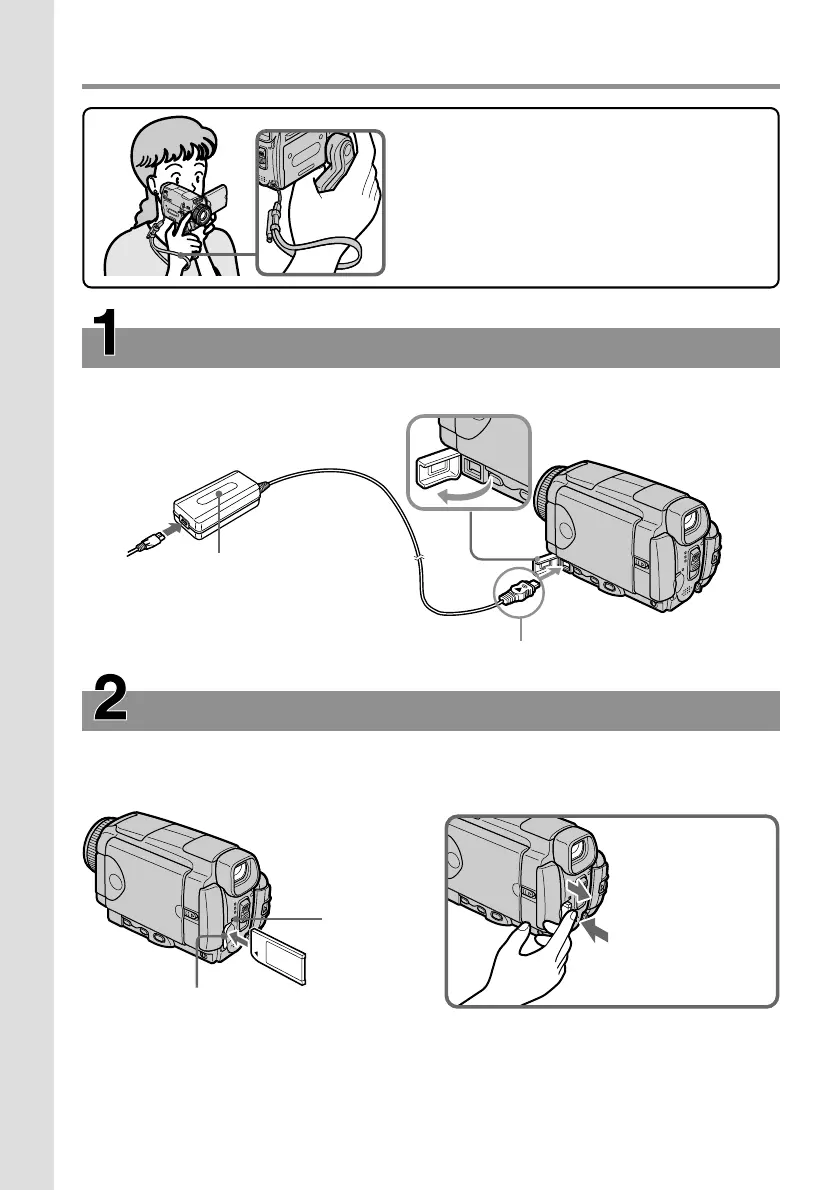
Recording on a “Memory Stick”
Inserting a “Memory Stick” (p. 130)
Position the b mark on the “Memory Stick” as illustrated and insert a “Memory Stick” in
the “Memory Stick” slot as far as it can go.
Connecting the mains lead (p. 30)
Use the battery pack when using your camcorder outdoors (p. 26).
Open the DC
IN jack cover.
Connect the plug with its v mark facing up.
AC power adaptor (supplied)
“Memory
Stick” access
lamp
“Memory Stick” slot
This chapter introduces you to the basic
features to record on a “Memory Stick” of your
camcorder. See the page in parentheses “( )”
for more information.
Turn the grip to the recording position, and
hold your camcorder through the wrist strap to
prevent the camera from dropping as
illustrated.
Press the
“Memory Stick”
once lightly to
eject it.
Quick Start Guide











 To Next Page