Recording a picture
Recording data
The recording data (date/time or various settings when recorded) are not displayed
during recording. However, they are recorded automatically onto the tape. To display
the recording data, press DATA CODE on the Remote Commander during playback.
You can also use DATA CODE on the PAGE3 screen via the FN screen for this
operation (p. 41).
”
LIGHT
When you shoot a subject with the light source behind the subject or a subject with a
light background, use the backlight function.
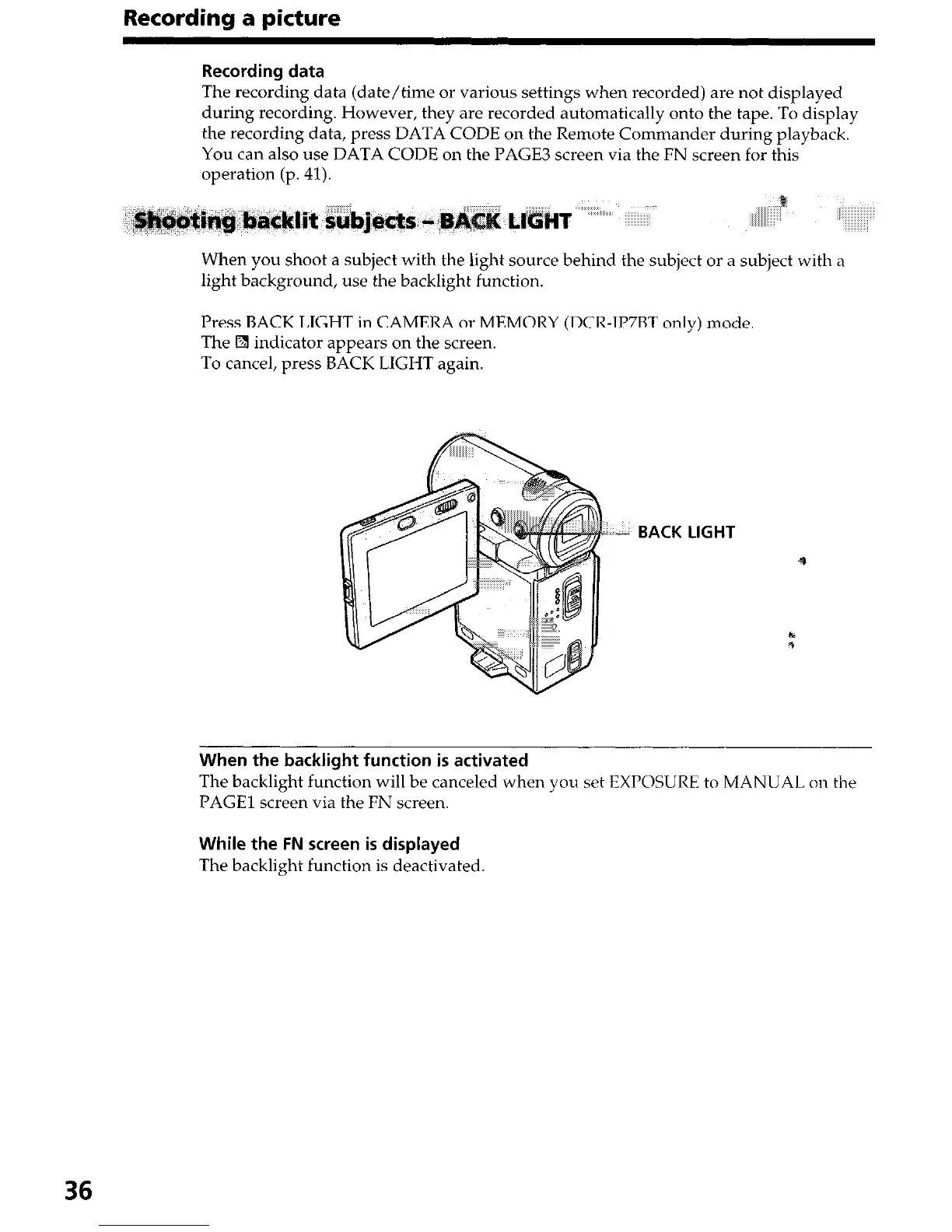
Press BACK LIGHT in CAMERA or MEMORY (DCR-IP7BT only) mode
The
q
indicator appears on the screen.
To cancel, press BACK LIGHT again.
“I*. BACK LIGHT
When the backlight function is activated
The backlight function will be canceled when you set EXPOSURE to MANUAL on the
PAGE1 screen via the FN screen.
While the FN screen is displayed
The backlight function is deactivated
36




 To Next Page