Focusing manually
You can gain better results by manually adjusting the focus in the following cases.
Normally, focus is automatically adjusted.
*The autofocus mode is not effective when shooting
-subjects through glass coated with water droplets
-horizontal stripes
-subjects with little contrast with backgrounds such as walls and sky
l When you want to change the focus point from a subject in the foreground to a subject
in the background
l Shooting a stationary subject when using a tripod
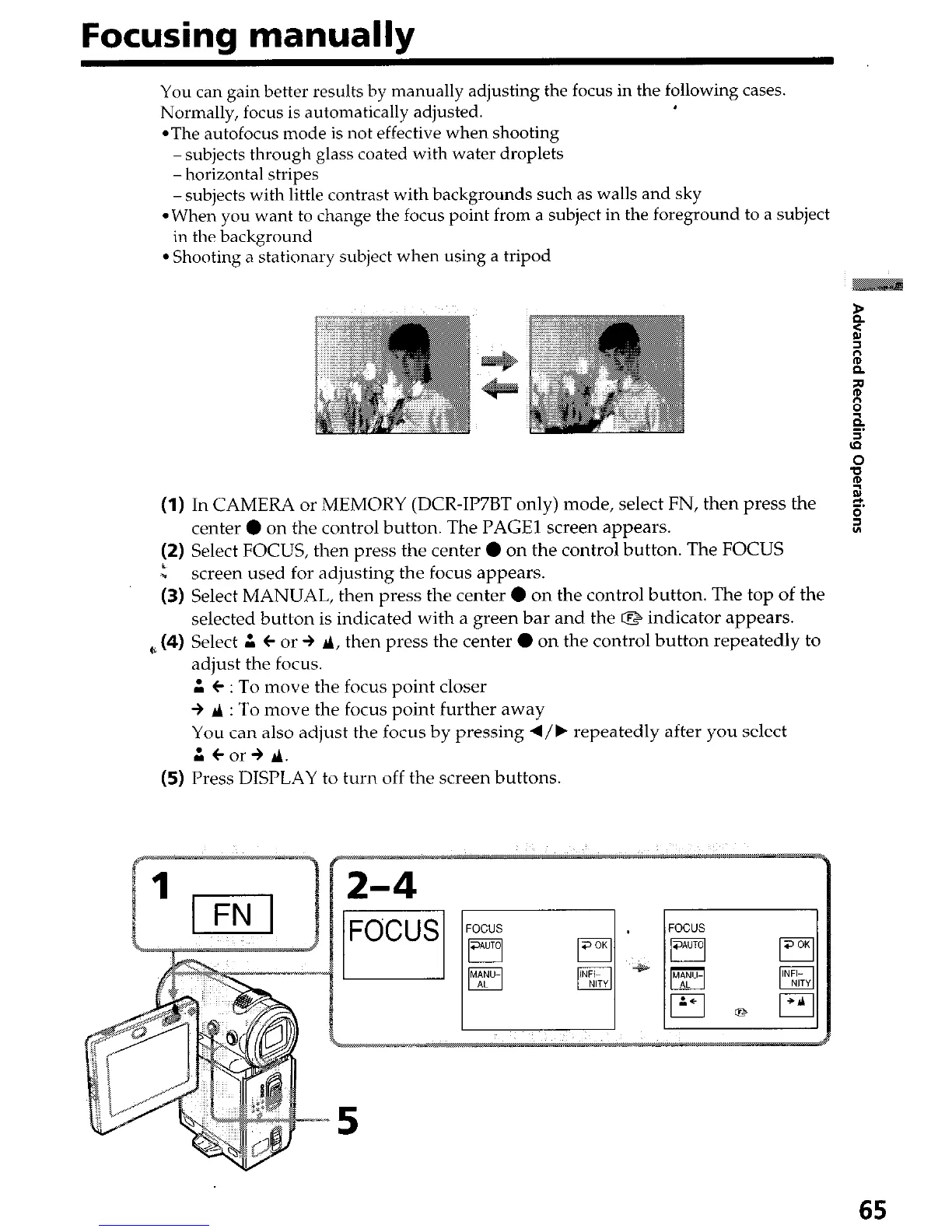
(1) In CAMERA or MEMORY (DCR-IP7BT only) mode, select FN, then press the
2.
center 0 on the control button. The PAGE1 screen appears.
s
(2) Select FOCUS, then press the center 0 on the control button. The FOCUS
I
*
screen used for adjusting the focus appears.
(3) Select MANUAL, then press the center 0 on the control button. The top of the
selected button is indicated with a green bar and the Q indicator appears.
,~ (4) Select A l or + A, then press the center 0 on the control button repeatedly to
adjust the focus.
A l : To move the focus point closer
+ P : To move the focus point further away
You can also adjust the focus by pressing d/b repeatedly after you select
A Car+ 9.
(5) Press DISPLAY to turn off the screen buttons.
65


 To Next Page
 Loading...







