Introduction - Basic operations
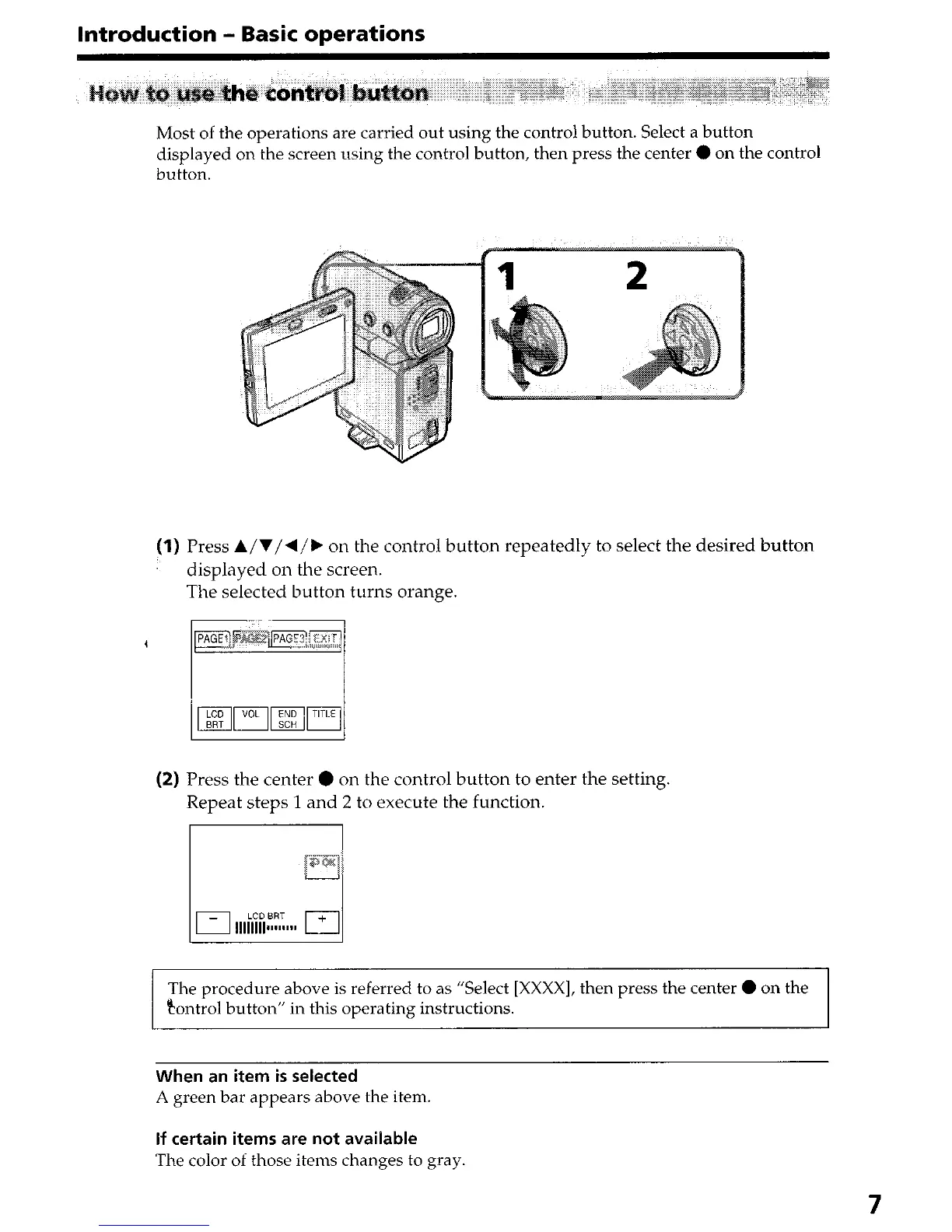
Most of the operations are carried out using the control button. Select a button
displayed on the screen using the control button, then press the center 0 on the control
button.
(1) Press A/V/4/k on the control button repeatedly to select the desired button
displayed on the screen.
The selected button turns orange.
(2) Press the center 0 on the control button to enter the setting.
Repeat steps 1 and 2 to execute the function.
The procedure above is referred to as “Select [XXXX], then press the center 0 on the
tontrol button” in this operating instructions.
When an item is selected
A green bar appears above the item.
If certain items are not available
The color of those items changes to gray.
7











 To Next Page