Introduction - Basic operations
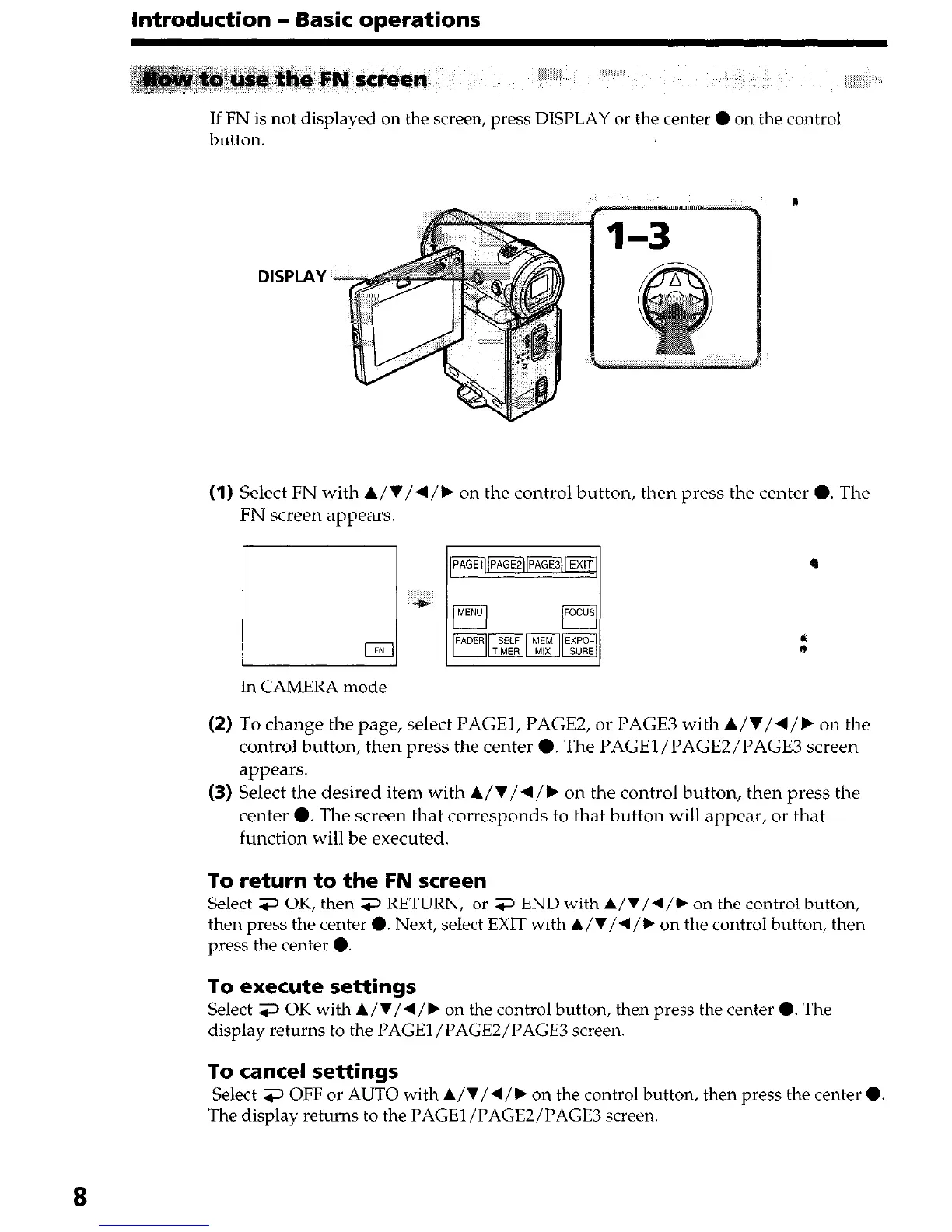
If FN is not displayed on the screen, press DISPLAY or the center 0 on the control
button.
DISPLAY
(1) Select FN with A/V/4/k on the control button, then press the center 0. The
FN screen appears.
In CAMERA mode
(2) To change the page, select PAGEI, PAGE2, or PAGE3 with A/V/4/k on the
control button, then press the center 0. The PAGEl/PAGE2/PAGES screen
appears.
(3) Select the desired item with A/V/+/b on the control button, then press the
center 0. The screen that corresponds to that button will appear, or that
function will be executed.
To return to the FN screen
Select 3 OK, then 3 RETURN, or 3 END with A/V/4/, on the control button,
then press the center 0. Next, select EXIT with A/V/4/, on the control button, then
press the center 0.
To execute settings
Select 3 OK with A/V/4/, on the control button, then press the center 0. The
display returns to the PAGE1 /PAGEZ/PAGES screen.
To cancel settings
Select 3 OFF or AUTO with
A/V/4/b
on the control button, then press the center 0.
The display returns to the PAGEl/PAGEZ/PAGE3 screen.











 To Next Page