Searching for a scene - Multi-picture search
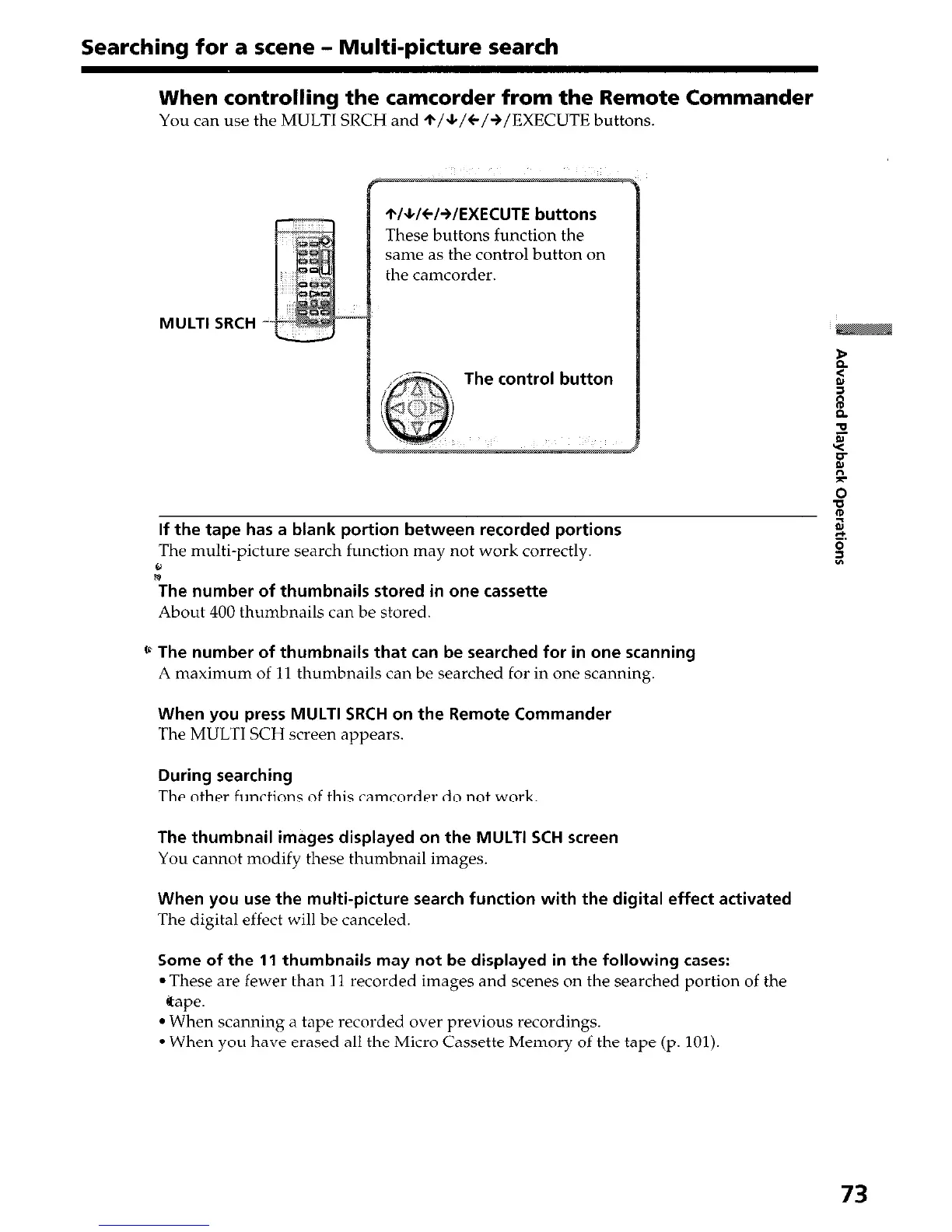
When controlling the camcorder from the Remote Commander
You can use the MULTI SRCH and +/*/C/+/EXECUTE buttons.
MULTI SRCH
*/+/C/+/EXECUTE buttons
These buttons function the
same as the control button on
the camcorder.
The control button
If the tape has a blank portion between recorded portions
The multi-picture search function may not work correctly.
,”
The number of thumbnails stored in one cassette
About 400 thumbnails can be stored.
* The number of thumbnails that can be searched for in one scanning
A maximum of 11 thumbnails can be searched for in one scanning.
When you press MULTI SRCH on the Remote Commander
The MULTI SCH screen appears.
During searching
The other functions of this camcorder do not work.
The thumbnail images displayed on the MULTI SCH screen
You cannot modify these thumbnail images.
When you use the multi-picture search function with the digital effect activated
The digital effect will be canceled.
Some of the 11 thumbnails may not be displayed in the following cases:
. These are fewer than 7 1 recorded images and scenes on the searched portion of the
@ape.
l When scanning a tape recorded over previous recordings.
l When you have erased all the Micro Cassette Memory of the tape (p. 101).
73


 To Next Page
 Loading...







