Searching for a scene - Multi-picture search
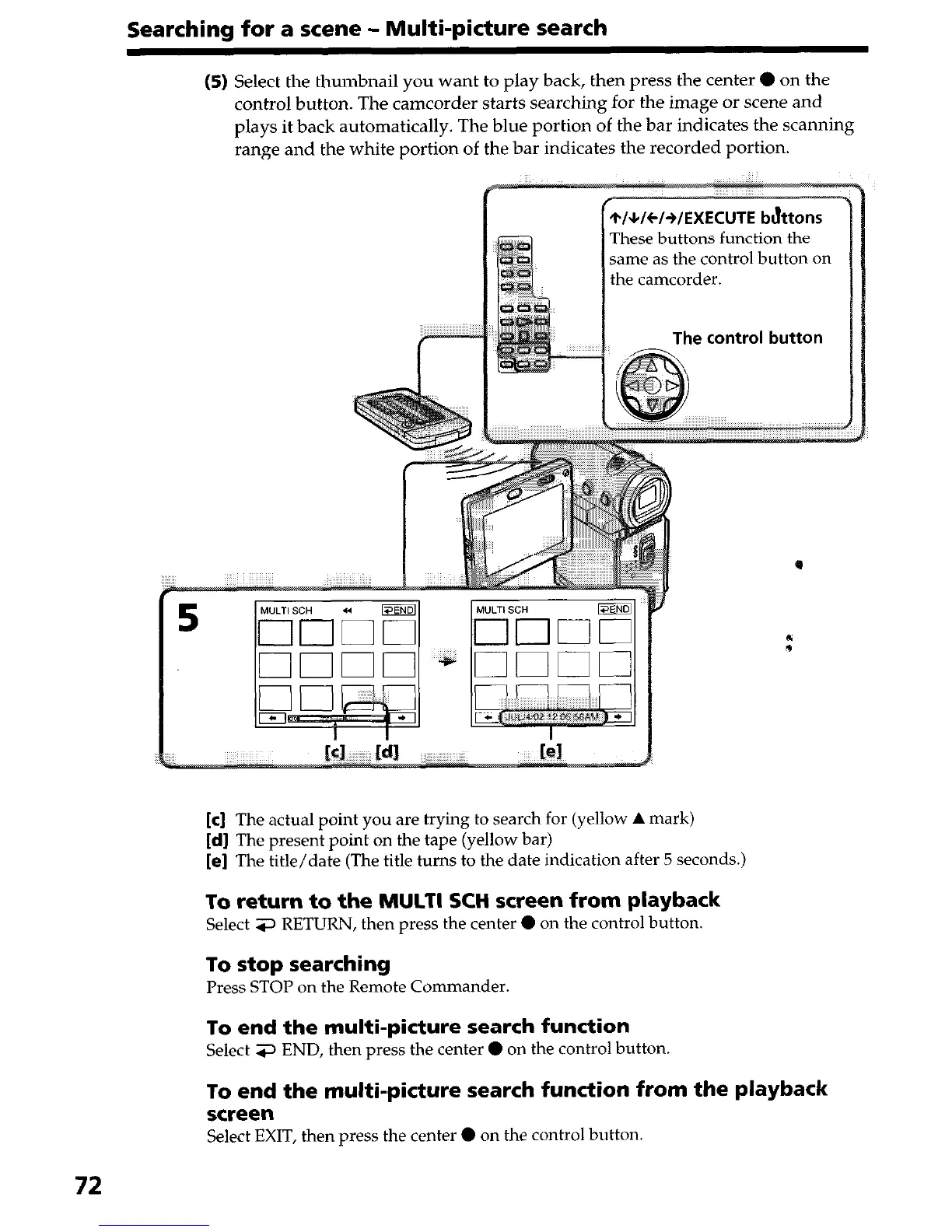
(5) Select the thumbnail you want to play back, then press the center 0 on the
control button. The camcorder starts searching for the image or scene and
plays it back automatically. The blue portion of the bar indicates the scanning
range and the white portion of the bar indicates the recorded portion.
These buttons
function the
same as the control button on
the camcorder.
e control button
[c] The actual point you are trying to search for (yellow A mark)
[d] The present point on the tape (yellow bar)
[e] The title/date (The title turns to the date indication after 5 seconds.)
To return to the MULTI SCH screen from playback
Select 3 RETURN, then press the center 0 on the control button.
To stop searching
Press STOP on the Remote Commander.
To end the multi-picture search function
Select 3 END, then press the center 0 on the control button.
To end the multi-picture search function from the playback
screen
Select EXIT, then press the center 0 on the control button.
72


 To Next Page
 Loading...







