Page 10 of 11 Last Modified: 8/12/03
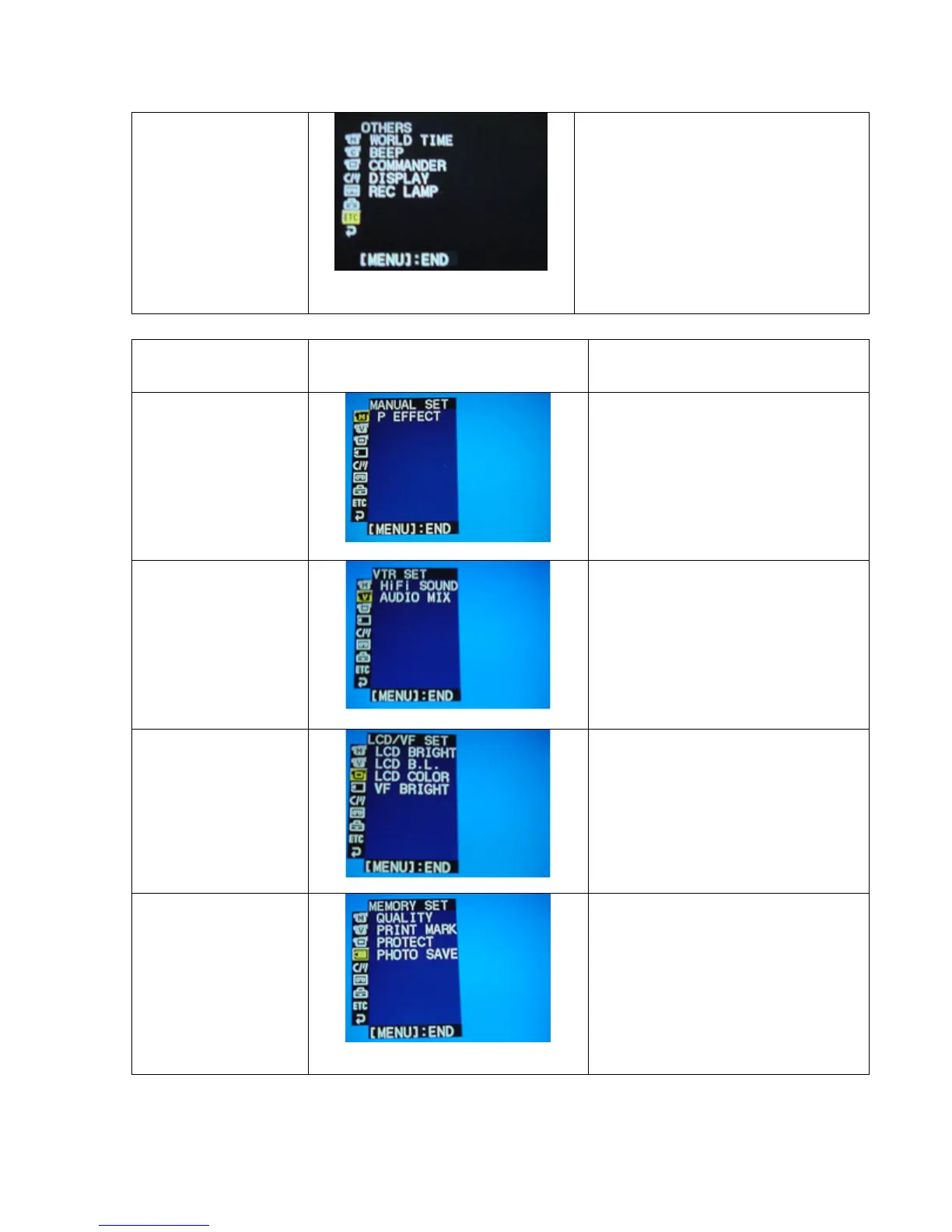
Others
(Make sure the
selector switch is set
on CAMERA)
World Time: Set the clock to
local time
Beep: Sounds to signify
stop/start recording.
Commander: To activate the
remote.
Display: To show the LCD
screen.
Rec Lamp: To turn ON/OFF the
light on front of the camera.
SETTING:
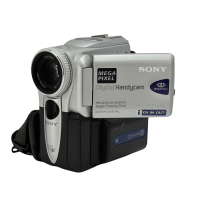
Manual Set
(Make sure the
selector switch is set
on VTR)
P Effect: To add special
effects to recorded film.
Choose between negative
art, sepia, black and white,
solarize, slim, stretch,
pastel, and mosaic.
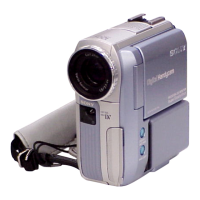
VTR Set
(Make sure the
selector switch is set
on VTR)
HiFi Sound: Playback stereo
sound.
Audio Mix: Audio balance.
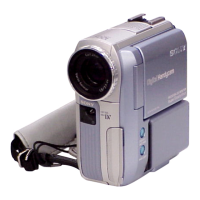
LCD/VF Set
(Make sure the
selector switch is set
on VTR)
LCD Bright: Adjusts the LCD
screen.
LCD B.L.: Adjusts the LCD
screen.
LCD Bright: Adjusts the LCD
screen.
VF Bright: Viewfinder
brightness.
Memory Set
(Make sure the
selector switch is set
on VTR)
Quality: Quality of still
images.
Print Mark: To erase or not to
erase print marks on still
images.
Protect: Protects still images
from being deleted.
Photo Save: To duplicate still
images.








 To Next Page