60
Using the fader
function
You can fade in or out to give your recording a
professional appearance.
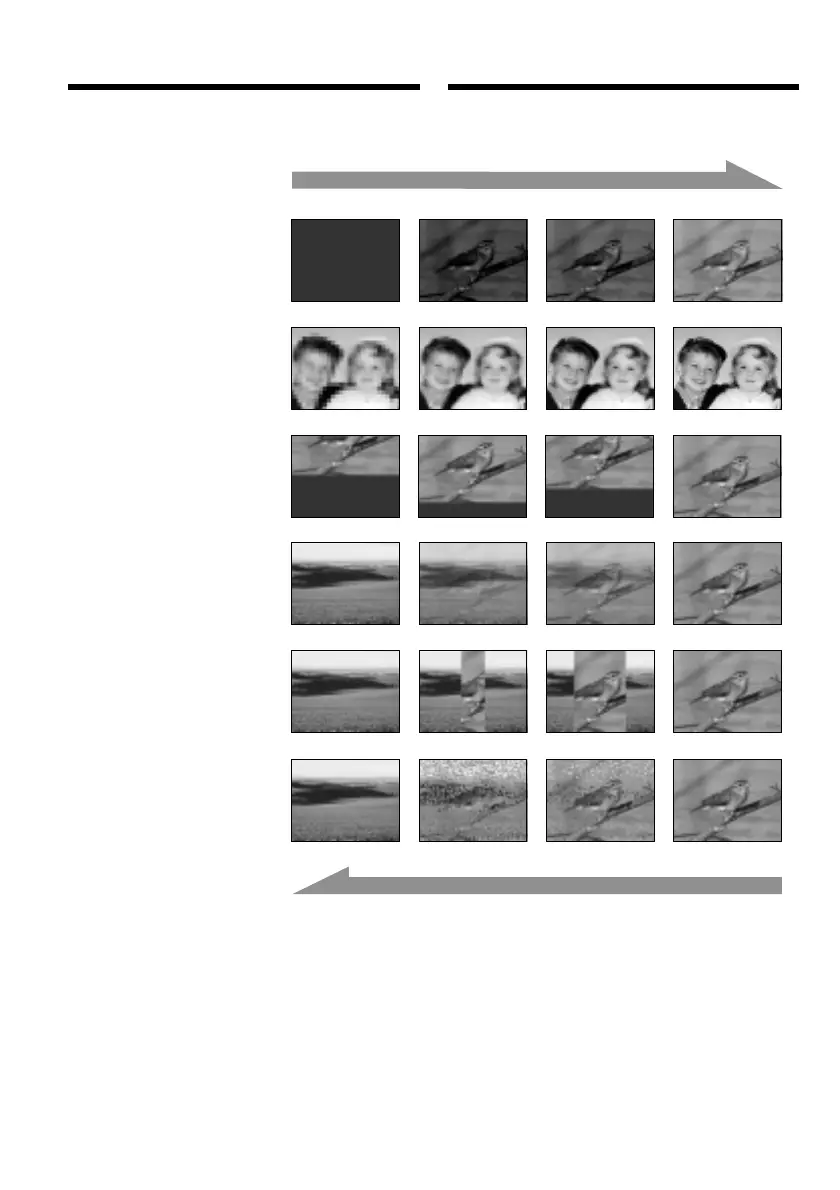
MONOTONE
When fading in, the picture gradually changes
from black-and-white to colour.
When fading out, the picture gradually changes
from colour to black-and-white.
1)
You can use the bounce function when D
ZOOM is set to OFF in the menu settings.
2)
Fade in only.
FADER
OVERLAP
2)
WIPE
2)
DOT
2)
[a]
RECSTBY
RECSTBY
[b]
M. FADER
(mosaic)/(мозаичное)
BOUNCE
1) 2)
Введение и выведение
изображения
Чтобы запись получила профессиональный
вид, можно выполнить введение и выведение
изображения.
MONOTONE
Изображение постепенно меняется с черно-
белого на цветное, если выполняется
введение изображения, и так же плавно и
постепенно становится черно-белым, если
выполняется выведение изображения.
1)
Функция вытеснения “с отскоком”
выполняется, если в настройках меню D
ZOOM установлено в OFF.
2)
Только введение изображения.















 To Next Page