EasyManua.ls Logo

Sony DCR-TRV720 - User Manual

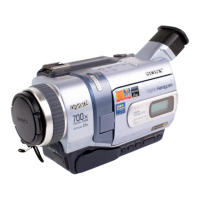
Sony DCR-TRV720
156 pages
Print Icon
To Next Page IconTo Next Page
Loading...
©2000 Sony Corporation
Model No. DCR-TRV Model No. AC-
Serial No. Serial No.
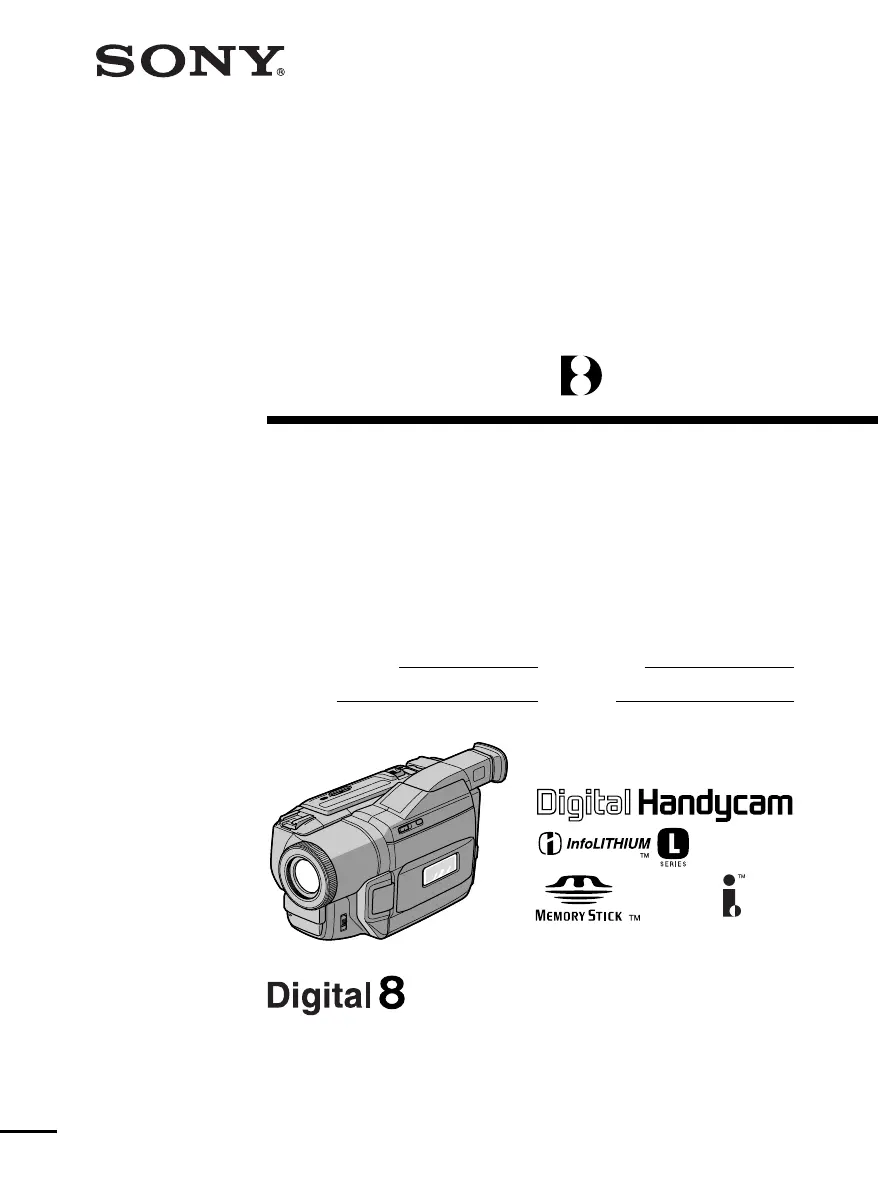
Operating Instructions
Before operating the unit, please read this manual thoroughly,
and retain it for future reference.
Owner’s Record
The model and serial numbers are located on the bottom. Record the
serial number in the space provided below. Refer to these numbers
whenever you call upon your Sony dealer regarding this product.
3-059-564-13 (1)
DCR-TRV720/TRV820
Digital
Video Camera
Recorder
DCR-TRV820

Table of Contents

Other manuals for Sony DCR-TRV720

Questions and Answers

  • T
    terri72Aug 19, 2025
    Why won't my Sony DCR-TRV720 Camcorder power on?
    • J
      Justin MorenoAug 20, 2025
      If your Sony Camcorder doesn't power on, the battery pack may not be installed, dead, or nearly dead. Install a charged battery pack to resolve this issue.
  • P
    Paul HillAug 21, 2025
    What to do if autofocus is not working on Sony Camcorder?
    • T
      tyoungAug 21, 2025
      If the autofocusing function on your Sony Camcorder isn't working, the FOCUS setting might be set to MANUAL. Change it to AUTO.
  • D
    Donald LewisAug 25, 2025
    Why does START/STOP not operate on my Sony DCR-TRV720 Camcorder?
    • E
      Eileen TrujilloAug 25, 2025
      If the START/STOP button on your Sony Camcorder isn't working, the POWER switch might be set to OFF (CHARGE), VTR, or MEMORY. Set the POWER switch to CAMERA.
  • V
    Vanessa BirdAug 26, 2025
    How to fix unclear viewfinder image on Sony DCR-TRV720 Camcorder?
    • M
      Michelle HartAug 26, 2025
      If the image on the viewfinder screen of your Sony Camcorder is unclear, the viewfinder lens may need adjustment. Adjust the viewfinder lens to correct this.
  • J
    Jacqueline SmithAug 27, 2025
    What to do if date search does not work correctly on Sony DCR-TRV720 Camcorder?
    • C
      Cheryl HughesAug 27, 2025
      If date search isn't working correctly on your Sony Camcorder, and the tape was recorded in Hi8, set PB MODE to / in the menu settings.
  • L
    Lisa WebsterAug 29, 2025
    Why is the picture too bright on my Sony Camcorder?
    • C
      Connie PerryAug 29, 2025
      If the picture on your Sony Camcorder's LCD screen or viewfinder appears too bright, and the subject is not visible, several factors could be at play. Ensure that NIGHTSHOT is set to OFF, especially in bright environments; if it is already off, consider turning STEADYSHOT off in the menu settings. Also, check if the camcorder is in Slow Shutter, Low Lux, or Super NightShot mode, as these can cause overexposure. If 10 minutes elapse after you set the POWER switch to CAMERA or DEMO MODE is set to ON in the menu settings without a cassette inserted, your camcorder automatically starts the demonstration. Insert a cassette and the demonstration stops. You can also cancel DEMO MODE.
  • A
    antoniochandlerAug 31, 2025
    Why doesn't the autofocus work on my Sony DCR-TRV720?
    • J
      Joseph JohnsonAug 31, 2025
      If the autofocusing function on your Sony Camcorder isn't working, first verify that FOCUS is set to AUTO. If it is already on AUTO, the shooting conditions might not be suitable for autofocus. In such cases, switch FOCUS to MANUAL to focus manually.
  • K
    Kayla McbrideSep 2, 2025
    How to fix Sony DCR-TRV720 start/stop button not working?
    • R
      Rebecca WrightSep 2, 2025
      If the START/STOP button on your Sony Camcorder isn't working, make sure the POWER switch is set to CAMERA and not OFF (CHARGE), VTR, or MEMORY.
  • K
    Kristen SnowSep 4, 2025
    How to turn on SteadyShot on Sony DCR-TRV720 Camcorder?
    • B
      Brian RossSep 4, 2025
      If the SteadyShot function on your Sony Camcorder isn't working, check the menu settings to ensure STEADYSHOT is set to ON.
  • K
    Kayla ConnerSep 6, 2025
    What to do if picture doesn't appear in Sony DCR-TRV720 viewfinder?
    • T
      Thomas NorrisSep 7, 2025
      If the picture does not appear in the viewfinder of your Sony Camcorder, make sure the LCD panel is closed.

Summary

Quick Start Guide

Connecting the Power Cord

Instructions for connecting the camcorder to a power source.

Inserting a Cassette

Step-by-step guide for inserting a video cassette into the camcorder.

Getting Started

Precautions on Camcorder Care

Important warnings and advice for maintaining the camcorder.

Preparing the Power Supply

Installing the Battery Pack

Instructions on how to insert and remove the battery pack.

Charging the Battery Pack

Procedure for charging the camcorder's battery pack.

Connecting to a Wall Outlet

How to power the camcorder using an AC adapter and wall outlet.

Inserting a Cassette

Recording - Basics

Recording a Picture

Step-by-step guide to recording video footage.

Playback - Basics

Playing Back a Tape

Procedure for playing back recorded video from a tape.

Advanced Recording Operations

Advanced Playback Operations

Customizing Your Camcorder

Changing the Menu Settings

How to modify various camcorder settings via the menu.

Resetting the Date and Time

Procedure for setting or resetting the camcorder's clock.

“Memory Stick” Operations

Troubleshooting

Recording Mode Issues

Common problems and solutions during recording.

“Memory Stick” Issues

Troubleshooting common problems with Memory Stick usage.

Self-Diagnosis Display

Warning Indicators and Messages

Maintenance and Precautions

Sony DCR-TRV720 Specifications

General IconGeneral
TypeDigital Camcorder
Image SensorCCD
Optical Zoom20x
LCD Screen Size2.5 inches
Weight1.5 lbs
CCD Sensor1/4 inch
Media FormatMiniDV
Recording MediaMiniDV

Related product manuals