EasyManua.ls Logo

Sony DCR-TRV725E - User Manual

Sony DCR-TRV725E
249 pages
Print Icon
To Next Page IconTo Next Page
Loading...
SERVICE MANUAL
US Model
Canadian Model
Korea Model
DCR-TRV730/TRV828/TRV830
AEP Model
UK Model
DCR-TRV725E/TRV730E/
TRV828E/TRV830E
E Model
Hong Kong Model
DCR-TRV730/TRV730E/TRV828/
TRV828E/TRV830/TRV830E
Australian Model
DCR-TRV730E/TRV828E
Chinese Model
DCR-TRV828E
SERVICE MANUAL
DIGITAL VIDEO CAMERA RECORDER
M2000 MECHANISM
SPECIFICATIONS
— Continued on next page —
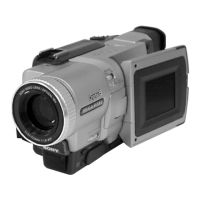
Photo : DCR-TRV730E
RMT-814
DCR-TRV725E/TRV730/TRV730E/TRV828/
TRV828E/TRV830/TRV830E
RMT-814
For MECHANISM ADJUSTMENT, refer to the
“8mm Video MECHANICAL ADJUSTMENT
MANUAL
IX
M2000 MECHANISM ” (9-929-861-
11).
On the VC-262 board
This service manual provides the information that is premised the
circuit board replacement service and not intended repair inside the
VC-262 board.
Therefore, schematic diagram, printed wiring board, waveforms, parts
list and electrical parts list of the VC-262 board are not shown.
The following pages are not shown.
Printed wiring board ......................... Pages 4-11 to 4-14
Schematic diagram .......................... Pages 4-15 to 4-58
Waveforms and parts list ................. Pages 4-101 to 4-104
Electrical parts list............................ Pages 6-19 to 6-31
NTSC model : DCR-TRV730/TRV828/TRV830
PAL model : DCR-TRV725E/TRV730E/
TRV828E/TRV830E
Input/output
connectors
S video input/output
4-pin mini DIN
Luminance signal: 1 Vp-p,
75 (ohms), unbalanced
Chrominance signal:
(ohms), unbalanced
Audio/Video input/output
AV MINIJACK, 1 Vp-p, 75
(ohms), unbalanced, sync negative
327 mV, (at output impedance more
than 47 k(kilohms))
Output impedance with less than
2.2 k(kilohms)/Stereo minijack
(ø 3.5 mm)
Input impedance more than 47 k
(kilohms)
Headphone jack
Stereo minijack (ø 3.5 mm)
USB jack
mini-B
LANC
jack
Stereo mini-minijack (ø 2.5 mm)
MIC jack
Stereo minijack (ø 3.5 mm)
DV input/output
4-pin connector
Video camera
recorder
System
Video recording system
2 rotary heads
Helical scaning system
Audio recording system
Rotary heads, PCM system
Quantization: 12 bits (Fs 32 kHz,
stereo 1, stereo 2), 16 bits
(Fs 48 kHz, stereo)
Video signal
PAL colour, CCIR standards
NTSC color, EIA standards
DCR-TRV730/TRV828/TRV830:
DCR-TRV725E/TRV730E/TRV828E/
TRV830E:
DCR-TRV725E/TRV730E/TRV828E/
TRV830E:
Recommended cassette
Hi8/Digital8 video cassette
DCR-TRV730/TRV828/TRV830:
Recording/playback time
(using 90 min. Hi8 video cassette)
(using 120 min. Hi8 video cassette)
DCR-TRV725E/TRV730E/TRV828E/
TRV830E:
DCR-TRV730/TRV828/TRV830:
DCR-TRV725E/TRV730E/TRV828E/
TRV830E:
DCR-TRV730/TRV828/TRV830:
(using 90 min. Hi8 video cassette)
(using 120 min. Hi8 video cassette)
SP mode: 1 hour
LP mode: 1 hour and 30 minuites
Fastforward/rewind time
Approx. 5 min.
Viewfinder
Electric Viewfinder, Monochrome
Image device
4.5 mm (1/4 type CCD)
(Charge Coupled Device)
Approx. 1 070 000 pixels
(Memory mode: 1 000 000 pixels)
(Camera mode: 690 000 pixels)
Lens
Combined power zoom lens
Filter diameter 37 mm (1 1/2 in.)
18× (Optical), 500×
(Digital)
Focal length
4.1 – 73.8 mm (3/16 – 3 in.)
When converted to a 35 mm still
camera
Camera mode:
47 – 846 mm (1 7/8 – 33 3/8 in.)
Memory mode:
39 - 702 mm (1 9/16 – 27 3/4 in.)
Colour temperature
Auto
Minimum illumination
7 lx (lux) (F 1.8)
0 lx (lux) (in the NightShot mode)*
* Objects unable to be seen due to
the dark can be shot with infrared
lighting.
0.286 Vp-p, 75
(ohms), unbalanced0.3 Vp-p, 75
Ver 1.0 2001. 03

Table of Contents

Questions and Answers

  • C
    Christina SmithAug 18, 2025
    Why won't my Sony DCR-TRV725E Camcorder turn on?
    • S
      soliverAug 18, 2025
      If your Sony Camcorder isn't powering on, make sure a charged battery pack is properly installed. Also, verify that the AC power adapter is correctly connected to a power outlet.
  • M
    Michael BowenAug 20, 2025
    How to fix a blurry image on Sony Camcorder viewfinder screen?
    • N
      nmillerAug 20, 2025
      If the image on your Sony Camcorder's viewfinder screen is blurry, try adjusting the viewfinder lens. Also, make sure that STEADYSHOT is set to ON in the menu. If FOCUS is set to MANUAL, switch it to AUTO. If the shooting conditions are not suitable for autofocus, manually adjust the focus by setting FOCUS to MANUAL.
  • N
    Nicole CoxAug 23, 2025
    Why does the START/STOP button not operate on my Sony DCR-TRV725E Camcorder?
    • G
      Gregory JonesAug 23, 2025
      If the START/STOP button on your Sony Camcorder isn't working, there could be several reasons. First, ensure the POWER switch is set to CAMERA. Also, check if the tape has run out, and rewind or replace it if necessary. The write-protect tab might be exposing the red mark, so use a new tape or slide the tab. If moisture condensation has occurred, leave the camcorder for an hour to acclimatize. If the camcorder has been in standby mode for over 3 minutes, set the POWER switch to OFF (CHARGE) and then back to CAMERA. Adjust the viewfinder lens if needed. Ensure STEADYSHOT is set to ON in the menu settings and FOCUS is set to AUTO. If shooting conditions are unsuitable for autofocus, set FOCUS to MANUAL. Cancel any active digital effects. Finally, close the LCD panel.
  • Z
    Zachary LunaAug 26, 2025
    What to do if my Sony Camcorder power keeps going off?
    • C
      Colleen AdamsAug 26, 2025
      If your Sony Camcorder is shutting off unexpectedly, it could be due to a disconnected power source or a dead battery. Ensure the power source is connected and use a charged battery pack. Another cause might be moisture condensation; if this has occurred, leave the camcorder for an hour to acclimatize.
  • M
    Melissa CastroAug 28, 2025
    Why is there no sound when playing back a tape on my Sony DCR-TRV725E Camcorder?
    • C
      Cheryl LawsonAug 28, 2025
      If you're experiencing sound issues when playing back a tape on your Sony Camcorder, and the sound is low or absent, ensure that if you are playing a stereo tape, HiFi SOUND is set to STEREO in the menu settings. Also, check the volume level; open the LCD panel and press VOLUME + to increase it.
  • J
    Justin LaneAug 30, 2025
    What to do if the tape doesn't move on my Sony Camcorder?
    • T
      Tina GonzalesAug 30, 2025
      If the tape isn't moving when you press a video control button on your Sony Camcorder, ensure the POWER switch is set to VTR. Also, check if the tape has run out and rewind it if necessary.
  • S
    Steve TuckerSep 2, 2025
    Why is SteadyShot not working on my Sony Camcorder?
    • J
      Juan WardSep 2, 2025
      If the SteadyShot function isn't working on your Sony Camcorder, check if STEADYSHOT is set to OFF in the menu settings. If it is, set it to ON.
  • F
    Frank AverySep 5, 2025
    How to stop the demo mode on my Sony Camcorder?
    • W
      William CalderonSep 5, 2025
      If your Sony Camcorder starts a demonstration after 10 minutes when the POWER switch is set to CAMERA or DEMO MODE is ON without a cassette, insert a cassette to stop the demonstration. Alternatively, you can cancel DEMO MODE in the menu settings.
  • E
    Edward BurnsSep 7, 2025
    Why can't I delete images from my Sony DCR-TRV725E?
    • R
      Richard KeithSep 7, 2025
      If you can't delete an image on your Sony Camcorder, check if the write-protect tab on the “Memory Stick” is set to LOCK and release it. Also, verify if the image is protected and cancel image protection.
  • G
    Gina ChambersSep 10, 2025
    What to do if I cannot format the Memory Stick on my Sony Camcorder?
    • D
      Dustin GibsonSep 10, 2025
      If you're unable to format the “Memory Stick” in your Sony Camcorder, it might be due to the “Memory Stick” being formatted incorrectly. Try formatting the “Memory Stick” on your camcorder or use another “Memory Stick.”

Sony DCR-TRV725E Specifications

General IconGeneral
BrandSony
ModelDCR-TRV725E
CategoryCamcorder
LanguageEnglish

Related product manuals