EasyManua.ls Logo

Sony DCR-TRV120 - User Manual

Sony DCR-TRV120
132 pages
Print Icon
To Next Page IconTo Next Page
Loading...
©2000 Sony Corporation
Model No. DCR-TRV Model No. AC-
Serial No. Serial No.
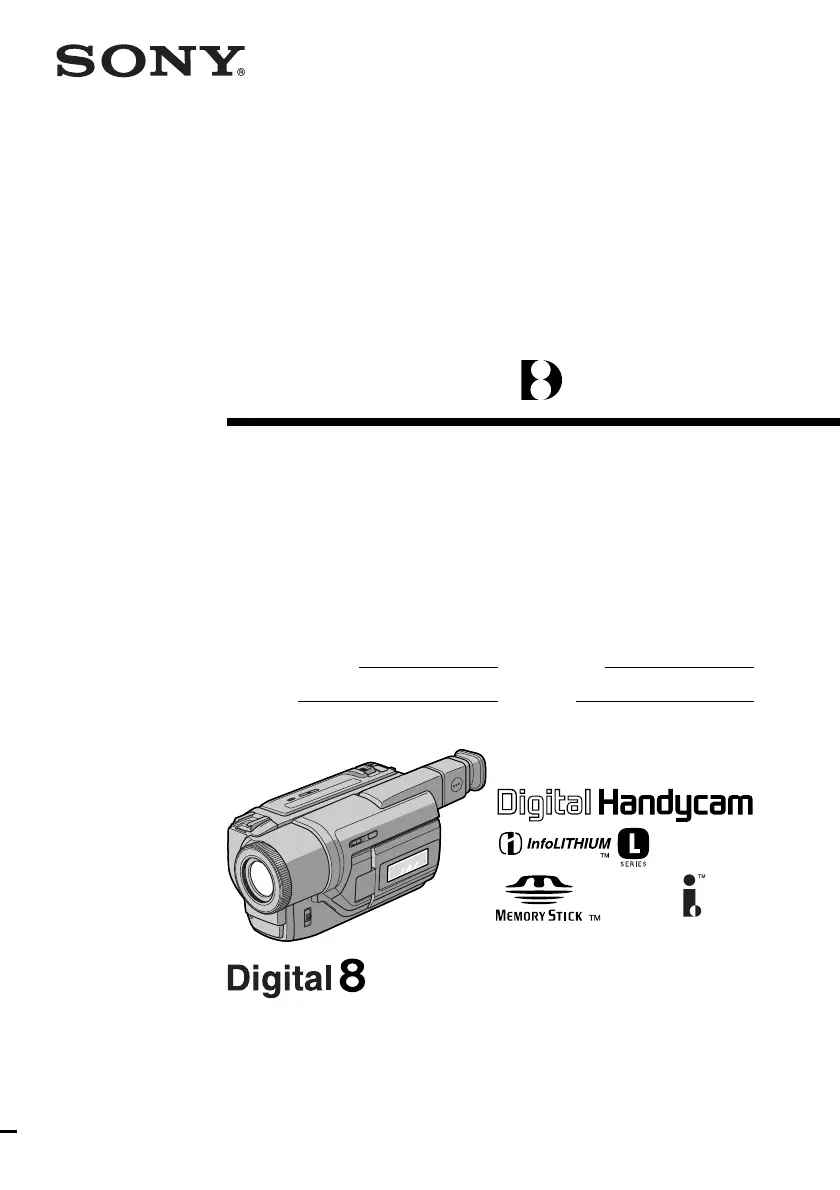
Operating Instructions
Before operating the unit, please read this manual thoroughly,
and retain it for future reference.
Owner’s Record
The model and serial numbers are located on the bottom. Record the
serial number in the space provided below. Refer to these numbers
whenever you call upon your Sony dealer regarding this product.
3-058-871-12 (1)
DCR-TRV120/TRV320
DCR-TRV320
Digital
Video Camera
Recorder

Table of Contents

Other manuals for Sony DCR-TRV120

Questions and Answers

  • J
    Juan AllenAug 15, 2025
    How to fix autofocusing function if it does not work on Sony DCR-TRV120 Camcorder?
    • D
      Devon HerreraAug 15, 2025
      If the FOCUS is set to MANUAL, set it to AUTO. If the shooting conditions are unsuitable for autofocus, set FOCUS to MANUAL to focus manually.
  • C
    Christopher DorseyAug 18, 2025
    What to do if SteadyShot function does not work on Sony Camcorder?
    • H
      haleydarleneAug 18, 2025
      If STEADYSHOT is set to OFF in the menu, set it to ON.
  • G
    gonzalezmeredithAug 21, 2025
    What to do if the START/STOP button does not operate on Sony DCR-TRV120 Camcorder?
    • A
      Ashley RodriguezAug 21, 2025
      If the POWER switch is set to OFF (CHARGE), VTR or MEMORY, set it to CAMERA.
  • D
    Derek BrownAug 25, 2025
    Why is the picture recorded in incorrect colors on my Sony DCR-TRV120?
    • J
      James JonesAug 25, 2025
      If Slow shutter, low lux or Super NightShot mode is activated, this is not a malfunction.
  • J
    Julia CarterAug 27, 2025
    How to fix a Sony Camcorder when NIGHTSHOT is set to ON?
    • A
      Alexis HardingAug 27, 2025
      Set NIGHTSHOT to OFF.
  • J
    John RochaAug 30, 2025
    What to do if the picture does not appear in the viewfinder of my Sony DCR-TRV120 Camcorder?
    • S
      Steven SmithAug 30, 2025
      If the LCD panel is open, close the LCD panel.
  • J
    jeffrey64Sep 2, 2025
    Why does a vertical band appear when shooting a subject against a dark background with my Sony DCR-TRV120 Camcorder?
    • C
      Cameron SmithSep 2, 2025
      If the contrast between the subject and background is too high, this is not a malfunction.
  • D
    Dawn BarrettSep 5, 2025
    What to do if the fader function does not work on Sony DCR-TRV120 Camcorder?
    • M
      Michelle JuarezSep 5, 2025
      If the digital effect function is working, cancel it.
  • K
    Keith LoweSep 8, 2025
    What to do if NIGHTSHOT is set to ON in a bright place on Sony DCR-TRV120 Camcorder?
    • M
      murphyrobinSep 8, 2025
      Set NIGHTSHOT to OFF, or use the NightShot function in a dark place.
  • M
    Michael BrownSep 12, 2025
    Why does a vertical band appear when shooting a very bright subject with my Sony Camcorder?
    • K
      Kevin ConnerSep 12, 2025
      This is not a malfunction.

Summary

Quick Start Guide

Connecting the Power Cord

Basic steps to connect the camcorder's power source.

Inserting a Cassette

Basic steps for inserting a video cassette into the camcorder.

Preparing the Power Supply

Installing and Charging Battery Pack

Procedure for inserting, removing, and charging the battery pack.

Connecting to a Wall Outlet

Instructions for powering the camcorder via AC adapter.

Recording - Basics

Recording a Picture

Step-by-step guide to begin recording video.

Playback - Basics

Playing Back a Tape

Steps for playing back recorded video from a cassette.

Viewing on TV

Connecting the camcorder to a TV for playback.

Advanced Recording Operations

Advanced Playback Operations

Editing

Dubbing a Tape

Copying video content from the camcorder to a VCR.

Customizing Your Camcorder

Changing Menu Settings

Adjusting camcorder settings via the menu system.

“Memory Stick” Operations

Using Memory Stick

Introduction to Memory Stick functionality and usage.

Memory Photo Recording

Capturing still images onto a Memory Stick.

Memory Photo Playback

Viewing still images stored on the Memory Stick.

Deleting Images

Deleting Selected and All Images

Removing specific or all unprotected images from the Memory Stick.

Additional Information

Troubleshooting

Recording Mode Issues

Solutions for problems encountered during recording.

Playback Mode Issues

Solutions for problems encountered during playback.

Recording & Playback Mode Issues

Troubleshooting common issues in both recording and playback modes.

Memory Stick Operation Issues

Solutions for problems related to Memory Stick usage.

Self-diagnosis Display

Understanding the camcorder's self-diagnosis error codes.

Warning Indicators and Messages

Interpreting warning lights and messages on the camcorder.

Maintenance Information and Precautions

Quick Reference

Identifying Parts and Controls

Visual guide to the camcorder's buttons and features.

Quick Function Guide

Sony DCR-TRV120 Specifications

General IconGeneral
Recording MediaMiniDV tape
Optical Zoom20x
Digital Zoom800x
ViewfinderColor
MicrophoneBuilt-in stereo
USB InterfaceNo
FireWire InterfaceYes
TypeMiniDV Camcorder
Image Sensor1/4" CCD
LCD Screen Size2.5 inches
Battery TypeLithium-ion

Related product manuals