34
Recording a picture
Self-timer recording
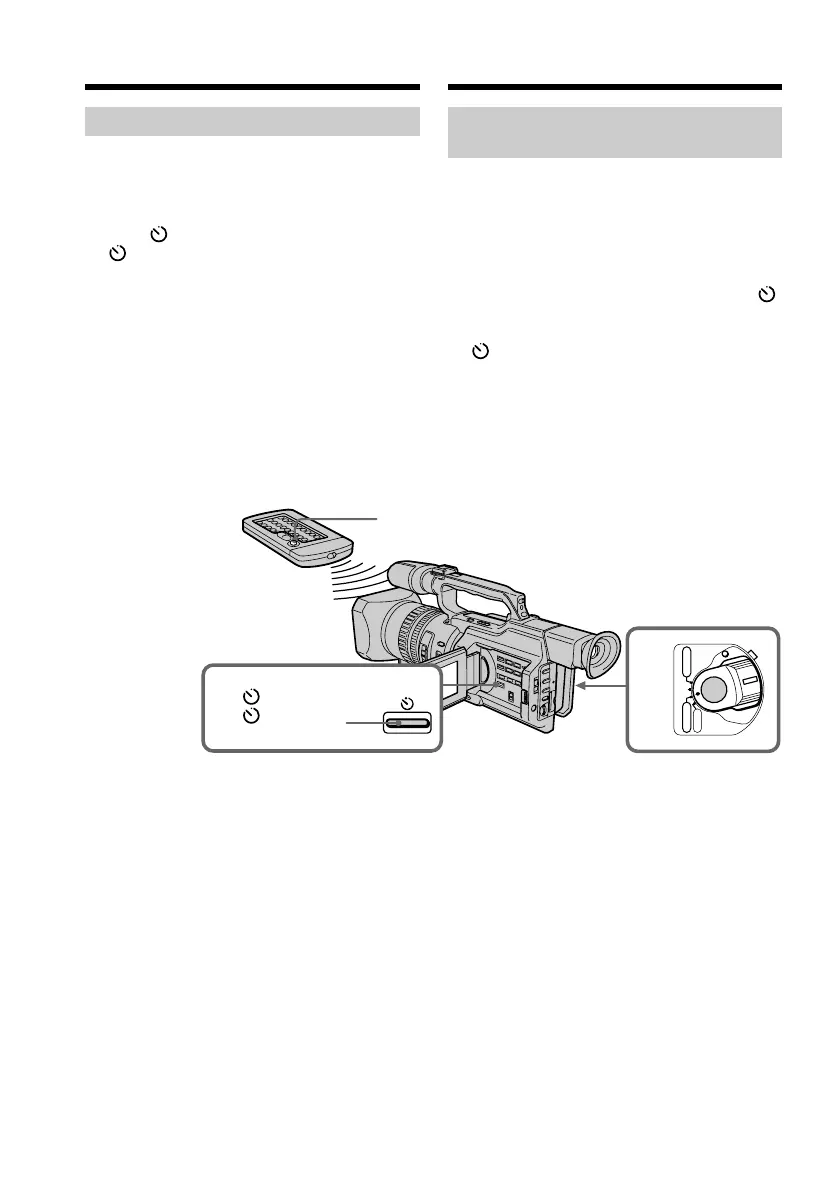
You can make a recording with the self-timer.
This recording is useful when you want to
record yourself. You can also use the Remote
Commander.
(1)Press (self-timer) in standby mode. The
(self-timer) indicator appears on the
LCD screen or in the viewfinder.
(2)Press START/STOP.
Self-timer starts counting down from 10
seconds with a beep sound. In the last two
seconds of the countdown, the beep sound
gets faster, then recording starts
automatically.
To stop the self-timer before
recording
Press START/STOP again.
Use the Remote Commander for convenience.
To record still pictures on tapes
using the self-timer
Press PHOTO in step 2 (p. 48).
POWER
OFF
(CHG)
CAMERA
MEMORY
VCR
1
2
(self-timer)/
(тaймep
caмозaпycкa)
START/STOP
Зaпиcь изобpaжeния
Зaпиcь по тaймepy
caмозaпycкa
Bы можeтe выполнить зaпиcь по тaймepy
caмозaпycкa. Этa зaпиcь можeт
пpигодитьcя в том cлyчae, когдa
нeобxодимо зaпиcaть ceбя. Для этого
можно тaкжe иcпользовaть пyльт
диcтaнционного yпpaвлeния.
(1)B peжимe ожидaния нaжмитe кнопкy
(тaймep caмозaпycкa). Ha экpaнe ЖКД
или в видоиcкaтeлe появитcя индикaтоp
(тaймep caмозaпycкa).
(2)Haжмитe кнопкy START/STOP.
Taймep caмозaпycкa нaчнeт обpaтный
отcчeт c 10 ceкyнд c зyммepным
cигнaлом. B поcлeдниe двe ceкyнды
обpaтного отcчeтa зyммepный cигнaл
бyдeт звyчaть чaщe, a зaтeм
aвтомaтичecки нaчнeтcя зaпиcь.
Для оcтaновки тaймepa
caмозaпycкa пepeд зaпиcью
Haжмитe кнопкy START/STOP eщe paз.
Для yдобcтвa иcпользyйтe пyльт
диcтaнционного yпpaвлeния.
Для зaпиcи нeподвижныx
изобpaжeний нa лeнтy c помощью
тaймepa caмозaпycкa
Haжмитe кнопкy PHOTO в пyнктe 2
(cтp. 48).















 To Next Page