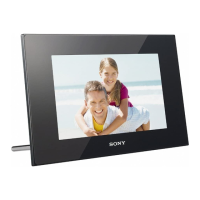
DPF-D710/D720/D810/D820/D1010/D1020
– 7 –
Ref. No. Part No. Description
Ref. No. Part No. Description
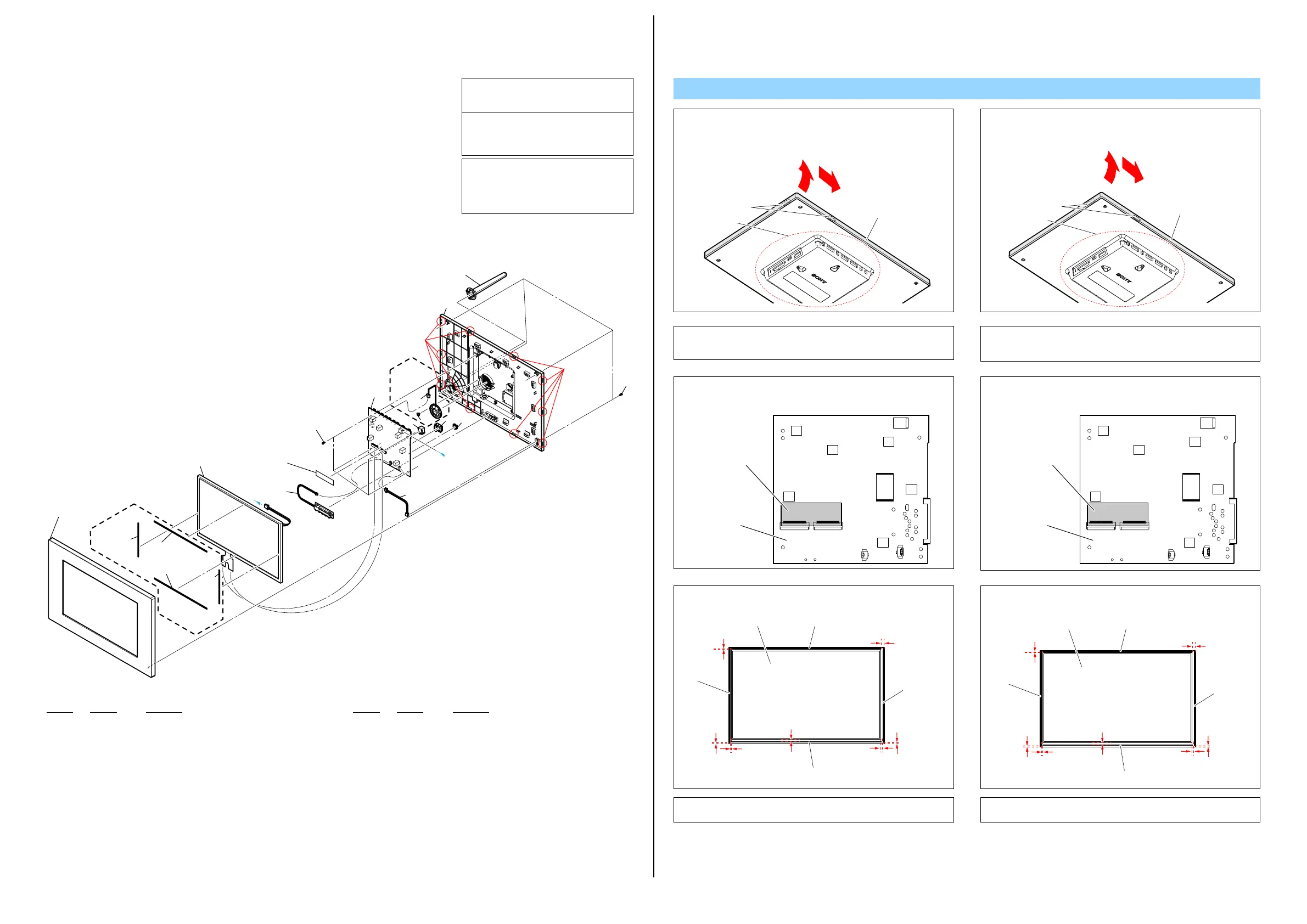
1 A-1797-776-A FRONT COVER ASSY (D1010) (Note1, 2)
1 A-1797-786-A FRONT COVER ASSY (D1020: BLACK) (Note1, 2)
1 A-1797-787-A FRONT COVER ASSY (WHITE) (Note1, 2)
2 4-262-601-01 SPONGE S, 10INCH (D1020) (Note4)
3 4-262-598-01 SPONGE L, 10INCH (D1020) (Note4)
0 4 1-811-301-11 LCD MODULE
5 A-1797-798-A LOGO LIGHT PIPE ASSY (D1010)
5 A-1798-023-A LOGO LIGHT PIPE ASSY (D1020)
6 (Note3) POLYIMIDE TAPE (Note3)
7 3-080-206-21 SCREW, TAPPING, P2 (D1010 / D1020: BLACK)
7 7-685-103-14 SCREW +P 2X5 TYPE2 NON-SLIT (WHITE)
0 8 A-1797-795-A MAIN PWB ASSY (D1010) (Note5)
0 8 A-1797-796-A MAIN PWB ASSY (D1020) (Note5)
9 1-842-516-11 JACK, DC (3P)
10 4-264-461-01 SCREW, SPEAKER (D1020)
11 1-842-517-11 CONNECTOR, USB (SOCKET)
12 1-842-518-11 CONNECTOR, USB (SOCKET)
0 13 A-1797-797-A SPEAKER ASSY (D1020)
14 A-1797-806-A REAR COVER ASSY (D1010)
14 A-1798-027-A REAR COVER ASSY (D1020: BLACK)
14 A-1797-807-A REAR COVER ASSY (WHITE)
15 4-258-237-11 STAND (WHITE)
15 4-258-237-01 STAND (D1010 / D1020: BLACK)
16 A-1797-799-A IR LENS
DPF-D1010/D1020
Note
The components identified by mark 0 or
dotted line with mark 0 are critical for safety.
Replace only with part number specified.
Les composants identifiés par une marque
0 sont critiques pour la sécurité.
Ne les remplacer que par une pièce portant
le numéro spécifié.
0
印の部品,または
0
印付の点線で囲ま
れた部品は,安全性を維持するために,
重要な部品です。
従って交換時は,必ず指定の部品を使用
してください。
Note3:
• Attach the Polyimide Tape by referring to the figure below.
• Cut the Polyimide Tape (2-580-751-01) before using it.
Note3:
•ポリイミドテープは下図を参照して貼り付けてください。
•ポリイミドテープ(2-580-751-01)を切って使用してください。
Note1:
フロントカバー ASSYの取り外しは,リアカバー ASSYのボック
ス部をつかみながらフロントカバー ASSYの角を矢印①の方向
へ引き,本体上面を矢印②の方向へ順に開いてください。
Note1: When removing the Front Cover Assy, draw the corner of
the Front Cover Assy in the direction shown by arrow
1
while holding the box part of the Rear Cover Assy, then open
from the upper edge of the Front Cover Assy in the direction
shown by arrow
2
.
Note2: Open the Rear Cover Assy by putting it down, since the LCD
Module is not fixed and the flexible board or cable is too
short.
Note2:
LCDモジュールが固定されておらず,フレキシブルボードや
ケーブルが短いため,フロントカバー ASSYを開けるときは,
リアカバー ASSYを下にして開いてください。
フロントカバーASSY
ツメ
ボックス部
1
2
Front Cover Assy
Claw
Box part
1
2
Polyimide Tape
Main PWB Assy
ポリイミドテープ
サービス
メイン基板
ASSY
Claw
Claw
(Note1, 2)
1
3
(Note4)
3(Note4)
(Note4)2
2
(Note4)
4
7
(Size: 20mm x 50mm)
(Note3)
6
5
12
(Note5)
8
10
9
16
13
11
14
15
7
A
A
D1020
D1020
Note4:
LCDモジュールの下図の位置にスポンジを貼り付けてくださ
い。
Note4: Attach the sponge to the LCD Module on the position as
shown in the figure below.
0 to 10.5mm
0 to 2.2mm
0 to 3.7mm
0 to 1mm
0 to 2.8mm
0 to 0.9mm
0 to 2.2mm
SPONGE S,
10INCH
SPONGE 10, 7INCH
SPONGE S,
10INCH
SPONGE L, 10INCH
LCD MODULE
0〜10.5mm
0〜2.2mm
0〜3.7mm
0〜1mm
0〜2.8mm
0〜0.9mm
0〜2.2mm
0〜12mm
スポンジS
10インチ
スポンジS
10インチ
スポンジL 10インチ
スポンジL 10インチ
LCDモジュール
Note5: Refer to “METHOD OF REMOVING THE MAIN PWB ASSY”
on page 9 when you remove the main pwb assy.
Note5:
メイン基板ASSYを取り外しをする場合,9ページの“METHOD
OFREMOVINGTHEMAINPWBASSY”を参照してください。


 To Next Page
 Loading...