18
GB
Single view mode (single image display)
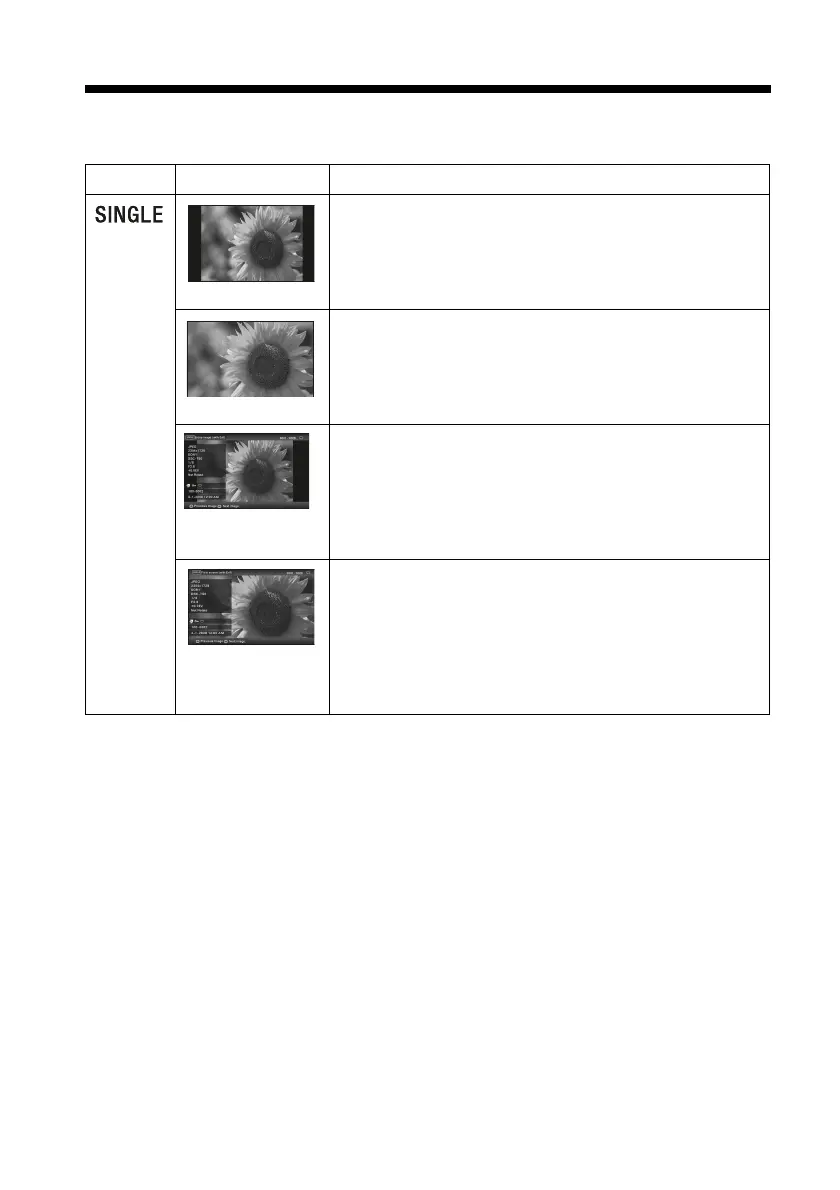
Display Style Description
Entire image
Displays an entire image in the screen.
You can switch the images to be displayed by pressing B/b.
Fit to screen
Displays an image over the whole screen.
(Depending on the aspect ratio of the recorded image, the
border of the image may only be partially displayed.)
You can switch the images to be displayed by pressing B/b.
Entire image (with
Exif)
Displays image information, such as the image number, file
name, and shooting date while displaying the entire image.
You can switch the images to be displayed by pressing B/b.
See “About the information displayed on the LCD screen”
(page 20) for details on the image information.
Fit to screen (with
Exif)
Displays image information, such as the image number, file
name, and shooting date in fit to screen mode.
(Depending on the aspect ratio of the recorded image, the
border of the image may only be partially displayed.)
You can switch the images to be displayed by pressing B/b.
See “About the information displayed on the LCD screen”
(page 20) for details on the image information.


 To Next Page