32
GB
Changing the settings of
the auto power on/off
function
You can use the timer function to turn the
photo frame on or off automatically when the
photo frame is turned on.
1 Press MENU.
2 Press B/b to select the
(Settings) tab.
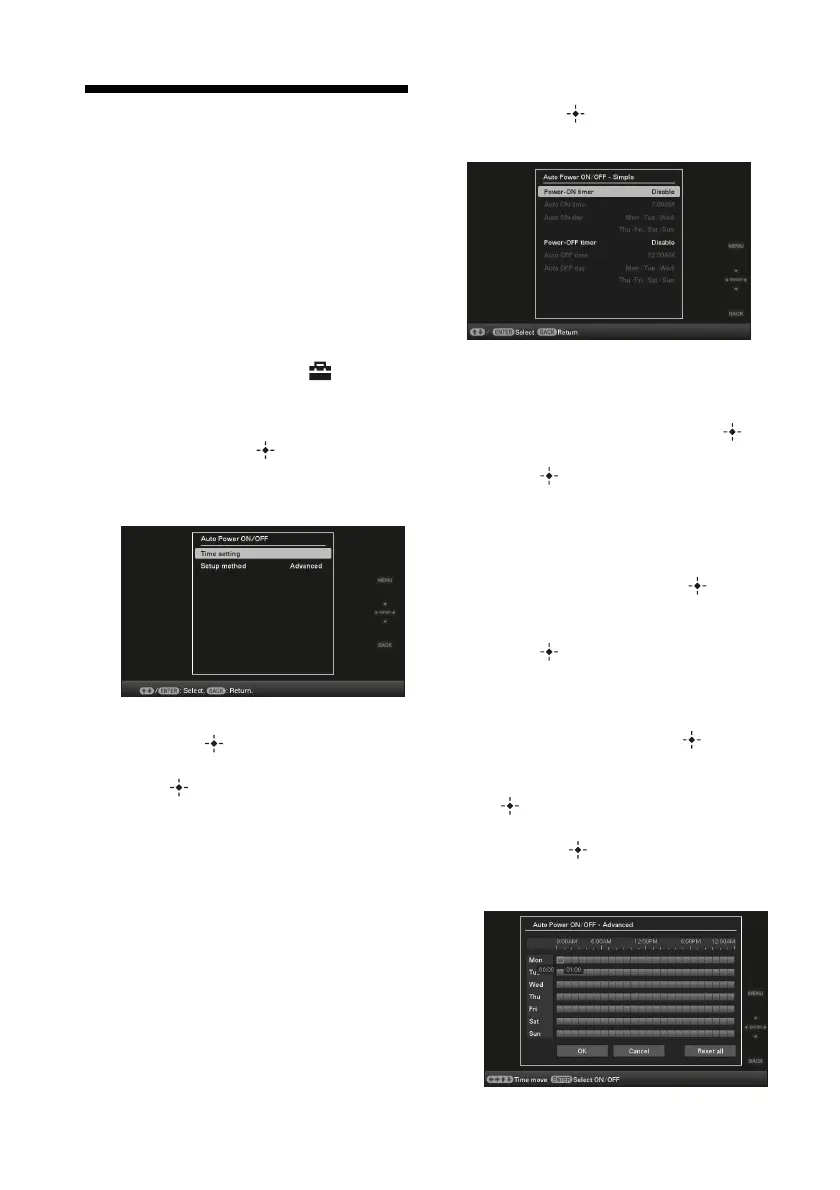
3 Press v/V to select [Auto Power ON/
OFF], and press .
The screen used for setting a value for
[Auto Power ON/OFF] is displayed.
4 Press v/V to select [Setup method]
and press . Then, press v/V to
select [Simple] or [Advanced], and
press .
[Simple]:
Sets the auto power on/off function finely
in one minute increments.
[Advanced]:
Sets the auto power on/off function
according to a day of the week by one
hour units.
5 Press v/V to select [Time Setting],
and press
.
[Simple]
1Select an item for which you want to set
the time.
Press
v/V to select [Power-ON timer]
or [Power-OFF timer] and press .
Then, press
v/V to select [Enable] and
press
.
2Set the time at which you want to
activate the Power-ON timer or Power-
OFF timer.
Press
v/V to select [Auto ON time] or
[Auto OFF time] and press .
Press
B/b to select the hour or minute,
press
v/V to set the hour or minute, and
press .
3Set the day of the week on which you
want to activate the timer.
Press
v/V to select [Auto ON day] or
[Auto OFF day] and press .
Press
v/V to select the day on which
you want activate the timer and press
to make it checked.
Press
v/V to move the cursor to [OK]
and press .
[Advanced]


 To Next Page