11
Setup
2 Determine which connection method you want to use, and then
adjust the jumper.
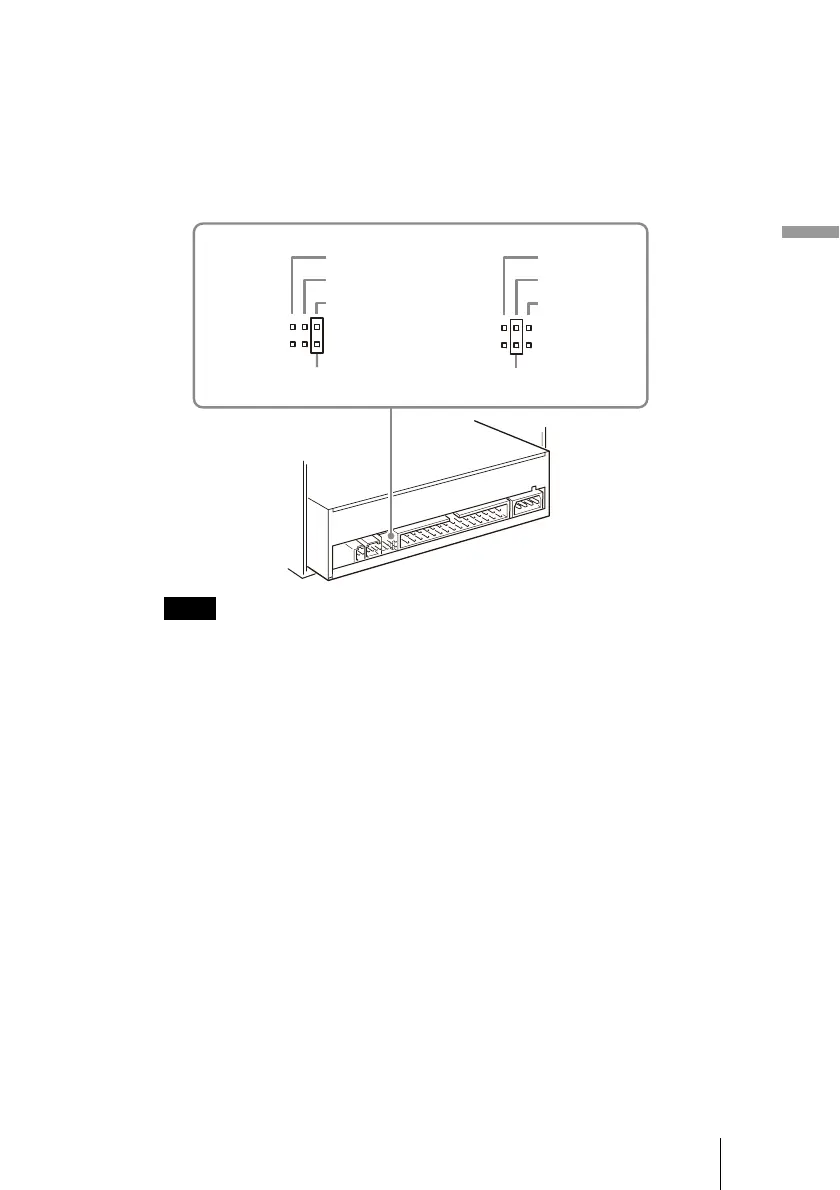
Depending on whether you want to connect the drive as MASTER or SLAVE,
place the jumper on the pins, as illustrated below.
If you are unsure of the appropriate jumper setting, see “Appropriate Jumper
Settings” on page 15.
Notes
• If installing the drive to replace one using the CSEL jumper setting, place the jumper on
the CSEL pins of the drive before installing it.
• Only place the jumper vertically, as illustrated. Placing the jumper horizontally may
damage the drive and/or cause malfunctions.
Jumper Jumper
SLAVE
CSEL
MASTER
SLAVE
CSEL
MASTER



 To Next Page