EasyManua.ls Logo

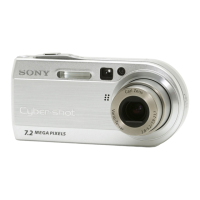
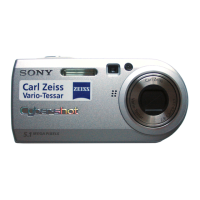
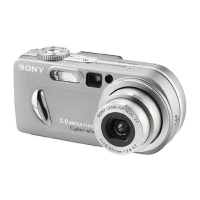
Sony DSC-P100/P120 - User Manual

Sony DSC-P100/P120
128 pages
Print Icon
To Next Page IconTo Next Page
Loading...
2-108-864-11(1)
Digital Still Camera
Operating Instructions
Before operating the unit, please read this manual thoroughly, and
retain it for future reference.
Owner’s Record
The model and serial numbers are located on the bottom. Record the
serial number in the space provided below. Refer to these numbers
whenever you call upon your Sony dealer regarding this product.
Model No. DSC-P100/P120
Serial No.
DSC-P100/P120
© 2004 Sony Corporation
Getting started_______________________
_
Shooting still images_________________
_
Viewing still images__________________
_
Deleting still images _________________
_
Before advanced operations____________
_
Advanced still image shooting __________
_
Advanced still image viewing ___________
_
Still image editing _____________________
_
Still image printing ____________________
_
(PictBridge printer)
Enjoying movies ______________________
_
Enjoying images on your computer
_______
Troubleshooting ______________________
_
Additional information__________________
_
Index ________________________________

_

Table of Contents

Questions and Answers

  • M
    Maria JohnsonJul 30, 2025
    Why does the /CHG lamp flash when charging a Sony DSC-P100/P120 Digital Camera battery pack?
    • R
      Richard WhiteJul 30, 2025
      The /CHG lamp may flash due to the battery pack not being installed correctly or because the battery pack has malfunctioned. Make sure that the battery pack is installed correctly.
  • E
    Elizabeth KhanAug 12, 2025
    How to install the battery pack in a Sony DSC-P100/P120 if it cannot be installed?
    • A
      Andrew HicksAug 12, 2025
      If the battery pack cannot be installed, make sure it is installed correctly by pushing the battery eject lever toward the front of the camera using the front edge of the battery pack.

Summary

Getting Started

Charging the battery pack

Learn to charge the camera's battery pack using the AC adaptor or USB connection.

Setting the date and time

Configure the camera's date and time settings for accurate image information.

Inserting and removing a “Memory Stick”

Understand the correct procedure for inserting and removing the Memory Stick.

Shooting Still Images

Setting the still image size

Choose the optimal image size for your photos, balancing quality and storage.

Basic still image shooting

Learn the fundamental steps for taking still images with the camera.

Shooting according to scene conditions

Utilize Scene Selection modes for optimal shooting in various environments.

Viewing and Managing Images

Viewing images on the LCD screen

Learn to view your captured images directly on the camera's LCD screen.

Deleting images

Learn how to delete unwanted still images and movies from the camera.

Formatting a “Memory Stick”

Understand how to format the Memory Stick, erasing all data.

Troubleshooting and Additional Information

Battery pack and power

Troubleshoot common issues related to the camera's battery and power supply.

Warnings and messages

Understand camera warnings and error messages for quick problem resolution.

Menu items

Explore the various menu options available for camera settings and customization.

Sony DSC-P100/P120 Specifications

General IconGeneral
BrandSony
ModelDSC-P100/P120
CategoryDigital Camera
LanguageEnglish

Related product manuals