16
GB
x
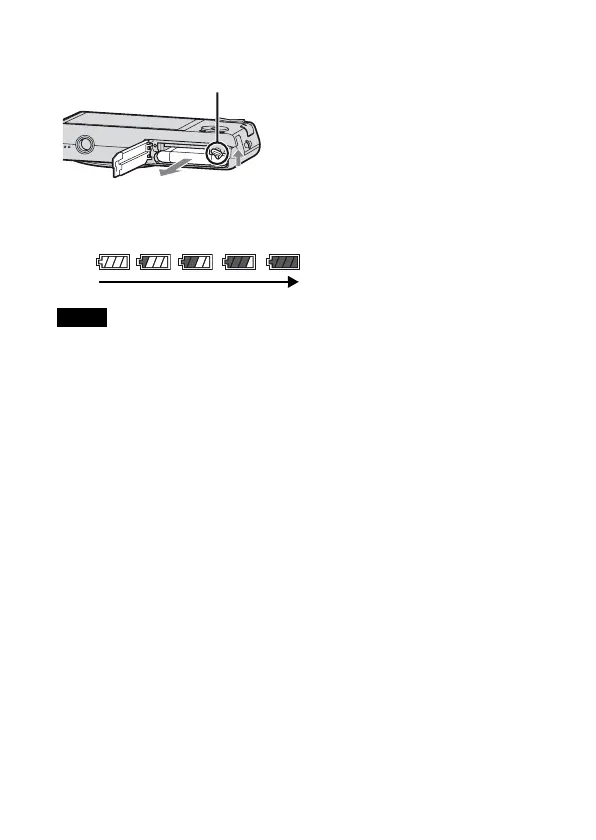
To remove the battery pack
x
Checking the remaining battery charge
A remaining charge indicator appears on the LCD screen.
• It takes about one minute until the correct remaining charge indicator appears.
• The remaining charge indicator may not be correct under certain circumstances.
• When [Power Save] is set to [Standard] or [Stamina], if you do not operate the
camera running on a battery pack for a certain amount of time, the camera
automatically turns off to prevent wearing down the battery pack (Auto Power
off).
• To prevent staining the terminal, short-circuiting, etc., be sure to use a plastic bag
to keep away from metal materials when carrying or storing.
Slide the battery eject lever. Be sure not
to drop the battery pack.
Notes
Battery eject lever
High
Low



 To Next Page
 Loading...