16
SE
Ta stillbilder
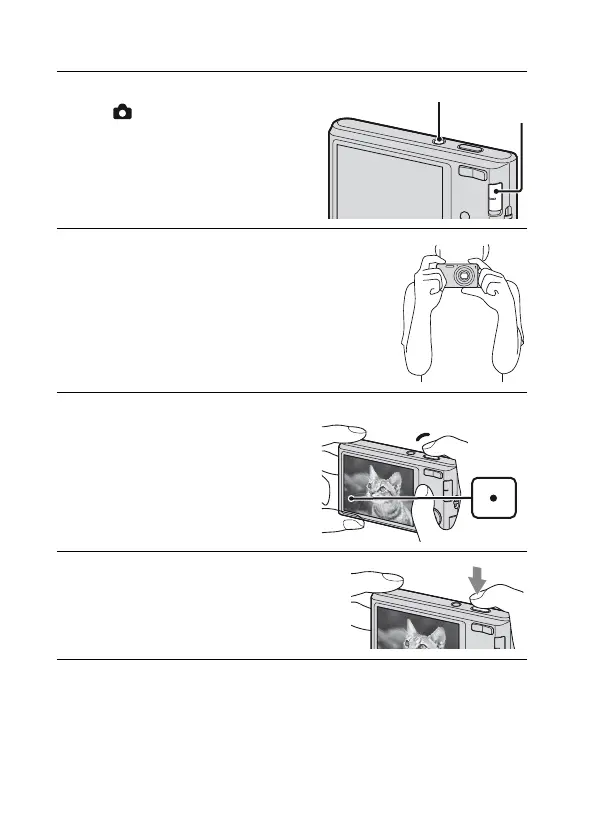
1
Ställ in lägesomkopplaren
på (stillbild) och tryck
sedan på ON/OFF-
knappen (strömbrytare).
2
Håll kameran stadigt såsom bilden
visar.
• Tryck på T-knappen för att zooma in,
W-knappen för att zooma ut.
3
Tryck ned avtryckaren
halvvägs för att fokusera.
När bilden är i fokus hörs ett pip och
z-indikatorn tänds.
4
Tryck ned avtryckaren helt.
Lägesomkopplare
ON/OFF (strömbrytare)
Avtryckare
AE/AF-
lås


 To Next Page
 Loading...