GB
17
GB
Shooting still images
Shooting movies
• When using the zoom function while shooting a movie, the sound of the lens
operating will be recorded.
• The panoramic shooting range may be reduced, depending on the subject or the
way it is shot. Therefore even when [360°] is set for panoramic shooting, the
recorded image may be less than 360 degrees.
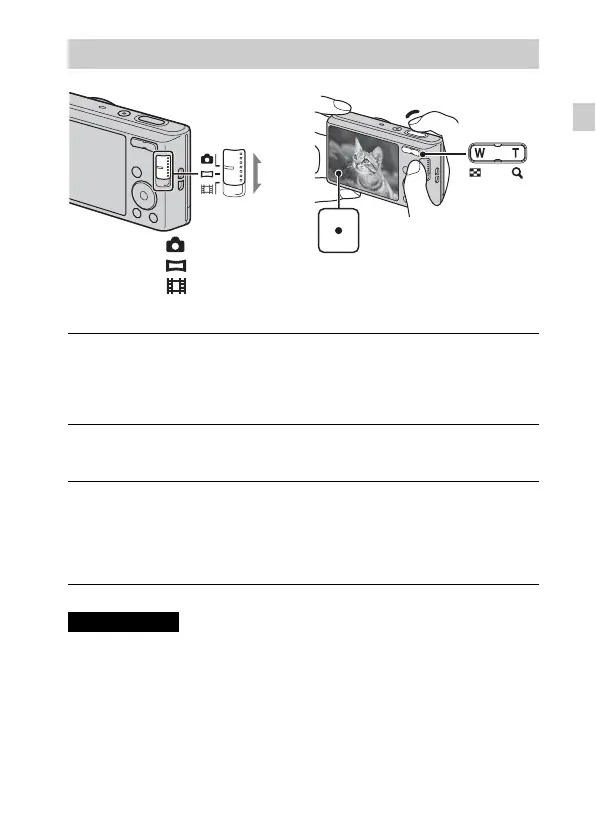
Shooting still images/movies
1
Press the shutter button halfway down to focus.
When the image is in focus, a beep sounds and the z indicator lights.
2
Press the shutter button fully down to shoot an image.
1
Press the shutter button fully down to start recording.
• Use the zoom button to change the zoom scale.
2
Press the shutter button fully down again to stop
recording.
Notes
Mode switch
Shutter button
W: zoom out
T: zoom in
: Still image
: Sweep Panorama
: Movie
W/T (Zoom)
Downloaded from www.vandenborre.be



 To Next Page