EasyManua.ls Logo

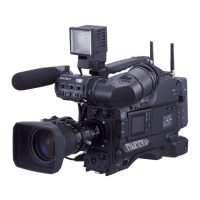
Sony DSR-400L - User Manual

Sony DSR-400L
140 pages
Print Icon
To Next Page IconTo Next Page
Loading...
3-868-500-03 (1)
Digital Camcorder
Operating Instructions
Before operating the unit, please read this manual
thoroughly and retain it for future reference.
DSR-400L/400PL
DSR-400K/400PK
DSR-450WSL/450WSPL
© 2005 Sony Corporation

Table of Contents

Questions and Answers

  • A
    Anthony HansonAug 18, 2025
    How to fix Sony DSR-400L that won't turn on?
    • J
      jamessmithAug 18, 2025
      If your Sony Camcorder does not power on, make sure a charged battery pack is attached. If the battery is exhausted, replace it with a fully charged one. Also, ensure the AC adapter is properly connected and turned on.
  • A
    Ashley FisherAug 21, 2025
    Why does my Sony DSR-400L Camcorder automatically eject the cassette?
    • A
      Angelica SchneiderAug 21, 2025
      If your Sony Camcorder's cassette is automatically ejected, it might be due to an incorrect type of cassette being inserted. Ensure that you insert the correct type of cassette.
  • S
    sandrajohnsonAug 23, 2025
    What to do if tape transport does not operate on Sony DSR-400L?
    • J
      Judy JenkinsAug 23, 2025
      If your Sony Camcorder's tape transport doesn't operate when pressing VTR buttons, ensure the power switch is set to ON. If the camcorder has reached the end of the tape, rewind it or load a new cassette. Also, check if the cassette is set record-inhibited; if so, load a new cassette or release the record-inhibit.
  • A
    Alexandra HinesAug 26, 2025
    Why does my Sony Camcorder battery die so fast?
    • R
      Randy ThomasAug 26, 2025
      If your Sony Camcorder's battery goes dead very quickly, it could be due to a very low operating temperature. Consider using a BP-GL95 battery. Also, ensure the battery pack is adequately charged by recharging it.
  • S
    Sharon AndersonAug 28, 2025
    Why does my Sony Camcorder power supply cut off?
    • K
      Kristie RayAug 28, 2025
      If your Sony Camcorder's power supply cuts while operating, the battery pack may be exhausted. Replace the battery pack with a fully charged one.
  • D
    dgrayAug 30, 2025
    Why is the recorded sound distorted on my Sony DSR-400L Camcorder?
    • M
      Michael HorneAug 30, 2025
      If your Sony Camcorder's recorded sound is distorted, the audio level may be too high. Adjust the setting of the AUDIO LEVEL (CH- 1/CH-2) knobs, and record again.
  • T
    Travis BarberSep 2, 2025
    What to do if Sony DSR-400L Camcorder won't play tape?
    • K
      Kelly ReillySep 2, 2025
      If your Sony Camcorder's tape transport does not operate when you press the PLAY button, rewind the tape or load a new cassette, as the camcorder may have reached the end of the tape.
  • J
    Julie HarrisSep 5, 2025
    Why i.LINK connection does not react as expected on my Sony DSR-400L Camcorder?
    • B
      brownamberSep 5, 2025
      If your Sony Camcorder's equipment connected via i.LINK does not react as expected, wait for about 15 seconds for the connected equipment to recognize the operation. If it still does not react: 1. Check the i.LINK connection by re-inserting the i.LINK cable. 2. Turn the power off, and connect the cable again. 3. Change the i.LINK cable.
  • M
    matthew71Sep 7, 2025
    Why does the recorded sound have a high noise level on my Sony DSR-400L Camcorder?
    • J
      Jacqueline KingSep 7, 2025
      If your Sony Camcorder's recorded sound has a high noise level, the audio level might be too low. Adjust the setting of the AUDIO LEVEL (CH- 1/CH-2) knobs, and record again.
  • A
    aavilaSep 9, 2025
    Why is playback picture quality poor on my Sony DSR-400L Camcorder?
    • Y
      yjimenezSep 9, 2025
      If your Sony Camcorder's playback picture quality is poor, the playback picture does not appear, or the playback sound is not heard, clean the video heads using a DVM-12CLD Cleaning Cassette.

Summary

Chapter 1 Overview

Product Configurations

Details the different DSR-400/450WS series models and their configurations.

Features

Highlights key features of the DVCAM camcorders.

Location and Function of Parts

Identifies and explains the various buttons, connectors, and components of the camcorder.

Using the CD-ROM Manual

Provides instructions for installing and using the provided CD-ROM manual.

Chapter 2 Preparation

Attaching and Replacing the Lithium Battery

Step-by-step guide for installing and replacing the camcorder's internal lithium battery.

Preparing the Lens

Instructions for mounting and adjusting the camcorder lens, including flange focal length.

Preparing a Power Supply

Details on attaching battery packs and using AC adaptors for camcorder power.

Adjusting the Viewfinder

Guides on fitting, adjusting focus, brightness, contrast, and position of the viewfinder.

Using the Shoulder Strap

Instructions on how to attach and use the camcorder's shoulder strap for portability.

Fitting to a Tripod

Describes how to attach the camcorder to a tripod using the provided adaptor.

Using a Video Light

Information on connecting and using an external video light with the camcorder.

Preparing Audio Input System

Covers connecting microphones, including supplied, external, and wireless systems.

Connecting the Remote Control Unit

Explains how to connect and use an optional remote control unit for camcorder operation.

Chapter 3 Connections

Connecting a Monitor

Illustrates how to connect a video monitor to the camcorder's output connectors.

Using an i.LINK Connection

Details connections using i.LINK for digital data transfer, including settings and backup.

Other Connections

Covers connecting multiple camcorders for synchronization and using external sync signals.

Chapter 4 Recording and Playback

Inserting a Cassette

Step-by-step instructions for inserting standard and mini-size DVCAM/DV cassettes.

Basic Procedure for Shooting

Outlines the fundamental steps required to begin shooting with the camcorder.

Recording Settings and Cassette Compatibility

Covers recording operations, usable cassettes, compatibility, and format selection.

Image Quality Adjustments

Details adjustments for black/white balance, electronic shutter, iris, and audio levels for optimal image and sound.

Special Shooting Cases and Editing

Provides settings for special shooting scenarios and covers back space editing and time-lapse recording.

Advanced Recording and Playback

Details analog composite signal recording and techniques for playing/checking recorded content.

Chapter 5 Menu Displays and Detailed Settings

Menu Organization and Operation

Outlines the structure and organization of the camcorder's menu system.

Basic menu operations

Explains how to navigate, select items, and change settings within the camcorder's menus.

USER Menu Management and Status Display Settings

Covers resetting USER menus, customizing displays, and marker settings for viewfinder/LCD.

Shot Data Recording and Settings

Details recording shot data on color bars and setting the shot ID for identification.

Adjustments and Settings via Menus

Details various menu-driven adjustments for gain, output signals, color temperature, and time settings.

Chapter 6 Saving and Loading the User Setting Data

Saving and Loading User Files

Covers saving and loading camcorder settings as user files onto a Memory Stick.

Saving USER menu data to the “Memory Stick”

Step-by-step instructions for saving custom USER menu settings to a Memory Stick.

Loading saved data from a “Memory Stick”

Guide on loading previously saved user files from a Memory Stick back into the camcorder.

Saving and Loading Scene Files

Instructions for saving and loading scene files, which store specific shooting settings.

Resetting Camcorder Settings and Memory Stick Operations

Explains resetting settings to standard and managing Memory Stick files for scenes and other data.

Chapter 7 Appendix

Important Notes on Operation

Provides crucial information on safe operation, storage, and handling of the camcorder.

Maintenance Procedures

Covers essential maintenance tasks like cleaning video heads and using the auto-check function.

Connectivity and Storage Media Information

Explains i.LINK connectivity, Memory Stick types, and related precautions for data transfer and storage.

Warnings, Errors, and Troubleshooting

Lists operation warnings, error codes, and a troubleshooting guide to resolve common issues.

Specifications and Related Products

Lists camcorder technical specifications, microphone details, connector information, and optional accessories.

Glossary

Defines technical terms and abbreviations used throughout the manual for better understanding.

Sony DSR-400L Specifications

General IconGeneral
BrandSony
ModelDSR-400L
CategoryCamcorder
LanguageEnglish

Related product manuals