EasyManua.ls Logo

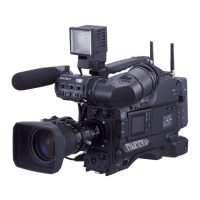
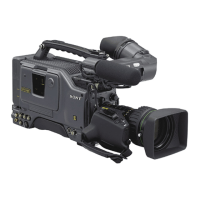
Sony DSR-570WS - User Manual

Sony DSR-570WS
250 pages
Print Icon
To Next Page IconTo Next Page
Loading...
DIGITAL CAMCORDER
DSR-570WS
DSR-570WSP
SERVICE MANUAL
Volume 1 1st Edition

Table of Contents

Other manuals for Sony DSR-570WS

Questions and Answers

  • R
    Richard ShermanJul 31, 2025
    How to clean Sony DSR-570WS when head clogs?
    • M
      Michael ChoiJul 31, 2025
      To address head clogs on your Sony Camcorder: 1. Load the DVL-12CL cleaning cassette, play it for about 5 seconds, and then eject it promptly. Remember to only use the DVL-12CL cleaning cassette tape to avoid abnormal wear or damage to the video head. 2. Do not reuse a rewound cleaning cassette tape. 3. Check if the head clog has been resolved. 4. If not, turn off the power. Using a cleaning cloth moistened with cleaning liquid, gently touch the cloth on the video head. Rotate the drum slowly in the head's rotating direction (leftward from the top) with your fingers to clean it. Avoid moving the cleaning cloth vertically over the video head to prevent damage.
  • M
    Megan RiveraAug 10, 2025
    What to do if I can't extract the cassette tape from my Sony DSR-570WS because tape slacks?
    • S
      Suzanne GilmoreAug 10, 2025
      To extract a cassette tape from your Sony Camcorder when the tape is slacked: 1. Remove the left panel. 2. Hold the cassette compartment to prevent it from rising, then use a Phillips screwdriver to turn screw A (red) counterclockwise until the tape slacks slightly. 3. Turn screw B (red) counterclockwise with the screwdriver to wind the slacked tape. 4. Repeat steps 2 and 3 until the tape is completely wound. 5. Release the cassette compartment and turn screw A further counterclockwise to raise it, then extract the tape. 6. If the compartment doesn't rise, use a thin screwdriver to press the claws on its side.
  • J
    jason06Aug 20, 2025
    How to release the HUMID TIMER on Sony DSR-570WS Camcorder when condensation occurs?
    • M
      Marcus KempAug 20, 2025
      To release the HUMID TIMER on your Sony Camcorder when condensation occurs: 1. Enter the SYSTEM MENU and set the HUMID TIMER to OFF mode (Menu No. 509). 2. Press the RESET button twice. If 'X X X' becomes '0', the HUMID TIMER has been successfully turned off.

Summary

Section 2 Service Information

2-2. Removing and Attaching the Cabinet

Detailed procedures for removing and reattaching the camcorder's cabinet panels.

2-9. Removing and Attaching the Boards

General procedures for removing and attaching various circuit boards.

2-14. Battery Preset and Battery End Voltage Adjustment

Guides for adjusting battery preset and end voltage settings.

Section 3 Troubleshooting

3-4. Error Codes

Explains the system for displaying and interpreting error codes.

Section 7 Tape Path Alignment

7-3. Tracking Adjustment

Procedures for adjusting the tracking of the tape path.

Section 8 General Information for Electrical Alignment

Section 9 Camera Block Electrical Alignment

9-3. Camera Adjustment

Detailed procedures for various camera electrical adjustments.

Section 10 VTR Block Electrical Alignment

10-2. Servo System Adjustment

Procedures for adjusting servo system parameters.

10-3. RF System Adjustment

Procedures for adjusting RF system parameters.

10-5. Video System Adjustment

Procedures for adjusting video system parameters.

Sony DSR-570WS Specifications

General IconGeneral
TypeProfessional Camcorder
Recording SystemDigital
Sensor TypeCCD
Sensor Size1/2 inch
Recording MediaMiniDV Tape
Microphone InputXLR
Headphone Output3.5 mm
Video OutputComposite, S-Video
Weight5.5 lbs
FormatDV
Image Device3CCD
Lens MountBayonet
Maximum Aperture1:1.6
Built-in FiltersND Filters
Shutter Speed1/60 - 1/10, 000 sec
Gain-3dB to +18dB
ViewfinderColor
LCD ScreenColor LCD
Recording FormatDV
Audio Format16-bit, 48 kHz
Audio RecordingYes
Power Consumption14W
Power Supply12V DC

Related product manuals