44
Adjusting the gain
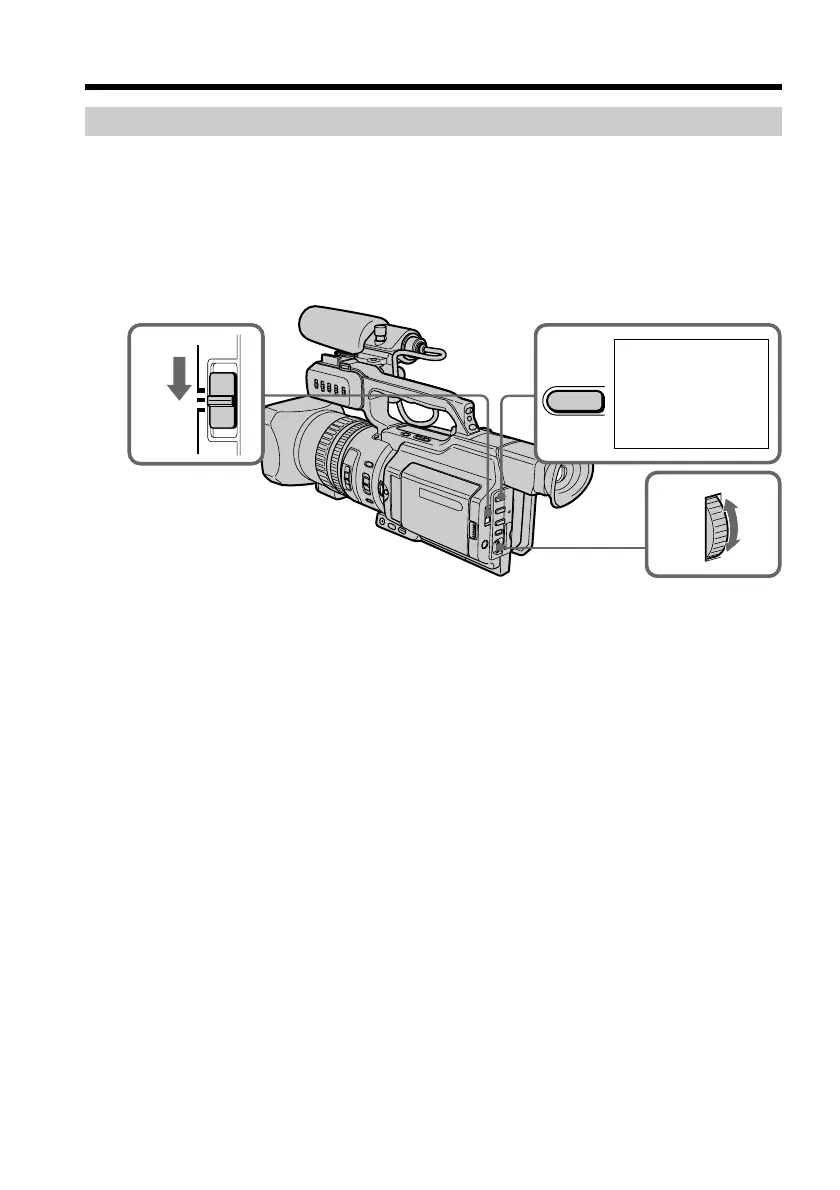
(1) Set the AUTO LOCK selector to the center (auto lock release) position while
the camcorder is in standby, recording, or memory mode.
(2) Press GAIN. The gain indicator appears on the LCD screen or in the
viewfinder.
(3) Turn the SEL/PUSH EXEC dial to adjust the gain.
As you turn the dial the gain value changes between 0 dB and 18 dB.
To return to automatic gain mode
Set the AUTO LOCK selector to AUTO LOCK or press GAIN. The gain indicator
disappears from the LCD or viewfinder screen.
Shooting with manual adjustment
22
0dB
1
3
AUTO
LOCK
HOLD
GAIN





 To Next Page