Getting Started
7
Getting Started
DST-HD500 2-663-710-11(2)
Connecting the receiver to a TV/display screen
Note:Before connecting, ensure all equipment is disconnected from the mains supply.
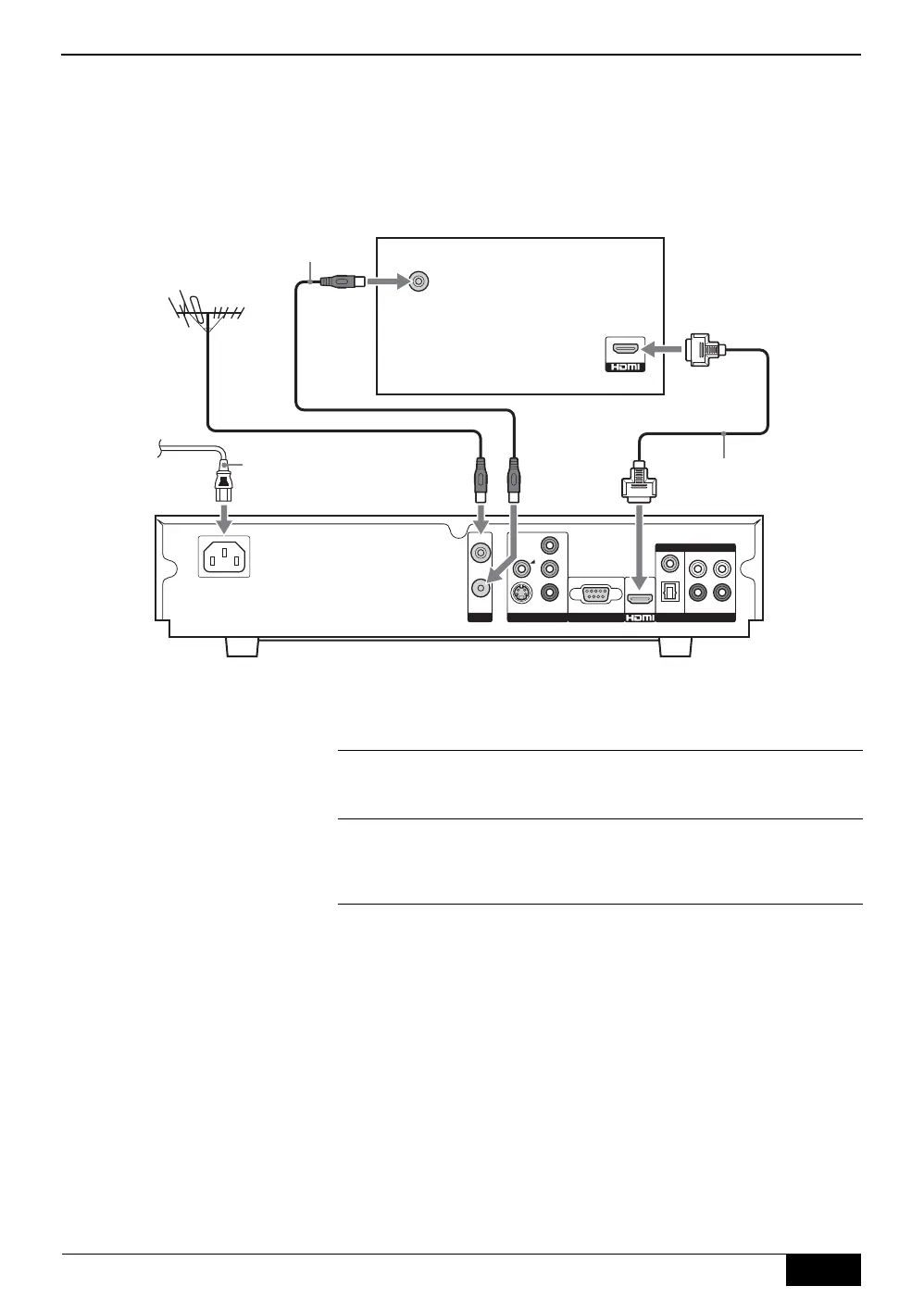
Connecting to an HD TV/display screen via HDMI
ANT.
VIDEO OUTPUT RS-232
RF OUT
S-VIDEO
CVBS
COAX.
L
R
L
R
OPTICAL
Y
P
b
Pr
RF IN
RF IN
AUDIO OUTPUT
DIGITAL ANALOG
Rear of TV/display screen (with HDMI input)
RF cable (supplied)
To ma i n s
AC Cord
(supplied)
HDMI cable
1
Connect your aerial cable to the socket labelled RF IN on the
rear of the receiver.
2
Connect the supplied RF cable from the socket labelled RF
OUT on the rear of the receiver to the aerial socket on your
TV/display screen.
3
Connect an HDMI cable (not supplied) from the socket labelled
HDMI on the rear of the receiver to the HDMI input socket on
your TV/display screen. (When using an HDMI connection, it is
not necessary to connect the AV cable.)
4
Connect the supplied AC cord from the AC IN socket on the
rear of the receiver to your mains socket (100 - 240V AC,
50/60Hz).
DST-HD100A.book Page 7 Saturday, September 17, 2005 5:36 AM



 To Next Page