Getting Started
9
Getting Started
DST-HD500 2-663-710-11(2)
ANT.
VIDEO OUTPUT RS-232
RF OUT
S-VIDEO
CVBS
COAX.
L
R
L
R
OPTICAL
Y
P
b
Pr
RF IN
RF IN
AUDIO OUTPUT
DIGITAL ANALOG
L
R
AUDIO
S-VIDEO
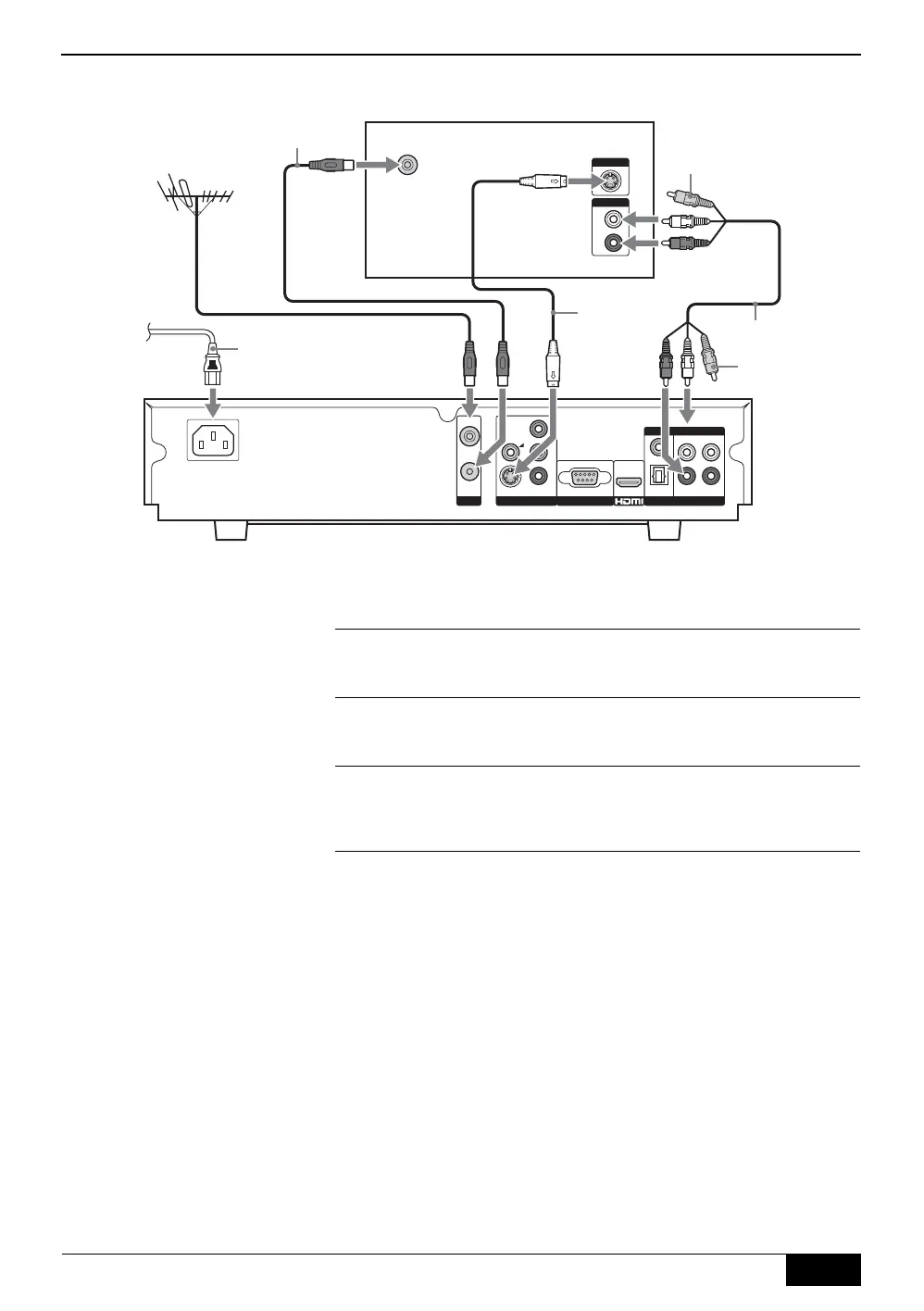
Connecting to an SD TV/display screen via S-Video
1
Connect your aerial cable to the socket labelled RF IN on the
rear of the receiver.
2
Connect the supplied RF cable from the socket labelled RF
OUT on the rear of the receiver to the aerial socket on your
TV/display screen.
3
Connect an S-Video cable (not supplied) from the socket
labelled S-VIDEO on the rear of the receiver to the S-Video
input sockets on your TV/display screen.
4
Connect the supplied AV cable from the sockets labelled L, and
R on the rear of the receiver to the audio input sockets on your
TV/display screen. (The yellow video jack does not need to be
connected.)
5
Connect the supplied AC cord from the AC IN socket on the
rear of the receiver to your mains socket (100 - 240V AC,
50/60Hz).
Rear of TV/display screen
S-Video
cable (not
supplied)
AV cable (supplied)
Video jack (not required)
RF cable (supplied)
AC Cord
(supplied)
To m a ins
Video jack
(not required)
DST-HD100A.book Page 9 Saturday, September 17, 2005 5:36 AM



 To Next Page