18
Adjusting the volume level
Be sure to adjust the volume for each
connected audio device before playback.
1 Turn down the volume on the unit.
2 Press repeatedly until
“AUX” appears.
3 Start playback of the portable audio device
at a moderate volume.
4 Set your usual listening volume on the unit.
5 Adjust the input level (page 15).
Additional
Information
Precautions
• Cool off the unit beforehand if your car has
been parked in direct sunlight.
• Do not leave the front panel or audio devices
brought in inside the car, or it may cause
malfunction due to high temperature in
direct sunlight.
• Power antenna (aerial) extends
automatically.
To maintain high sound quality
Do not splash liquid onto the unit.
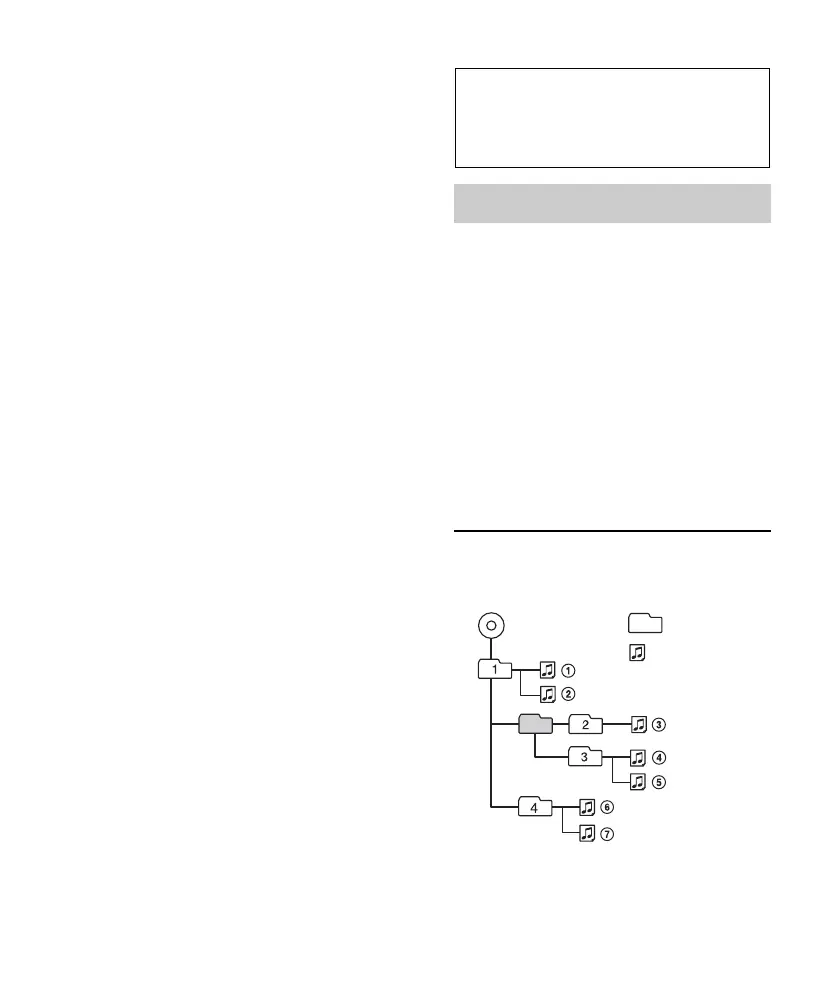
Playback order of MP3/WMA/
AAC files
If you have any questions or problems
concerning your unit that are not covered in
this manual, consult your nearest Sony dealer.
Folder
(album)
MP3/WMA/
AAC file (track)
MP3/WMA/AAC



 To Next Page