6GB
Resetting the Unit
Before operating the unit for the first time, after
replacing the car battery, or changing the
connections, you must reset the unit.
1 Press and hold DSPL and CALL for
more than 2 seconds.
Note
Resetting the unit will erase the clock setting and some
stored contents.
Switching the FM/AM Tuning
Step
Set the FM/AM tuning step of your country. This
setting appears only while the source is off and
the clock is displayed.
1 Press MENU, rotate the control dial to
select [GENERAL], then press it.
2 Rotate the control dial to select [TUNER
STEP], then press it.
3 Rotate the control dial to select from
[50K/9K], [100K/10K] or [200K/10K], then
press it.
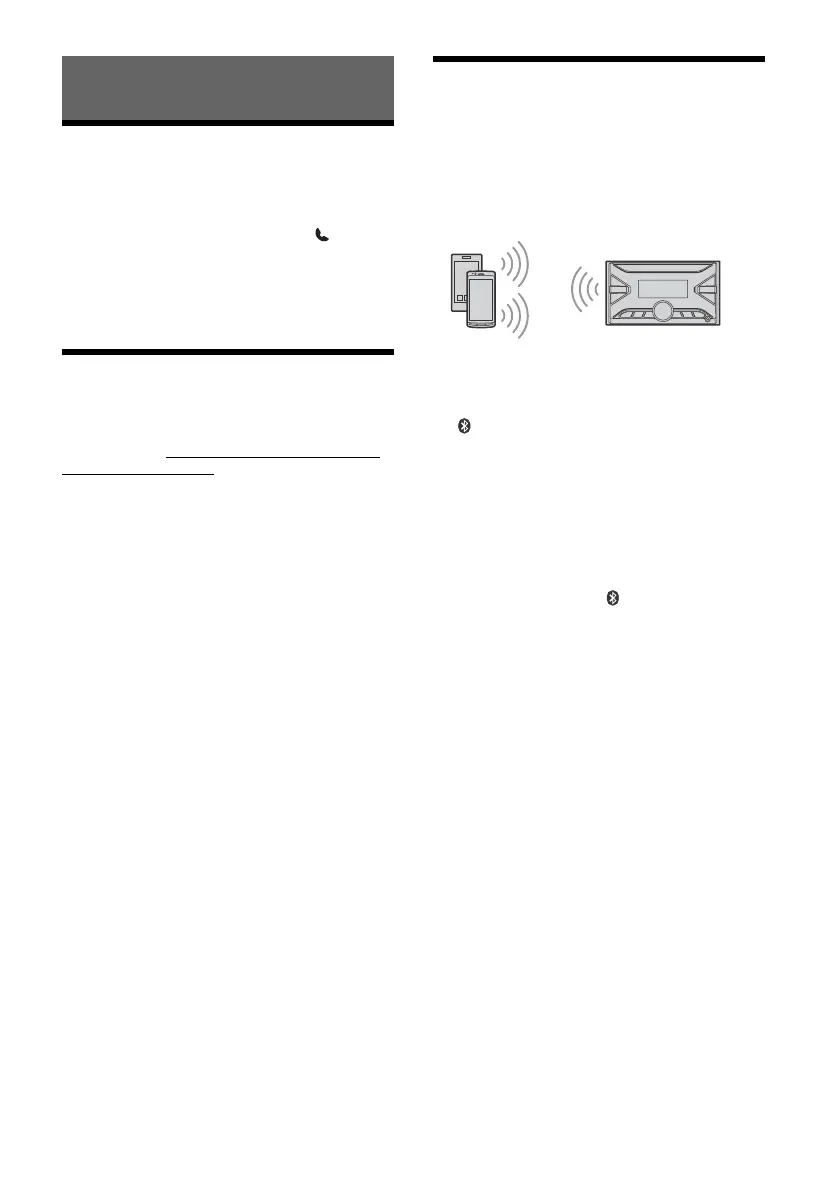
Pairing with a BLUETOOTH
Device
When connecting a BLUETOOTH device for the first
time, mutual registration (called “pairing”) is
required. Pairing enables this unit and other devices
to recognize each other. This unit can connect two
BLUETOOTH devices (two mobile phones, or a
mobile phone and an audio device).
1 Press MENU, then rotate and press the
control dial to select [BLUETOOTH]
[PAIRING] [DEVICE 1]/[DEVICE 2]*.
flashes while the unit is in pairing standby
mode.
* [DEVICE 1] or [DEVICE 2] will be changed to the
paired device name after pairing is complete.
2 Perform pairing on the BLUETOOTH
device so it detects this unit.
3 Select your model name shown in the
display of the BLUETOOTH device*.
When pairing is made, stays lit.
* If passkey input is required on the BLUETOOTH
device, input [0000].
Basic Operations



 To Next Page