7GB
Canceling the Demonstration
Mode
You can cancel the demonstration display which
appears when the source is off and the clock is
displayed.
1 Press MENU, rotate the control dial to
select [GENERAL], then press it.
2 Rotate the control dial to select [DEMO],
then press it.
3 Rotate the control dial to select [DEMO-
OFF], then press it.
The setting is complete.
4 Press (back) twice.
The display returns to normal reception/play
mode.
Updating the Firmware
To update the firmware, visit the support site on the
back cover, then follow the online instructions.
Notes
Using a USB device (not supplied) is required for
updating the firmware. Store the updater in the USB
device, and connect the device to the USB port, then
perform the update operation.
Updating the firmware takes a few minutes to
complete. During the update, do not turn the ignition
to the OFF position, nor remove the USB device.
Precautions
Cool off the unit beforehand if your car has been
parked in direct sunlight.
Do not leave audio devices brought in inside the
car, or it may cause malfunction due to high
temperature in direct sunlight.
Power antenna (aerial) extends automatically.
To maintain high sound quality
Do not splash liquid onto the unit.
Additional Information
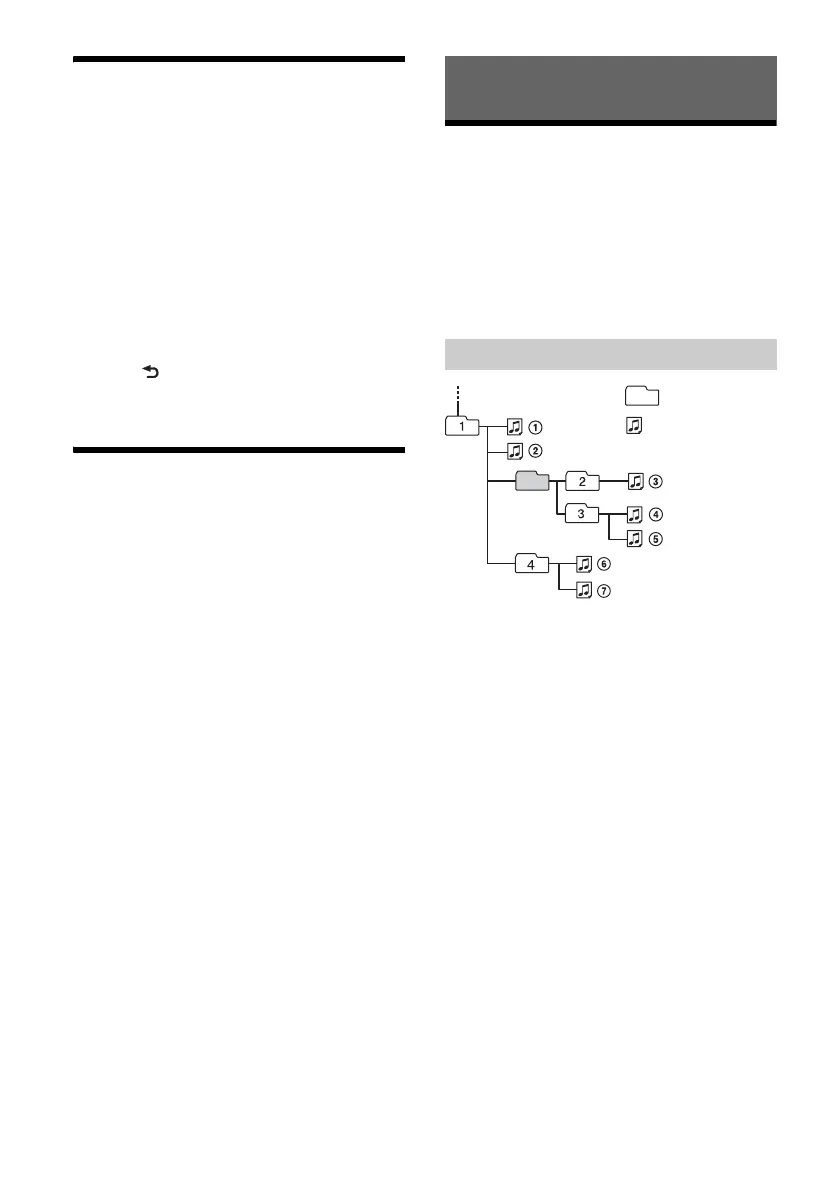
Playback order of audio files
Folder (album)
Audio file (track)



 To Next Page