EasyManua.ls Logo

Sony DTC-700 - Renumbering Program Numbers; Automatic Program Number Renumbering

Sony DTC-700
56 pages
Print Icon
To Next Page IconTo Next Page
To Previous Page IconTo Previous Page
Loading...
32
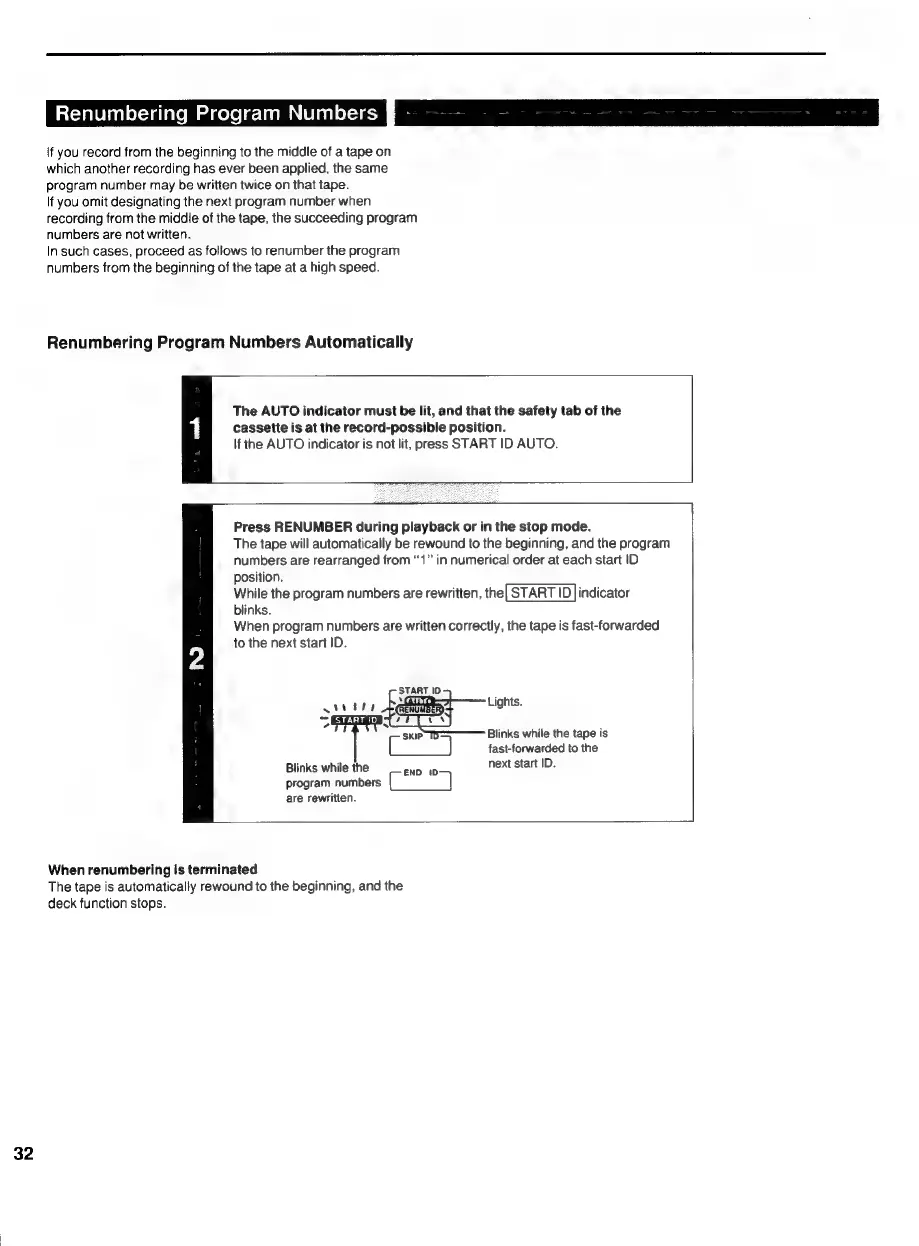
Renumbering
Program
Numbers
Po
\f
you
record
from
the
beginning
to
the
middle
of
a
tape
on
which
another
recording
has
ever
been
applied,
the
same
program
number
may
be
written
twice
on
that
tape.
If
you
omit
designating
the
next
program
number
when
recording
from
the
middie
of
the
tape,
the
succeeding
program
numbers
are
not
written.
In
such
cases,
proceed
as
follows
to
renumber
the
program
numbers
from
the
beginning
of
the
tape
at
a
high
speed.
Renumbering
Program
Numbers
Automatically
The
AUTO
indicator
must
be
lit,
and
that
the
safety
tab
of
the
1
cassette
is
at
the
record-possible
position.
If
the
AUTO
indicator
is
not
lit,
press
START
ID
AUTO.
Press
RENUMBER
during
playback
or
in
the
stop
mode.
The
tape
will
automatically
be
rewound
to
the
beginning,
and
the
program
numbers
are
rearranged
from
“1”
in
numerical
order
at
each
start
ID
position.
While
the
program
numbers
are
rewritten,
the|
START
|D
|
indicator
blinks.
When
program
numbers
are
written
correctly,
the
tape
is
fast-forwarded
to
the
next
start
ID.
START
ID
x
2
p
Siete
adel
=
ons
skip
TO
Blinks
while
the
tape
is
fast-forwarded
to
the
Blinks
while
the
next
start
ID.
END
(tD
program
numbers
fae
ee)
are
rewritten.
When
renumbering
is
terminated
The
tape
is
automatically
rewound
to
the
beginning,
and
the
deck
function
stops.

Related product manuals