EasyManua.ls Logo

Sony DTC-700 - Writing and Erasing Skip IDs; Erasing Skip IDs

Sony DTC-700
56 pages
Print Icon
To Next Page IconTo Next Page
To Previous Page IconTo Previous Page
Loading...
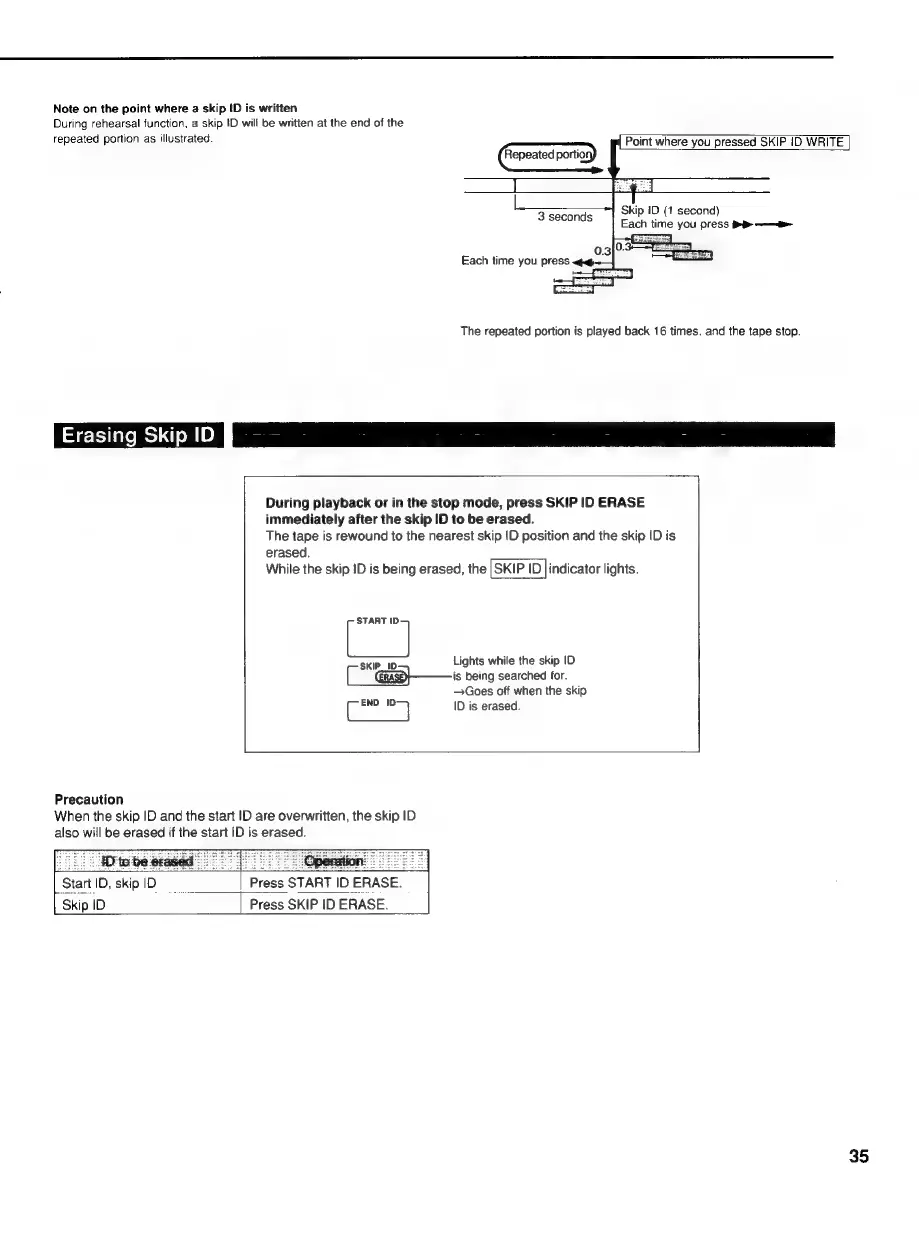
Note
on
the
point
where
a
skip
ID
is
written
During
rehearsal
function,
a
skip
ID
will
be
written
at
the
end
of
the
repeated
portion
as
illustrated.
Point
where
you
pressed
SKIP
iD
WRITE
(
Repeated
portion)
I
Skip
ID
(1
second)
3
seconds
Each
time
you
press
>>
——
Each
time
you
press
qq
The
repeated
portion
is
played
back
16
times.
and
the
tape
stop.
Erasing
Skip
ID
During
playback
or
in
the
stop
mode,
press
SKIP
ID
ERASE
immediately
after
the
skip
ID
to
be
erased.
The
tape
is
rewound
to
the
nearest
skip
!D
position
and
the
skip
ID
is
erased.
While
the
skip
ID
is
being
erased,
the
|SKIP
ID
Jindicator
lights.
-
START
"]
Lights
while
the
skip
ID
(—
SKIP_ID
[_“@as}—is
being
searched
for.
—Goes
off
when
the
skip
y
END
}
ID
is
erased.
Precaution
When
the
skip
ID
and
the
start
ID
are
overwritten,
the
skip
ID
also
will
be
erased
if
the
start
ID
is
erased.
__
Hite
be
erase
Le
Operation:
=
Start
ID,
skip
ID
|
Press
START
ID
ERASE.
Skip
ID
Press
SKIP
ID
ERASE.
35

Related product manuals