EasyManua.ls Logo

Sony DTC-A6 - Recording on a DAT

Sony DTC-A6
62 pages
Print Icon
To Next Page IconTo Next Page
To Previous Page IconTo Previous Page
Loading...
Basic Operations
6
EN
3-856-761-11(2)
§
OPEN/CLOSE
§
OPEN/CLOSE
Recording on a DAT
Basic Operations
See page 5 for hookup
information.
1
Turn on the amplifier and play the program source you want
to record.
2
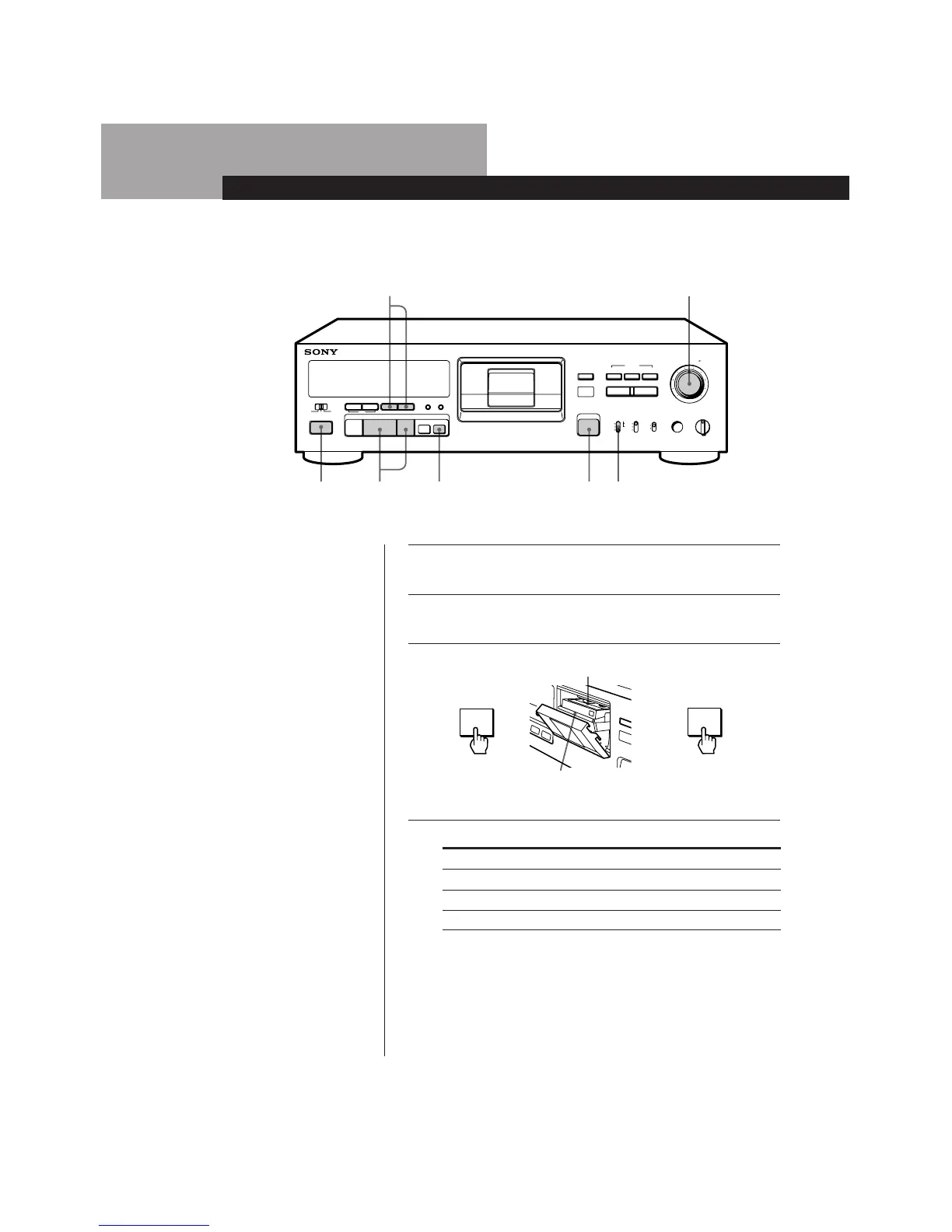
Press POWER.
3
Press OPEN/CLOSE § and insert a cassette.
Window side up
bb
2
5
6 3 48
7
MARGIN
OPEN/CLOSE
RESET
RESETMODE
REWPREVIOUS FFNEXT
AMS
TIMER
START ID
PHONESSBMINPUT REC MODE
RECREC MUTEPAUSEPLAYSTOP
PHONE LEVEL
REC LEVEL
RENUMBER REHEARSALAUTO
WRITE ERASE
g
§
5
46
0
37
28
19
10
100
ON
48 kHz
44.1kHz
LONG
ANALOG
OPTICAL
COAXIAL
STANDARD
OFF
REC OFF
POWER
PLAY
=
pP
Rr
(
+ 0)
L R
Insert the cassette
beyond the silver
bar.
Close the cassette
holder by pressing
OPEN/CLOSE §.
4
Set INPUT to the corresponding input connector.
To record through
ANALOG (LINE) IN
DIGITAL OPTICAL IN
Set INPUT to
ANALOG
OPTICAL
COAXIAL
DIGITAL COAXIAL IN

Table of Contents

Related product manuals