49
Hookups
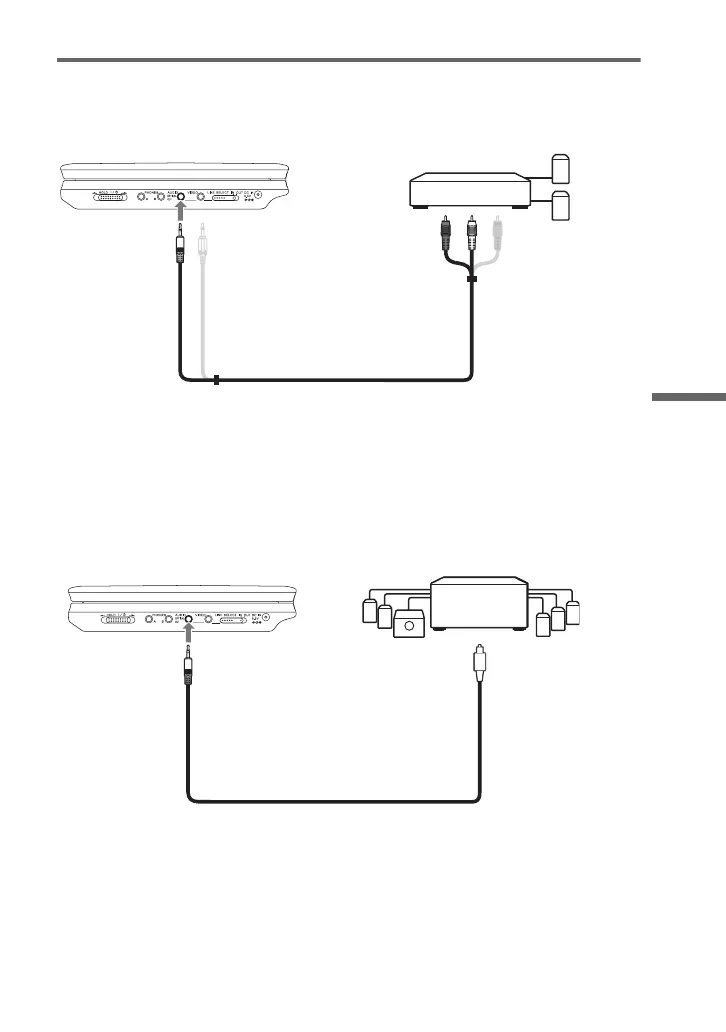
Connecting to an AV amplifier (receiver)
Example 1
To send the playback signal to an AV amplifier (receiver)
1 Set the LINE SELECT switch on the player’s right side to “OUT.”
* The yellow plug is used for video signals (page 48).
Example 2
To send the playback signal to an AV amplifier (receiver)
1 Set the LINE SELECT switch on the player’s right side to “OUT.”
2 Set “Digital Output” to “On” in “Audio Setup” (page 43).
Stereo amplifier
To AUDIO
Audio/video cord (supplied)
To AUDIO input
mp
er w
o
y
g
a
or DTS decoder
To OPTICAL OUT
Optical digital cord (not supplied)
To AUDIO input
,continued


 To Next Page
 Loading...






