36
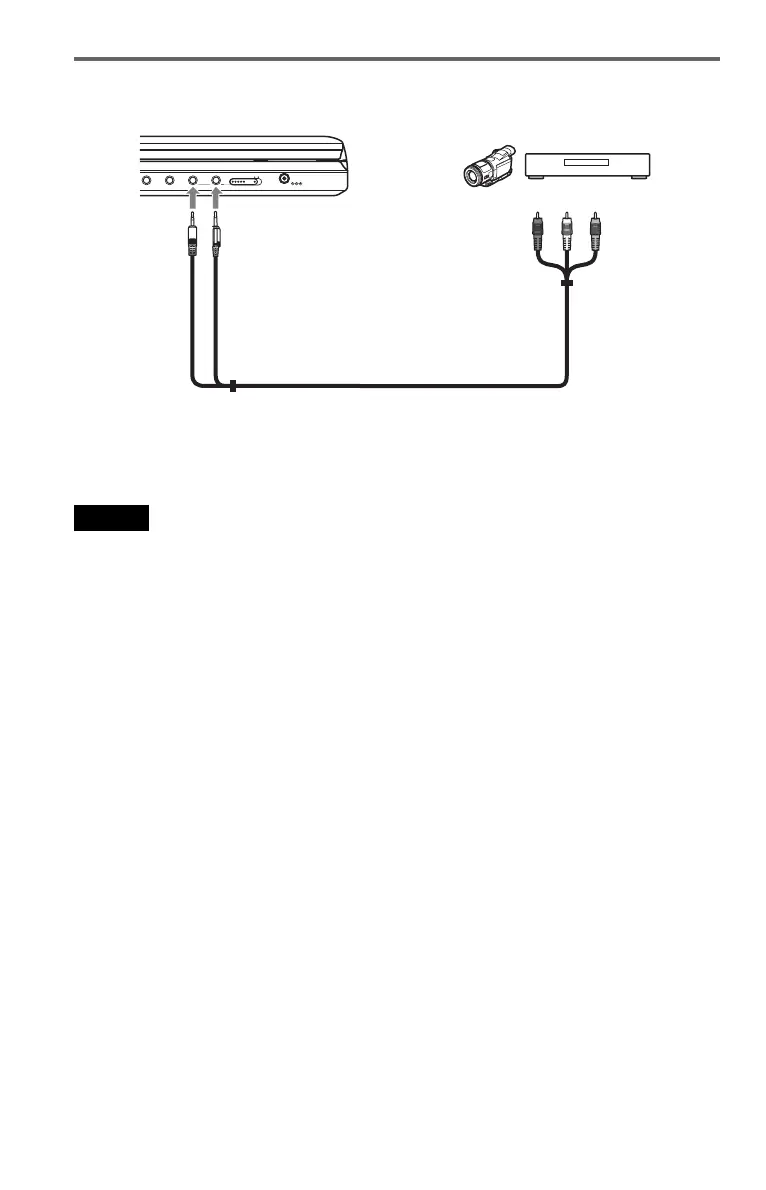
Connecting to Video Player or Camcorder
To receive the playback signal from a Video Player or Camcorder
1 Set the LINE SELECT switch on the player’s right side to “IN.”
Note
Set the LINE SELECT switch to “OUT” after use. You cannot play back on the player if the switch is set to
“IN.”
DC IN
9.5V
AUDIO VIDEO
PHONES
OPTICAL
OUT
AB
LINE SELECT
IN OUT
Video player or camcorder
To AUDIO/VIDEO
Audio/video cord (supplied)
To AUDIO/VIDEO output













 To Next Page