EasyManua.ls Logo

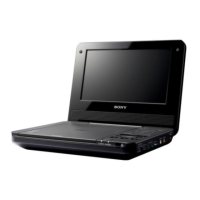
Sony DVP-FX810 - User Manual

Sony DVP-FX810
56 pages
Print Icon
To Next Page IconTo Next Page
Loading...
2-684-485-31(1)
To find out useful hints, tips and information about Sony products and
services please visit: www.sony-europe.com/myproduct

Other manuals for Sony DVP-FX810

Question and Answer IconNeed help?

Do you have a question about the Sony DVP-FX810 and is the answer not in the manual?

Summary

WARNING

CAUTION

Important safety warnings regarding product usage and potential hazards.

UK & Ireland Customer Notice

Specific information for customers in the United Kingdom and Republic of Ireland.

Precautions

Safety Precautions

Guidelines for safe operation to prevent fire or electric shock.

Temperature and Power Precautions

Information on heat build-up, player shutdown, and safe power source usage.

Rechargeable Battery Precautions

Battery Handling and Care

Instructions for charging, handling, and storing the rechargeable battery pack.

Battery Disposal Guidelines

Guidance on proper disposal of used rechargeable batteries.

Player Handling Precautions

General Player Handling and Maintenance

Guidelines for maintaining the player, preventing damage, and ensuring optimal performance.

LCD Screen and Audio Precautions

LCD Screen Handling and Care

Advice on cleaning, protecting, and managing the LCD screen to prevent damage.

Headphone Usage and Safety

Recommendations for safe listening and preventing hearing damage with headphones.

Road Safety Warnings

Warnings and guidelines against using the player while driving or cycling.

Transportation and Cleaning Precautions

Transportation and Cleaning Instructions

Instructions for safely transporting and cleaning the player and its discs.

Electronic Equipment Disposal

Information on the correct disposal of electronic equipment according to regulations.

About This Manual and Discs

Manual Overview and Codes

Explains the manual's purpose and the use of codes within it.

Playable Disc Formats

Details the types of discs compatible with the player, including DVD and CD formats.

Disc Terminology Explained

Defines key terms related to DVD and CD disc types and their playback.

Playable Disc Formats Details

MP3 and JPEG File Playback

Information on playing MP3 and JPEG files, including format requirements and limitations.

Region Codes and DualDiscs

Explains DVD region codes and notes on playing DualDiscs.

Playback Operation and Disc Handling

Playback Functionality Guidelines

Cautions and considerations for operating the playback functions of the DVD player.

Disc Handling and Cleaning Procedures

Instructions for handling, storing, and cleaning discs to prevent damage and ensure playback.

Basic Usage Precautions

Player Placement and Ventilation

Recommendations for positioning the player to ensure proper ventilation and prevent interference.

LCD Display Handling and Care

Advice on handling the LCD screen, including condensation and cleaning.

Player and Battery Pack Precautions

Rear Panel and Battery Pack Details

Information on the player's rear panel connections and safe handling of the battery pack.

AC Adaptor and Volume Adjustment

Guidelines for using the AC adaptor and adjusting sound volume safely.

Player and Lens Cleaning

Player and Screen Cleaning Instructions

Instructions for cleaning the player's cabinet, panel, and LCD screen.

Lens Cleaning and Residual Image Warnings

Procedures for cleaning the disc lens and warnings about residual image burn-out.

Player Control Identification

Main Player Controls Overview

Identifies and describes the buttons and indicators on the main body of the player.

Player Exterior Controls

Player Exterior Controls and Connections

Details the controls located on the exterior panels of the player.

Preventing Button Command Errors

Explains the HOLD function to prevent accidental button presses.

Remote Control Identification

Remote Control Buttons Layout

Identifies and describes each button on the remote control unit.

Using the Remote Control

Remote Control Battery Installation

Instructions for correctly inserting batteries into the remote control.

LCD Panel Operation

LCD Panel Rotation Mechanism

Explains how to rotate and fold the LCD panel for different viewing positions.

Connecting the AC Adaptor

Using with Batteries

Battery Pack Installation and Removal

Instructions for installing and removing the battery pack from the player.

Battery Charging and Usage

Charging the Battery Pack

Steps for charging the battery pack and indicators for charging status.

Battery Life and Performance

Information on battery reserve level display and battery lifespan.

Basic Operations: Playing Discs

Playing a DVD or CD Disc

Detailed steps for inserting and playing discs, including power and volume adjustments.

Disc Menu Navigation

How to navigate disc menus using player buttons or remote control.

Playing Discs: Picture Settings

Changing Picture Size

Instructions on using the LCD MODE button to adjust picture aspect ratios.

Screen Saver Function Operation

How the screen saver activates and how to turn the screen back on.

Playing Discs: LCD Screen Adjustments

Adjusting LCD Screen Settings

Guide to adjusting backlight, contrast, hue, and color for the LCD screen.

Playing Discs: Playback Controls

Stopping and Resuming Playback

How to stop, resume, and manage playback, including the resume function.

Pause and Search Functions

Instructions for pausing playback and using the search function for forward/reverse scanning.

Playing Discs: Advanced Playback Modes

Slow Play and Screen Saver

How to use slow play mode and information about the screen saver feature.

VR Mode Disc Playback Notes

Notes on playing discs recorded in VR mode, including playlist and finalization requirements.

DISPLAY Screen Usage

Accessing and Navigating the DISPLAY Screen

How to use the DISPLAY button to view and change playback information.

Information Displayed on Screen

Lists the types of playback information available on the DISPLAY screen.

Advanced Operations: General Features

Top Menu Navigation

How to select titles from the DVD's top menu.

DVD Menu Navigation Options

How to navigate disc menus for language, subtitles, and other options.

Moving Between Titles and Chapters

Instructions for navigating between different titles and chapters on a disc.

General Features: Search and Audio Settings

Time Search Functionality

How to start playback at a specific time on a DVD.

Subtitle and Camera Angle Selection

How to change subtitle language and camera angles during playback.

Audio Language Selection

How to select different audio tracks available on a DVD.

General Features: Repeat and Time Display

Repeat Playback Modes Explained

Explains how to set repeat modes for chapters, titles, or the entire disc.

A-B Repeat Functionality

How to set a specific section of playback for repeated viewing.

Time Display Options

How to change the time display format (elapsed, remaining) during playback.

Playing Audio CD and MP3 Discs

Audio CD Playback Basics

How to play standard audio CDs, including track navigation.

MP3 File Playback Guide

Instructions for playing MP3 files, including folder and file selection.

Audio CD and MP3 Disc Operations

Pause, Stop, and Track Navigation

Basic playback controls for audio CDs and MP3 discs.

Search and A-B Repeat for Audio;MP3

How to use search and A-B repeat features with audio CDs and MP3 discs.

MP3 and Disc Playback Notes

MP3 and Disc Format Limitations

Details on file naming, folder limits, and compatibility issues for MP3 and disc playback.

Programming Playback

Repeat and Random Playback Modes

Repeat Playback Options

Explains different repeat modes for various disc types (CD, MP3, VCD, DivX).

Random Playback Functionality

How to enable and use random playback mode for music and video discs.

JPEG Image File Display

Thumbnail and Slide Show Modes

How to display JPEG files in thumbnail view and initiate a slide show.

Pausing and Controlling Slide Shows

Instructions for pausing, resuming, and navigating through JPEG slide shows.

JPEG Image Display and Rotation

Rotating JPEG Images

How to rotate JPEG images horizontally, vertically, or by 90 degrees.

Playing a VCD Video

VCD with Playback Control (PBC)

Explains how to use the PBC function for interactive VCD playback with menus.

Playing a DivX Video

DivX File Features and Controls

Details DivX playback features, including display, audio, and subtitle options.

DivX Video Playback Considerations

DivX VOD Rental and Registration

Information on renting DivX VOD content and obtaining a player registration number.

DivX Disc Compatibility Notes

Information on DivX file format compatibility, extensions, and disc types.

DivX Video Playback Issues

DivX File Performance and Limitations

Notes on potential playback issues with DivX files, such as picture quality, sound sync, and file size.

Set Up Menu Overview

Accessing and Navigating the Set Up Menu

Instructions for displaying, navigating, and exiting the player's setup menu.

General Settings: TV Display Options

How to configure TV display settings like aspect ratio (16:9, 4:3).

Set Up Menu: Display and Audio Settings

Angle Mark and Screen Saver Settings

How to enable/disable angle marks and the screen saver feature.

PBC and DivX Registration Settings

Settings for Playback Control (PBC) for VCDs and DivX video registration.

Audio and Language Settings

How to adjust audio settings and select languages for menus, subtitles, and audio tracks.

Set Up Menu: Parental Controls

Password Management for Parental Controls

Instructions for setting, changing, and recovering the player's password.

Parental Control Level Settings

How to set viewing restrictions based on age ratings for DVD content.

Set Up Menu: Parental Control Levels and Exit

Selecting Parental Control Levels

Guide to choosing parental control restriction levels from 1 to 8.

Exiting the Set Up Menu

Methods for closing the setup menu after making changes.

Connecting the Video;Audio Cord

Line Out and Line In Connections

Diagrams and instructions for connecting the player to TVs or other devices for audio/video output or input.

Switching Line Select Modes

How to switch between LINE SELECT IN and OUT modes for proper signal flow.

Using the Player with a Car Adaptor

Car Adaptor Usage Guidelines

Car Adaptor Miscellaneous Notes

Important miscellaneous information regarding car battery compatibility, grounding, and maintenance.

In Case of Malfunction

Power and Display Issues

Troubleshooting steps for power-on failures and lack of image display.

Audio and Playback Problems

Solutions for issues related to no sound or the device failing to start playback.

Button and Remote Control Issues

Troubleshooting steps for unresponsive buttons and malfunctioning remote controls.

Specifications

Player Specifications

Technical details of the CD/DVD player, including power, dimensions, and weight.

Connector and Display Details

Specifications for video/audio connectors and the liquid crystal display panel.

Supplied Accessories List

A list of all accessories included with the player.

Summary

WARNING

CAUTION

Important safety warnings regarding product usage and potential hazards.

UK & Ireland Customer Notice

Specific information for customers in the United Kingdom and Republic of Ireland.

Precautions

Safety Precautions

Guidelines for safe operation to prevent fire or electric shock.

Temperature and Power Precautions

Information on heat build-up, player shutdown, and safe power source usage.

Rechargeable Battery Precautions

Battery Handling and Care

Instructions for charging, handling, and storing the rechargeable battery pack.

Battery Disposal Guidelines

Guidance on proper disposal of used rechargeable batteries.

Player Handling Precautions

General Player Handling and Maintenance

Guidelines for maintaining the player, preventing damage, and ensuring optimal performance.

LCD Screen and Audio Precautions

LCD Screen Handling and Care

Advice on cleaning, protecting, and managing the LCD screen to prevent damage.

Headphone Usage and Safety

Recommendations for safe listening and preventing hearing damage with headphones.

Road Safety Warnings

Warnings and guidelines against using the player while driving or cycling.

Transportation and Cleaning Precautions

Transportation and Cleaning Instructions

Instructions for safely transporting and cleaning the player and its discs.

Electronic Equipment Disposal

Information on the correct disposal of electronic equipment according to regulations.

About This Manual and Discs

Manual Overview and Codes

Explains the manual's purpose and the use of codes within it.

Playable Disc Formats

Details the types of discs compatible with the player, including DVD and CD formats.

Disc Terminology Explained

Defines key terms related to DVD and CD disc types and their playback.

Playable Disc Formats Details

MP3 and JPEG File Playback

Information on playing MP3 and JPEG files, including format requirements and limitations.

Region Codes and DualDiscs

Explains DVD region codes and notes on playing DualDiscs.

Playback Operation and Disc Handling

Playback Functionality Guidelines

Cautions and considerations for operating the playback functions of the DVD player.

Disc Handling and Cleaning Procedures

Instructions for handling, storing, and cleaning discs to prevent damage and ensure playback.

Basic Usage Precautions

Player Placement and Ventilation

Recommendations for positioning the player to ensure proper ventilation and prevent interference.

LCD Display Handling and Care

Advice on handling the LCD screen, including condensation and cleaning.

Player and Battery Pack Precautions

Rear Panel and Battery Pack Details

Information on the player's rear panel connections and safe handling of the battery pack.

AC Adaptor and Volume Adjustment

Guidelines for using the AC adaptor and adjusting sound volume safely.

Player and Lens Cleaning

Player and Screen Cleaning Instructions

Instructions for cleaning the player's cabinet, panel, and LCD screen.

Lens Cleaning and Residual Image Warnings

Procedures for cleaning the disc lens and warnings about residual image burn-out.

Player Control Identification

Main Player Controls Overview

Identifies and describes the buttons and indicators on the main body of the player.

Player Exterior Controls

Player Exterior Controls and Connections

Details the controls located on the exterior panels of the player.

Preventing Button Command Errors

Explains the HOLD function to prevent accidental button presses.

Remote Control Identification

Remote Control Buttons Layout

Identifies and describes each button on the remote control unit.

Using the Remote Control

Remote Control Battery Installation

Instructions for correctly inserting batteries into the remote control.

LCD Panel Operation

LCD Panel Rotation Mechanism

Explains how to rotate and fold the LCD panel for different viewing positions.

Connecting the AC Adaptor

Using with Batteries

Battery Pack Installation and Removal

Instructions for installing and removing the battery pack from the player.

Battery Charging and Usage

Charging the Battery Pack

Steps for charging the battery pack and indicators for charging status.

Battery Life and Performance

Information on battery reserve level display and battery lifespan.

Basic Operations: Playing Discs

Playing a DVD or CD Disc

Detailed steps for inserting and playing discs, including power and volume adjustments.

Disc Menu Navigation

How to navigate disc menus using player buttons or remote control.

Playing Discs: Picture Settings

Changing Picture Size

Instructions on using the LCD MODE button to adjust picture aspect ratios.

Screen Saver Function Operation

How the screen saver activates and how to turn the screen back on.

Playing Discs: LCD Screen Adjustments

Adjusting LCD Screen Settings

Guide to adjusting backlight, contrast, hue, and color for the LCD screen.

Playing Discs: Playback Controls

Stopping and Resuming Playback

How to stop, resume, and manage playback, including the resume function.

Pause and Search Functions

Instructions for pausing playback and using the search function for forward/reverse scanning.

Playing Discs: Advanced Playback Modes

Slow Play and Screen Saver

How to use slow play mode and information about the screen saver feature.

VR Mode Disc Playback Notes

Notes on playing discs recorded in VR mode, including playlist and finalization requirements.

DISPLAY Screen Usage

Accessing and Navigating the DISPLAY Screen

How to use the DISPLAY button to view and change playback information.

Information Displayed on Screen

Lists the types of playback information available on the DISPLAY screen.

Advanced Operations: General Features

Top Menu Navigation

How to select titles from the DVD's top menu.

DVD Menu Navigation Options

How to navigate disc menus for language, subtitles, and other options.

Moving Between Titles and Chapters

Instructions for navigating between different titles and chapters on a disc.

General Features: Search and Audio Settings

Time Search Functionality

How to start playback at a specific time on a DVD.

Subtitle and Camera Angle Selection

How to change subtitle language and camera angles during playback.

Audio Language Selection

How to select different audio tracks available on a DVD.

General Features: Repeat and Time Display

Repeat Playback Modes Explained

Explains how to set repeat modes for chapters, titles, or the entire disc.

A-B Repeat Functionality

How to set a specific section of playback for repeated viewing.

Time Display Options

How to change the time display format (elapsed, remaining) during playback.

Playing Audio CD and MP3 Discs

Audio CD Playback Basics

How to play standard audio CDs, including track navigation.

MP3 File Playback Guide

Instructions for playing MP3 files, including folder and file selection.

Audio CD and MP3 Disc Operations

Pause, Stop, and Track Navigation

Basic playback controls for audio CDs and MP3 discs.

Search and A-B Repeat for Audio;MP3

How to use search and A-B repeat features with audio CDs and MP3 discs.

MP3 and Disc Playback Notes

MP3 and Disc Format Limitations

Details on file naming, folder limits, and compatibility issues for MP3 and disc playback.

Programming Playback

Repeat and Random Playback Modes

Repeat Playback Options

Explains different repeat modes for various disc types (CD, MP3, VCD, DivX).

Random Playback Functionality

How to enable and use random playback mode for music and video discs.

JPEG Image File Display

Thumbnail and Slide Show Modes

How to display JPEG files in thumbnail view and initiate a slide show.

Pausing and Controlling Slide Shows

Instructions for pausing, resuming, and navigating through JPEG slide shows.

JPEG Image Display and Rotation

Rotating JPEG Images

How to rotate JPEG images horizontally, vertically, or by 90 degrees.

Playing a VCD Video

VCD with Playback Control (PBC)

Explains how to use the PBC function for interactive VCD playback with menus.

Playing a DivX Video

DivX File Features and Controls

Details DivX playback features, including display, audio, and subtitle options.

DivX Video Playback Considerations

DivX VOD Rental and Registration

Information on renting DivX VOD content and obtaining a player registration number.

DivX Disc Compatibility Notes

Information on DivX file format compatibility, extensions, and disc types.

DivX Video Playback Issues

DivX File Performance and Limitations

Notes on potential playback issues with DivX files, such as picture quality, sound sync, and file size.

Set Up Menu Overview

Accessing and Navigating the Set Up Menu

Instructions for displaying, navigating, and exiting the player's setup menu.

General Settings: TV Display Options

How to configure TV display settings like aspect ratio (16:9, 4:3).

Set Up Menu: Display and Audio Settings

Angle Mark and Screen Saver Settings

How to enable/disable angle marks and the screen saver feature.

PBC and DivX Registration Settings

Settings for Playback Control (PBC) for VCDs and DivX video registration.

Audio and Language Settings

How to adjust audio settings and select languages for menus, subtitles, and audio tracks.

Set Up Menu: Parental Controls

Password Management for Parental Controls

Instructions for setting, changing, and recovering the player's password.

Parental Control Level Settings

How to set viewing restrictions based on age ratings for DVD content.

Set Up Menu: Parental Control Levels and Exit

Selecting Parental Control Levels

Guide to choosing parental control restriction levels from 1 to 8.

Exiting the Set Up Menu

Methods for closing the setup menu after making changes.

Connecting the Video;Audio Cord

Line Out and Line In Connections

Diagrams and instructions for connecting the player to TVs or other devices for audio/video output or input.

Switching Line Select Modes

How to switch between LINE SELECT IN and OUT modes for proper signal flow.

Using the Player with a Car Adaptor

Car Adaptor Usage Guidelines

Car Adaptor Miscellaneous Notes

Important miscellaneous information regarding car battery compatibility, grounding, and maintenance.

In Case of Malfunction

Power and Display Issues

Troubleshooting steps for power-on failures and lack of image display.

Audio and Playback Problems

Solutions for issues related to no sound or the device failing to start playback.

Button and Remote Control Issues

Troubleshooting steps for unresponsive buttons and malfunctioning remote controls.

Specifications

Player Specifications

Technical details of the CD/DVD player, including power, dimensions, and weight.

Connector and Display Details

Specifications for video/audio connectors and the liquid crystal display panel.

Supplied Accessories List

A list of all accessories included with the player.

Sony DVP-FX810 Specifications

General IconGeneral
Resolution800 x 480 pixels
Playable MediaDVD, CD, USB
Built-in SpeakersYes
Headphone JackYes
Power SourceAC adapter, Rechargeable battery
AV OutputYes
USB PortYes
Weight1.5 lbs
Supported FormatsDVD, CD, MP3, JPEG
Video Playback FormatsMPEG-1, MPEG-2
Audio Playback FormatsMP3
Screen Size8 inch

Related product manuals